27
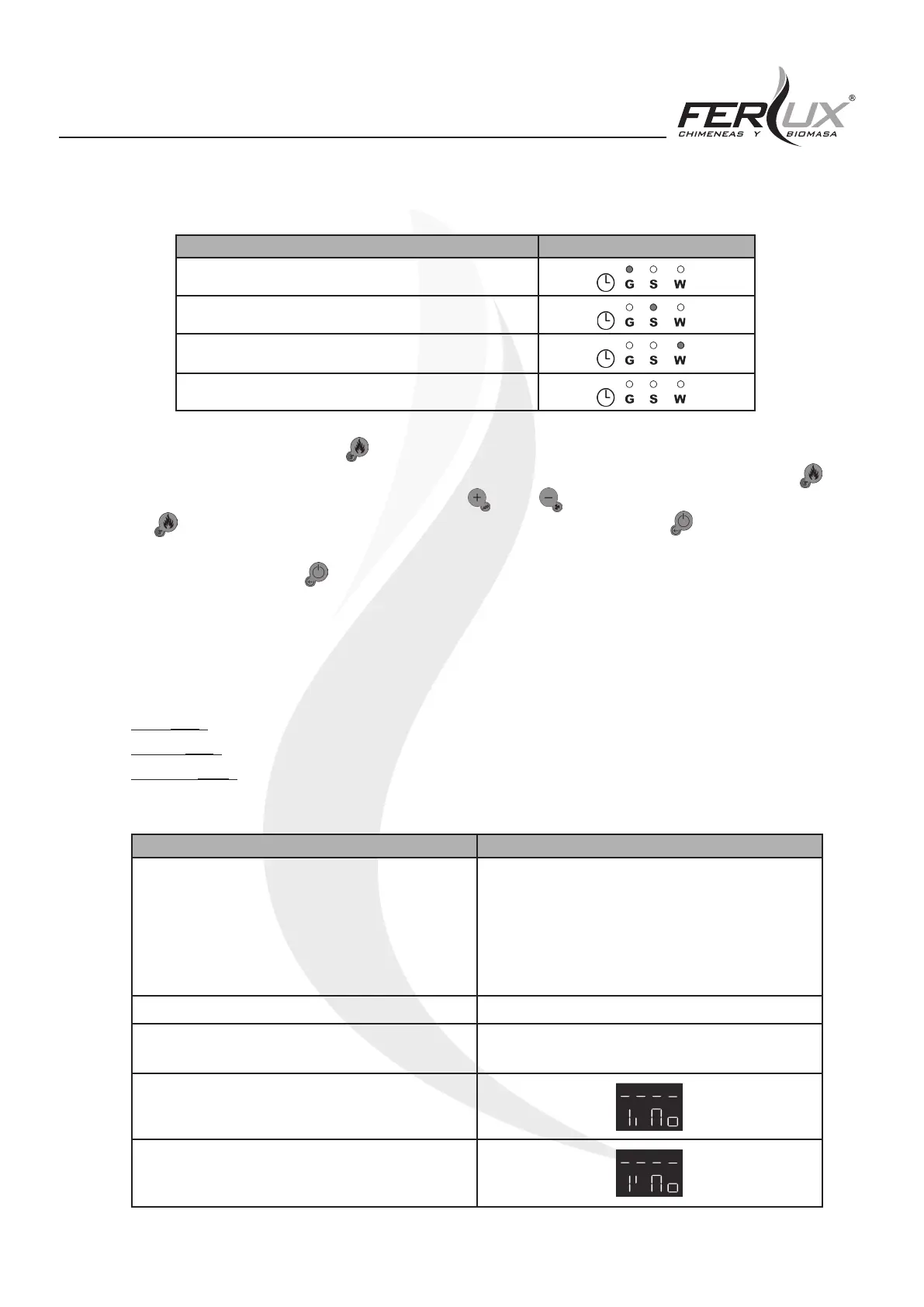
(ModE): This allows the “Cron” function to be deactivated or for a choice between three options:
Mode LED
Gior: Daily Scheduling
SEtt: Weekly scheduling
FiSE: Weekend scheduling
OFF: The heater does not have any schedule activated
When entering (ModE), press the (P3) button and on the upper display (D1), the option that is currently active
will be shown (which could be: Gior, SEtt, FiSE or OFF). In order to change which option is active, press the (P3)
button again to make the option begin to ash, use the (P2) or (P4) buttons to select the desired option, press
the (P3) button again, and the option currently ashing will be selected. Press the (P1) button repeatedly to
return to the main screen.
If you accidentally press the (P1) button without having conrmed the option or if no button is pressed for a certain
time, the display will return to the main screen and the option that was previously selected will remain active.
(ProG): This function allows scheduling of the three modes oered by the electronic control board, with up to three
time slots that can be scheduled (three on as well as three o) each day:
Daily (Gior): each day of the week is scheduled independently.
Weekly (SEtt): a single schedule is created that is applied to every day of the week.
Weekend (FiSE): in this case, two schedules are created, one for Monday to Friday and another for the weekend (the
latter coming into force on Saturday and Sunday).
SETTING DISPLAY
(Gior): daily scheduling
Mo: Monday
tu: Tuesday
UE: Wednesday
tH: Thursday
Fr: Friday
SA: Saturday
Su: Sunday
(SEtt): weekly scheduling MS: from Monday to Sunday
(FiSE): weekend scheduling
MF: from Monday to Friday
SS: Saturday and Sunday
Time on (ON)
Time of (OFF)


 To Next Page