29
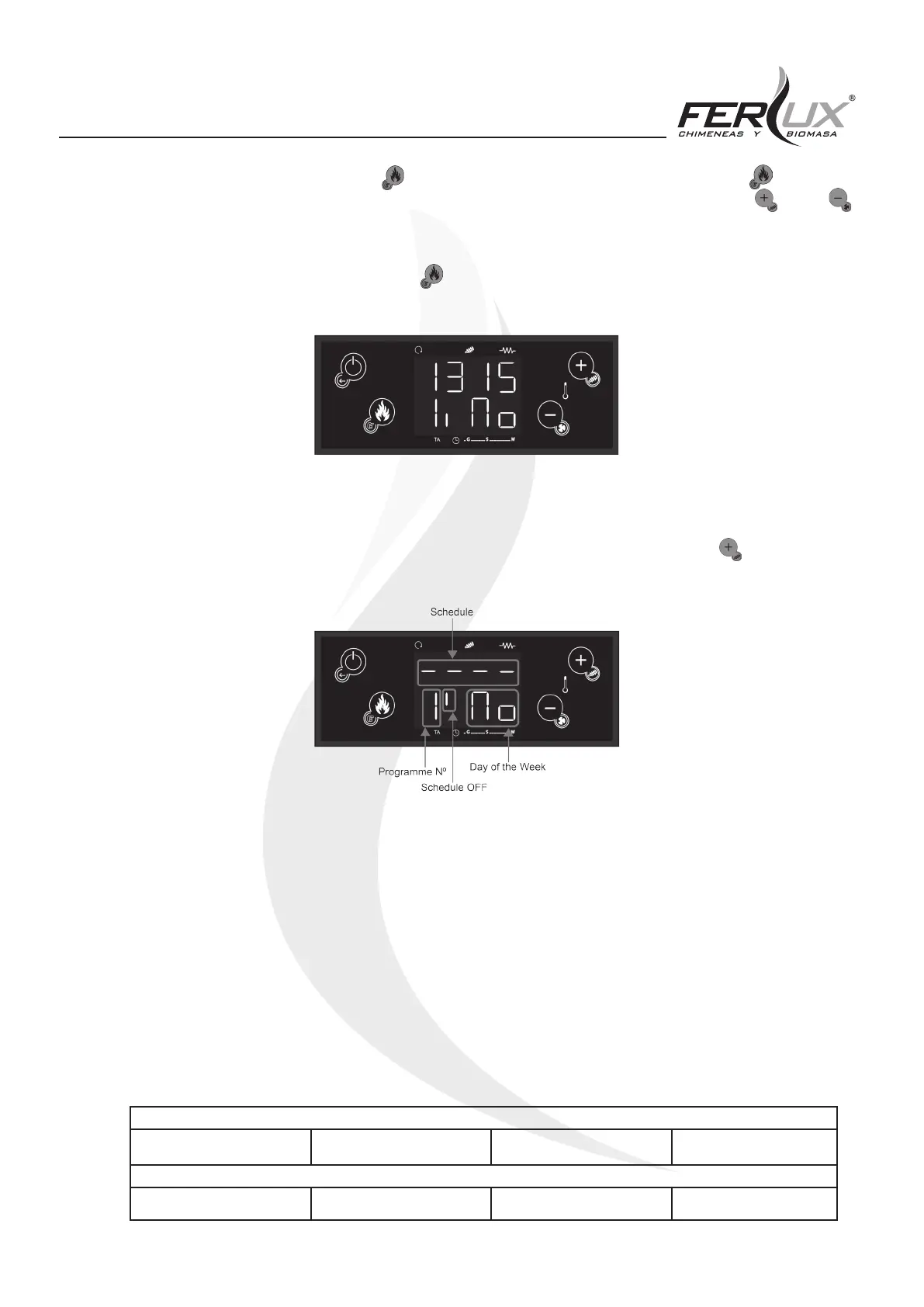
4. To adjust the on time, click on the (P3) button and the hours will begin to ash, with the (P3) button,
change from hours to minutes and viceversa. To adjust the hour and/or minute values, use the (P2) or
(P4) buttons.
5. Once you have set the schedule, push the (P3) button again to save the desired value. The screen will nally
be left as shown below.
OFF MENU SCHEDULING
To schedule the unit to turn o, you should proceed in the same manner as previously instructed. Once at stage two of
the previous section and after having chosen the scheduling mode desired, you must press the (P2) button. After
this, the display will show the following:
After this, repeat the previous procedure until point three.
For the days of the week, do the same, repeating the previous procedure.
If the mode selected was Weekly or Weekend, the method of proceeding is the same.
The minutes can be changed with intervals of one quarter of an hour (such as, for example: 17:00, 17:15, 17:30,
17:45). There is a special adjustment for times between 23:45 and 23:59, for which it is possible to make minute by
minute adjustments.
EXAMPLE OF SCHEDULING
In order to keep the heater lit for two days, that is, from Monday to Tuesday, set the scheduling time slot for Monday to
OFF at 23:59 and for the scheduling time slot for the following week, in this case, Tuesday, to ON at 00:00.
SCHEDULING MONDAY
ON 17:45 OFF 23:59
SCHEDULING TUESDAY
ON 00:00 OFF 12:30


 To Next Page