DF 500
1
2
3
4
1918
1
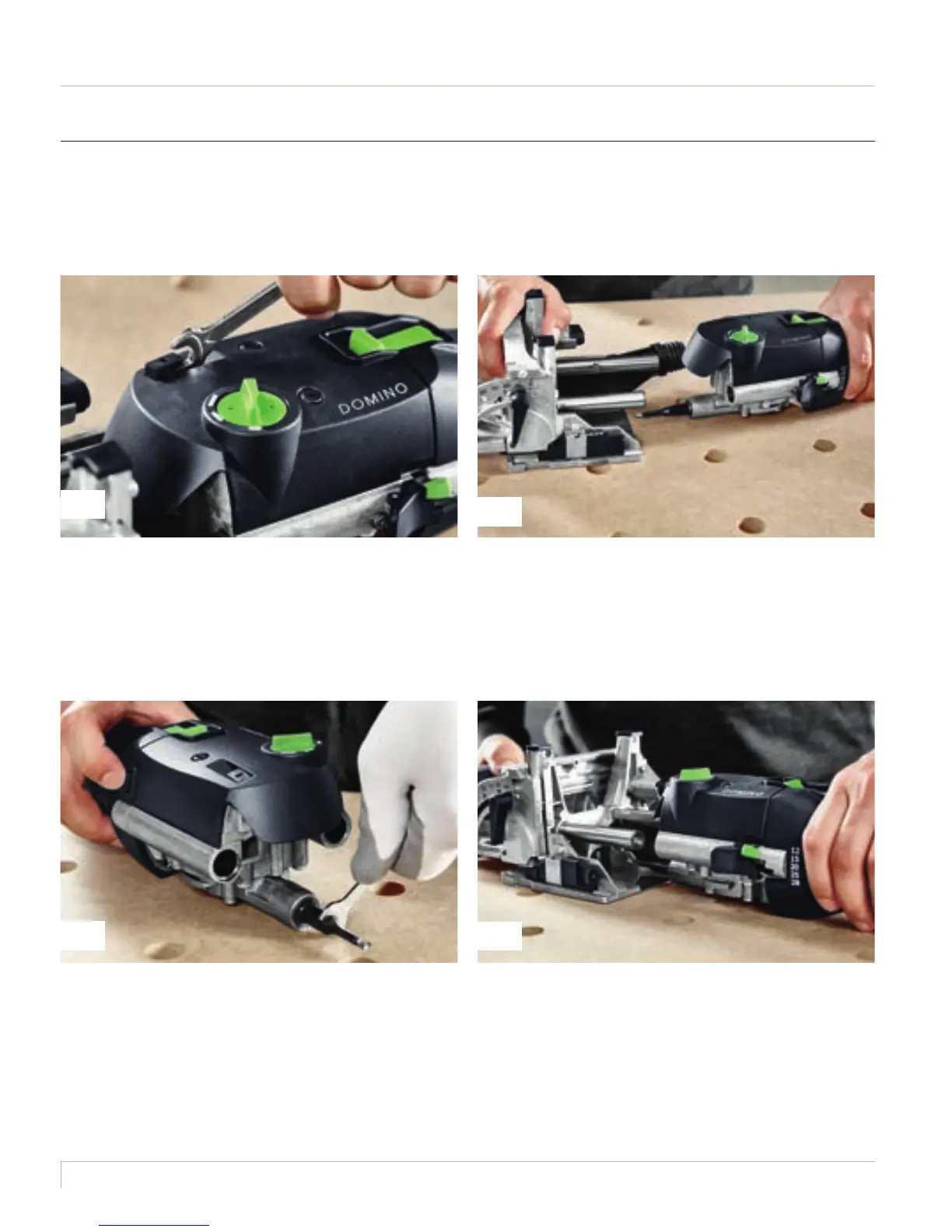
After selecting the domino, use the appropriate cutter to make the hole. For example, if you would like
to use an 8 mm diameter domino, you also use the 8 mm cutter.
Always disconnect from the mains to change the cutter.
Then raise the unlocking lever using an open ended spanner
(included) until it noticeably locks in place.
Hold the spindle lock on the motor unit, loosen the cutter
using the open ended spanner and screw off. Screw in the
new cutter using the open ended spanner, keeping the spindle
lock pressed. Then release the spindle lock.
Separate the motor unit and guide frame.
Before inserting a new cutter, ensure that the machine, the
guide frame and the guides are clean and free from chippings.
Remove any soiling. Only use sharp, undamaged and clean
cutters. Now push the guide frame onto the motor unit until it
audibly locks in place.
1.4.4 Cutter replacement
2016_FES_DOMINO_Book_GB-en.indb 18 03.03.16 12:13







 To Next Page