14
Glueing the edge band
Cut the edge band down to size, leaving an al-
lowance of approximately 10 cm.
Switch on the machine
[1-8]
.
Select the temperature setting
[1-7]
.
Display
[1-20]
lights up red = actual and set-
point temperature are displayed. Machine is not
yet ready for operation.
Display
[1-20]
lights up green = operating tem-
perature reached. Setpoint temperature is dis-
played.
Machine is now ready for operation.
Adjust the relevant settings
(chapter Settings)
.
Press the start button
[1-1]
once.
Edge inlet mechanism starts up.
Guide the edge band into the edge inlet within 20
seconds
[1-11]
.
The time remaining is shown on the display
[1-
20]
.
The edge band is drawn in automatically up to
the light barrier
[3-4]
.
Inlet stops.
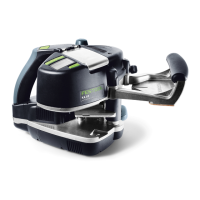
Position the machine on the workpiece
[4-1]
approx. 2 cm away from the contact roller
[4-3]
with reference to the start marking
[4-2]
[4]
.
The start marking
[4-2]
and edge of the work-
piece must be flush with one another.
Press the start button
[1-1]
again.
Inlet starts.
Wait until the edge band with adhesive is visible.
Push the machine down onto the workpiece and
guide lengthways from right to left
[5]
. Exert
pressure on the support base and against the
workpiece. Applying pressure in the feed direc-
tion is not necessary.
The edge feed mechanism moves the machine
forwards automatically.
Once the edge band has passed through the
feed completely, the mechanism stops automat-
ically after a short delay.






 To Next Page
