8 Vecturo OS 400 EQ Multi-Tool
Installing the Accessory Adapter
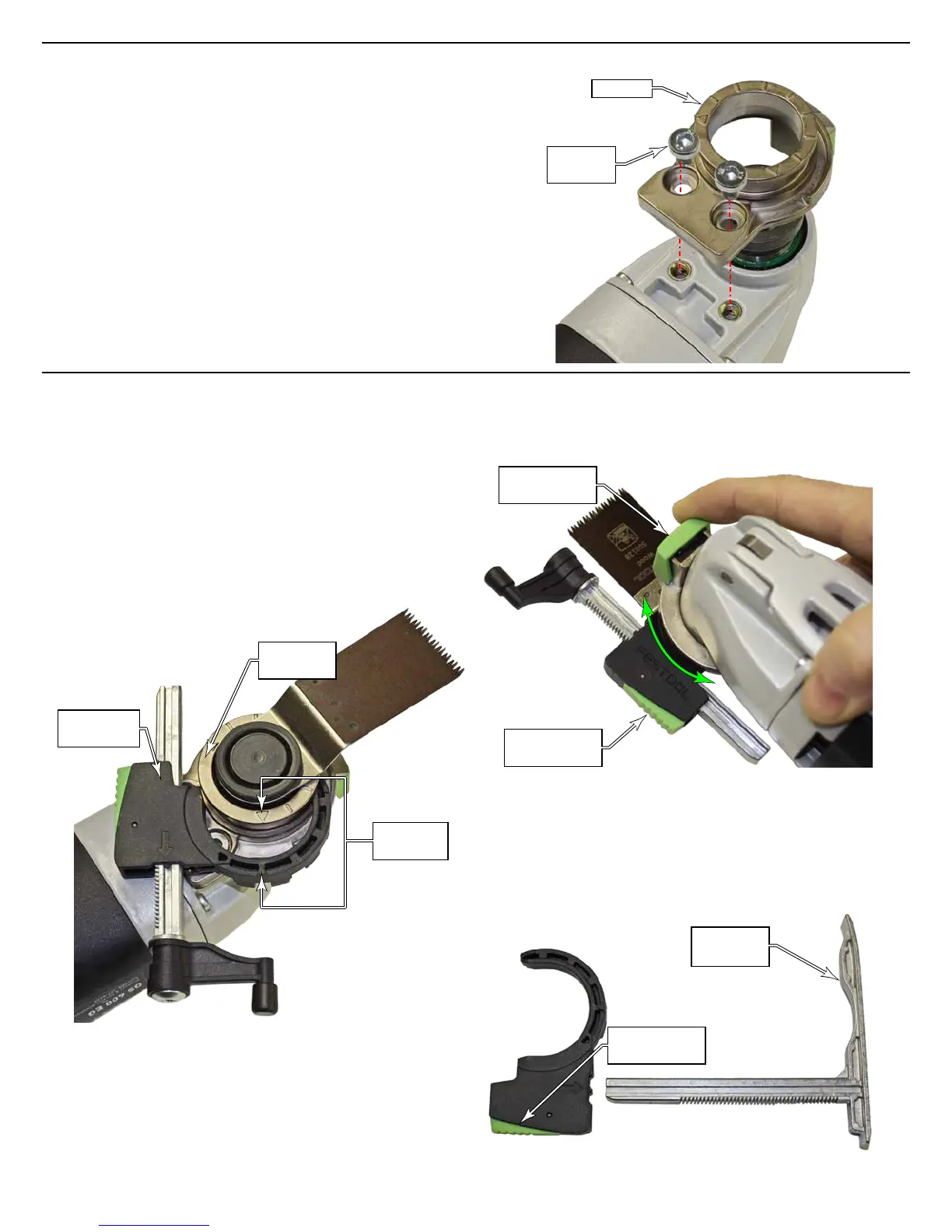
The accessory adapter is necessary for mounting the various
optional stops and base(s) to the Vecturo machine. Once
installed, the adapter shouldn’t need to be removed unless
future accessories require it. (The adapter comes pre-
installed with the Vecturo kit.)
1. Remove the blade as described on page 7.
2. Place the adapter over the arbor and install the two
mounting screws using a 4mm hex key.
Adapter
Mounting
Screws
Installing the Depth Stops
The Vecturo may be equipped with an optional depth stop
attachment that includes two stops: a pivot stop and a slid-
ing shoe.
The sliding shoe is typically used for linear sawing opera-
tions with a round blade. The pivot stop is typically used for
plunging operations, and can be rotated to various distances
from the blade. The stops are used to control the depth of
cut of the blade into the workpiece.
1. Slide the depth stop holder over the accessory adapter
by lining up the arrows and sliding it toward the center.
Alignment
Arrows
Depth Stop
Holder
Accessory
Adapter
2. Press in on the rotation adjust button and rotate the
depth stop to the desired position. The depth stop can
match any of the blade angles.
Rotation
Adjust Button
Depth Adjust
Button
3. To switch between the pivot stop and sliding shoe stop,
press in on the depth adjust button and slide the previ-
ous stop out and the new stop in. The stops t in only
one direction.
4. To set the depth of the stop, press in on the depth adjust
button and slide the stop in or out as needed.
Depth Adjust
Button
Sliding
Shoe Stop






 To Next Page