35/50
GB
COMPRESSOR MAINTENANCE 6
1
2
12
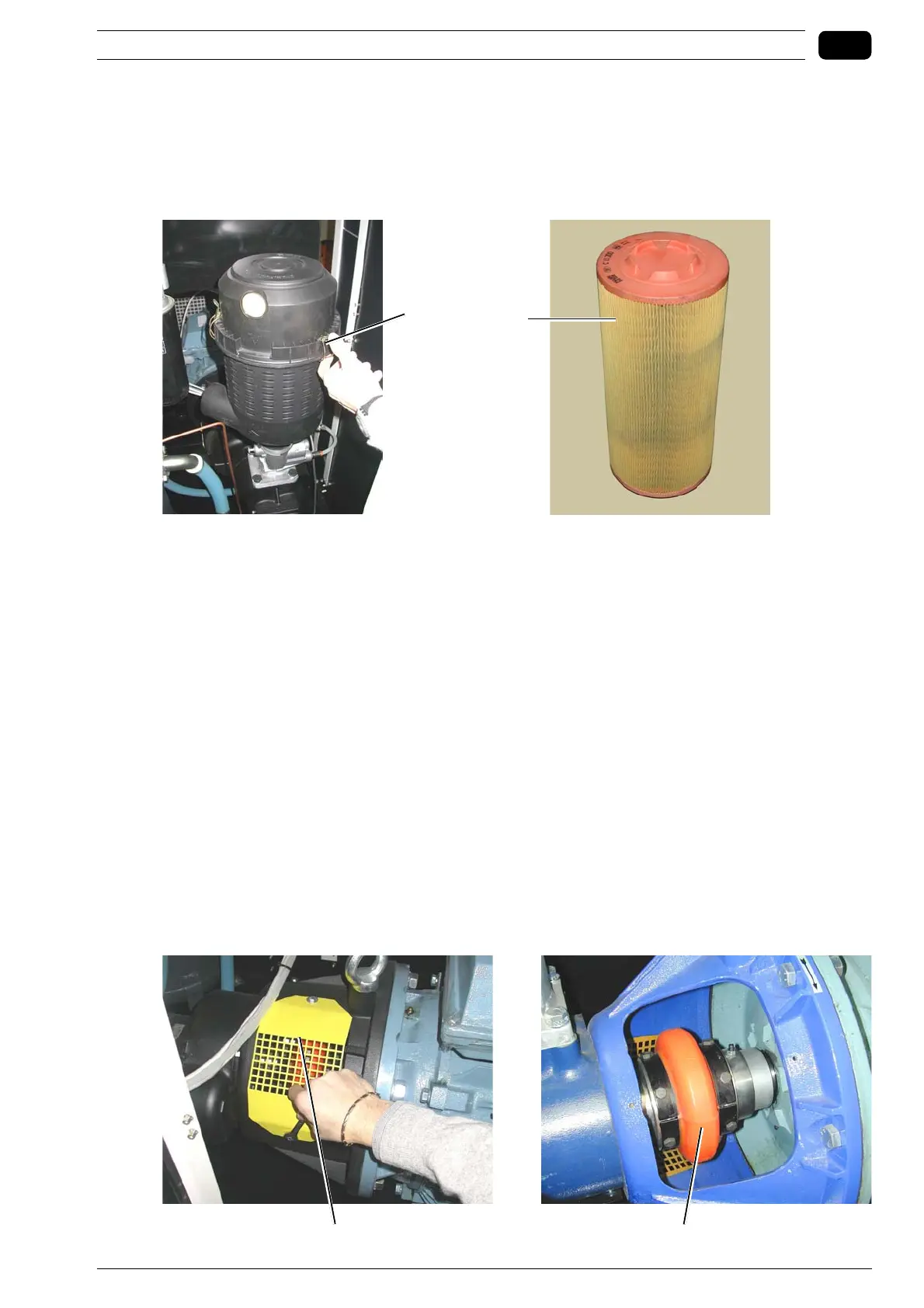
6.1.4 Replacing the air filter cartridge
Read all indicated in Section 6.1 before starting any maintenance jobs.
Open the top panel to access inside the compressor.
Take the cover off 1; clean the filter holder thoroughly.
Replace the cartridge of the air filter 2 and fit the cover back in place.
6.1.5 Joint
On a periodic basis, visually inspect the joint 2 based on the hours of operation indicated in the maintenance
table.
Ensure it operates silently and that there are no splits or other damages in the orange flexible part.
Proceed as follows:
Check if there are any abnormal noises during operation.
Stop the compressor.
Disconnect the power supply of the compressor by switching the main ON/OFF switch OFF and make sure
it cannot be switched ON again accidentally.
Unscrew the protection grid 1.
Manually turn the joint and check its state.
If you notice any damages, contact an authorised Service centre of the Manufacturer to have it replaced!
If no damages or problems are noticed, screw the protection grid back in place.
Close the external maintenance panel.



 To Next Page