21/68
GB
USING THE COMPRESSOR 5
1
10 EMERGENCY PUSH BUTTON
This mechanically blocking push button is used to immediately stop the compressor in the case of
emergency. With the push button blocked it is impossible to start the compressor. To be able to start the
compressor again, turn the emergency push button up then press the RESET button.
5.2.2 Auxiliary control devices
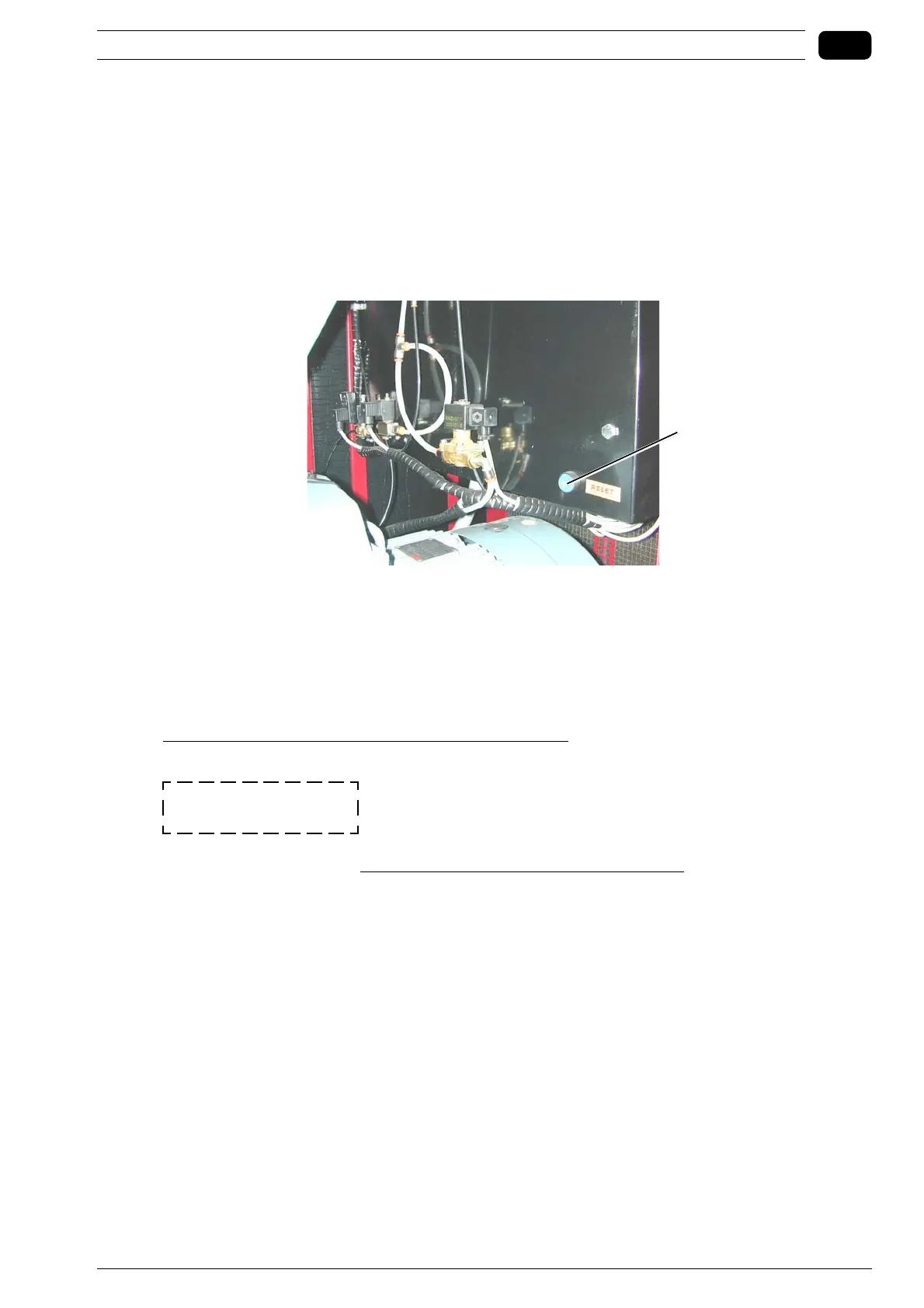
1 OIL THERMAL PROTECTION SWITCH RESET BUTTON
This is positioned on the side of the electrical cabinet inside the compressor.
Press this button to reset the oil thermal protection switch.
5.2.3 Description of the Electronic Control Unit
Rotary screw compressors are equipped with an Electronic Control Unit, the control panel of which is
described in point 5.2.1.
The ECU controls machine operation in an efficient and safe manner.
When the compressor is connected for the first time at the rated electrical voltage, ensure the
STOPPED ALARM does not trigger, which is pointed out by the red LED that lights up steady (ALARM
on dashboard), by a beeping buzzer and by a message that flashes on the display, indicating:
ALARM ROTATION
This alarm means that the electrical power supply cables are connected incorrectly (relative to the three
phases), which would cause the screw unit to turn in the wrong direction. For SD models, the wrong
rotation direction is that of the motor of the radiator fan. If this occurs, the machine is absolutely unable
to start. Once you have connected the cables correctly, press the RESET key on the dashboard to set the
compressor ready to start again correctly.(Further details in section 4.4.1 Checking the running direction)



 To Next Page