95Capron - 04-17 - CAP-0017-01EN
Appliances
10
Switching on the heater: Open the regulator tap on the gas bottle and the gas isolator tap "Heater/
boiler".
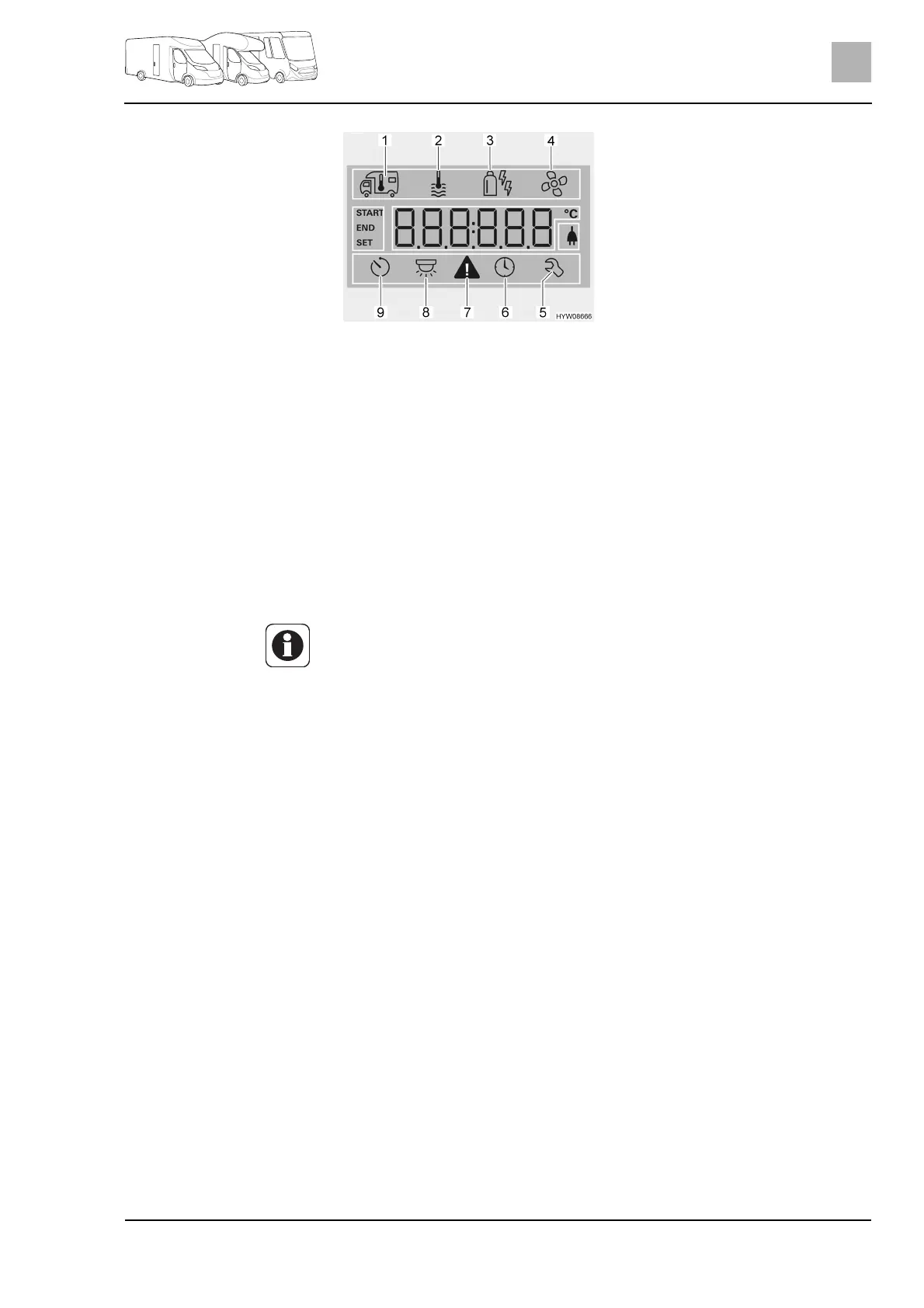
Turn rotary push button (Fig. 82,6) until the heater menu symbol (Fig. 83,1)
flashes.
Press rotary push button.
Turn rotary push button until required value is displayed.
Press rotary push button to save the value set. The symbol in the status
line (Fig. 82,2) flashes until the room temperature set is reached. If you do
not wish to change the value originally set: Press back button (Fig. 82,7).
Switching off the heater:
Turn temperature value back until OFF is displayed. Press rotary push
button to save.
Switching on hot water
production:
Open the regulator tap on the gas bottle and the gas isolator tap "Heater/
boiler".
Turn rotary push button (Fig. 82,6) until the hot water menu symbol
(Fig. 83,2) flashes.
Press rotary push button.
Turn rotary push button until the required value is displayed:
z OFF: Hot water production is switched off.
z 40°: Hot water is heated to 40 °C.
z 60°: Hot water is heated to 60 °C.
z BOOST: Fast heating of hot water (boiler priority) for max. 40 minutes.
The water temperature is then held at a higher level for two reheating
cycles (approximately 62 °C).
Press rotary push button to save the value set. The symbol in the status
line (Fig. 82,2) flashes until the hot water temperature set is reached. If you
do not wish to change the value originally set: Press back button
(Fig. 82,7).
Switching off hot water
production:
Turn rotary push button until OFF is displayed. Press rotary push button to
save.
Fig. 83 Display (operating unit)
1Heater
2 Hot water
3 Operating mode
4Fan
5 Service menu
6 Setting the time
7 Warning symbol
8 Lighting (not used here)
9Timer
Z The required room temperature can also be changed in stand-by mode by
turning the rotary push button.



 To Next Page