15
Output the audio from the mic
Plug the headphone to the 3.5mm jack at the bottom of the mic if you want to monitor
voice in real time. Click the Output tab and choose “fifine Microphone” as output device, if
you want to monitor your voice mixed with the sound from mac.
Tips: If your Mac only has UBC port, you need a genuine Apple USB-C to USB female
adapter (Not included) for connection. And please plug the USB adapter into your Mac first,
then connect the mic with the adapter.
Windows
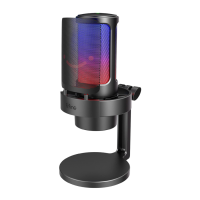
Plug the free end of the provided USB cable into the USB port on your computer. The RGB
light will be on while the indicator light will be green, indicating the mic is powered. Your
computer will automatically recognize the USB device and install a driver. There may be
no pop-up window or message though.
Input Settings
1. Right click the speaker icon at the bottom right of the screen. Click “Open Sounds
Settings”.


 To Next Page