12
When the mic is on (the mute button indicates green) and the mic gain is not
turned to zero, you will hear your voice at once. No need to login any recording
software (Apple-Macintosh systems) or click “Listen to this device” (Windows
system).
If you don’t want to monitor your voice but just listen to computer audio, you can
follow below steps. Go to Sound Control Panel – “Playback” tab-select “fifine
Microphone” Speaker-Properties- “Level” tab-disable the microphone volume. (See
the page 15 “Tips” below for more details.)
Computer Set Up
Apple MAC OS
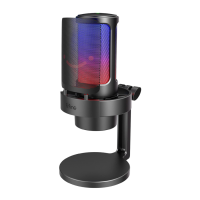
Plug the free end of the provided USB cable into the USB port on your computer. The RGB
light will be on while the indicator light will be green, indicating the mic is powered. Your
computer will automatically recognize the USB device and install a driver. There may be
no pop-up window or message though.
Input Settings
1. Go to System Preferences.


 To Next Page