EasyManua.ls Logo

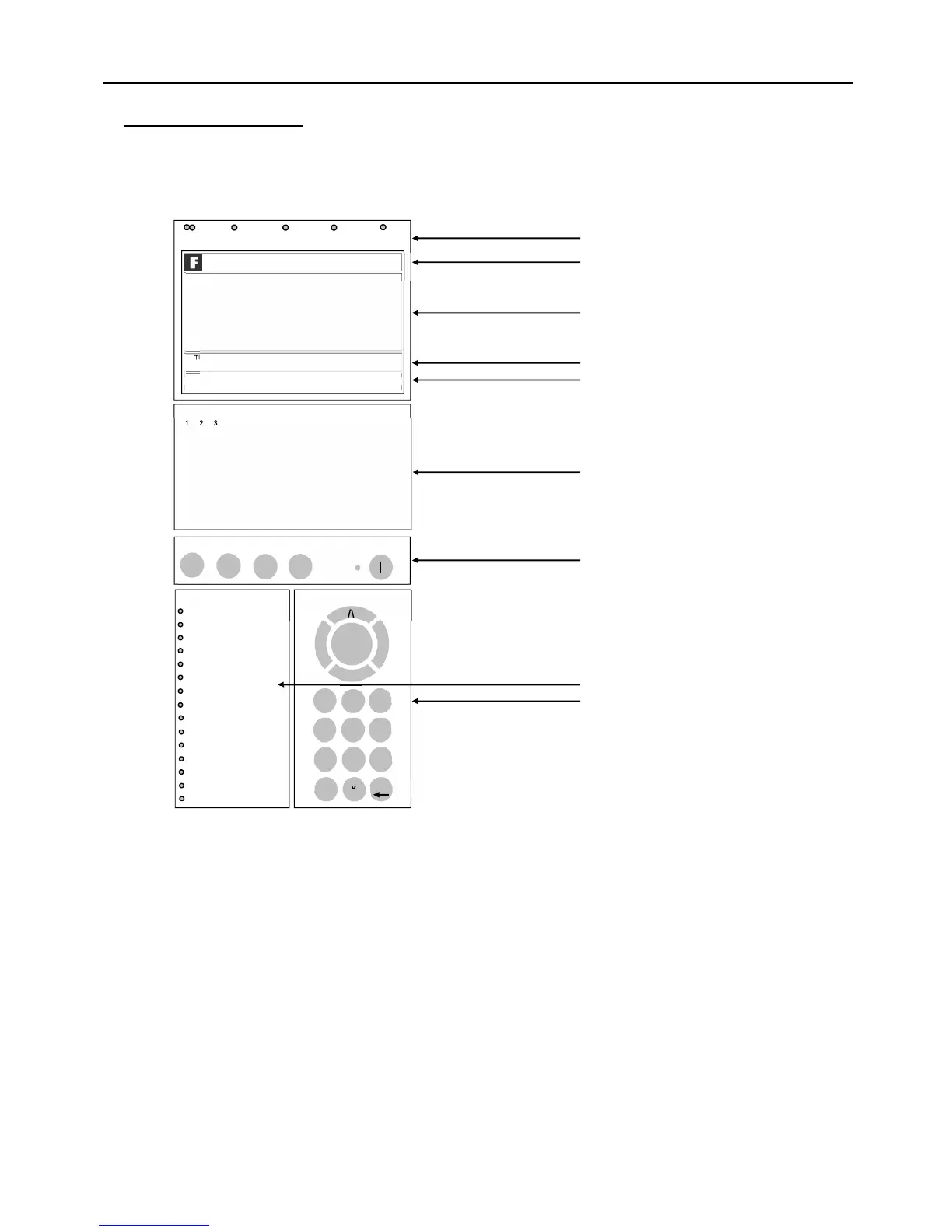
Fike DUONET - General Operation; Control Panel Front

Fike DUONET
28 pages
Print Icon
To Next Page IconTo Next Page
To Previous Page IconTo Previous Page
Loading...
Duonet Control Panel User Guide
8
General Operation
Control Panel Front
Normal:
Controls Enabled LED off
At Access Level 1 (Normal), the main Fire Alarm Controls are disabled and the Controls Enabled
LED is switched off – see Fire Alarm Controls.
fire
fault disabled test power
TURN KEY OR ENTER CODE FOR CONTROLS
DUONET
MULTILOOP FIRE ALARM SYSTEM
V3.00 Panel 01: PANEL 01
23/05/11 23:01 NORM
fire alarm controls
– turn key to enable controls
enable
controls
system indication
system fault
.
silence
alarms
reset
system
sound
alarms
silence
buzzer
ENTER
> <
/\
1 2 3
4 5 6
7 8 9
*
0 #
0_0 ABC DEF
GHI JKL MNO
PQRS T UV WXYZ
_
system controls
ESC
General Indication LEDs
Control Panel Information Window
Active Information Window
Prompt Window
Network Information Window
Zonal Indication LEDs
Fire Alarm Controls
System Indication LEDs
System Controls
1
2
3
4
5
6
7
8
9
10
11
12
13
14
15
16
17
18
19
20
21
22
23
24
25
26
27
28
29
30
31
32
33
34
35
36
37
38
39
40
41
42
43
44
45
46
47
48
49
50
51
52
53
54
55
56
57
58
59
60
61
62
63
64
65
66
67
68
69
70
71
72
73
74
75
76
77
78
79
80
81
82
83
84
85
86
87
88
89
90
91
92
93
94
95
96
97
98
99
100
101
102
103
104
105
106
107
108
109
110
111
112
113
114
115
116
117
118
119
120
121
122
123
124
125
126
127
128
zones
>
power fault
earth fault
loop
sounder
fire output
zone
fault output
day
routine
service
tech alarm
confirmation
delay
alarms
buzzer silenced

Related product manuals