FIK-IR3-HD User Manual Doc. No. 06-932.02
For more information & Technical support: (800)-979-FIKE (3453) 5
To install the tilt mount:
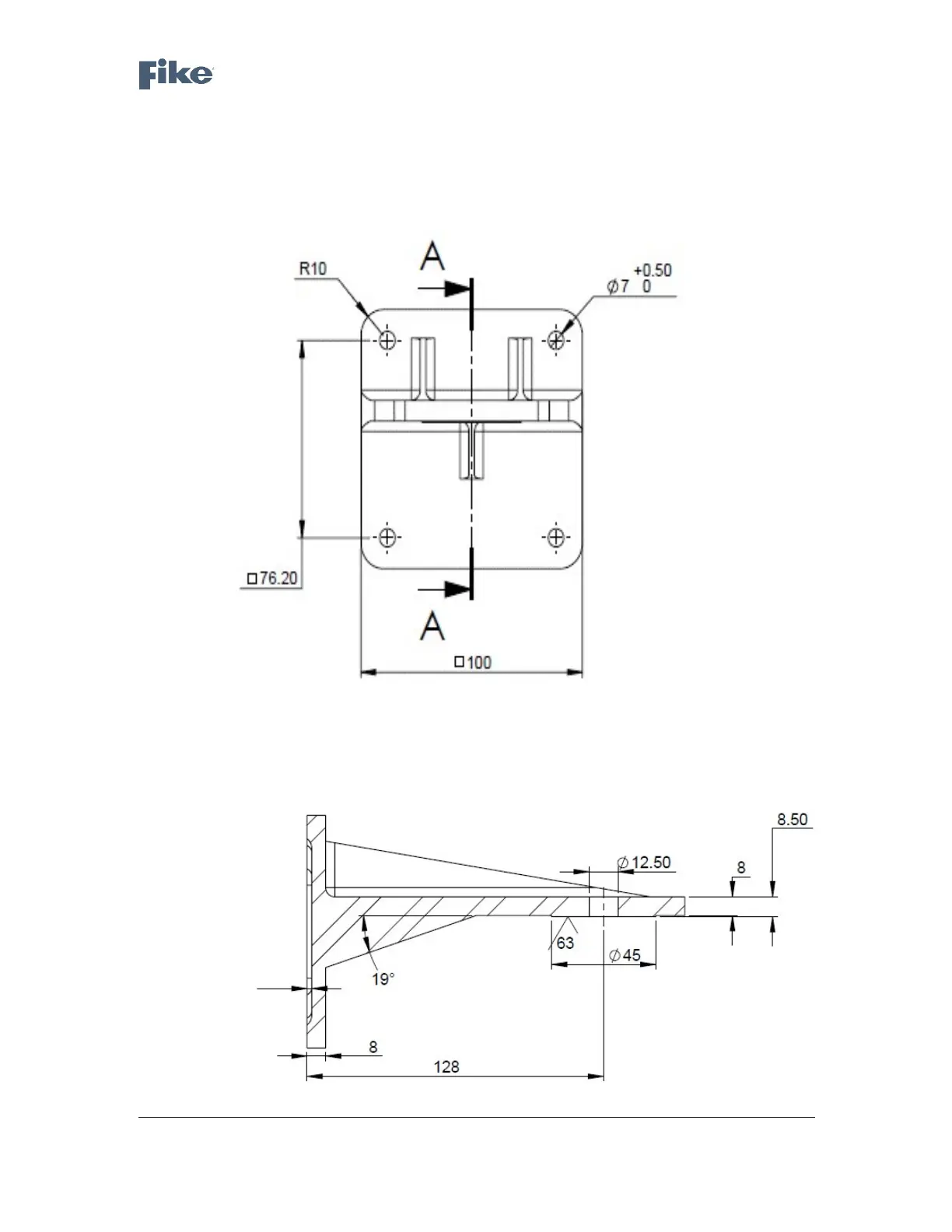
Place the tilt mount (Fig. 1) in its designated location and secure it with four screws through four
0.28" (7mm) diameter holes. There are four captive screws with spring washers in the tilt mount.
The following drawing shows the location of the four holes for the screws and washers.
Figure 1 - Tilt Mount Base - Rear View
The following drawing is a side view of the tilt mount:
Figure 2 - Tilt Mount Base - Side View



 To Next Page