Installation and Operation Manual FVA-IP Camera
28 P/N 06-523 (Rev. 6) Revision Date: June, 2019
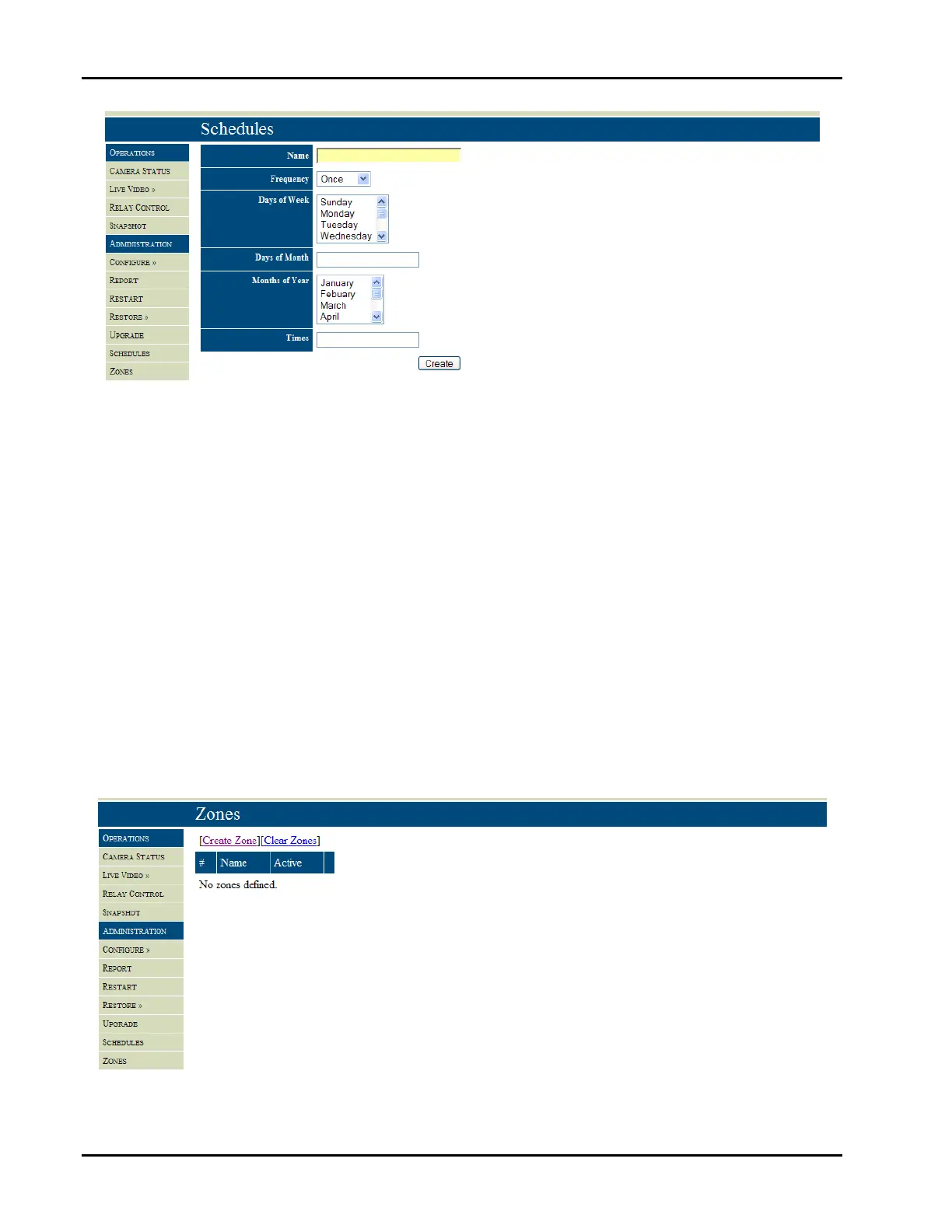
Fig26–Scheduleinputs
Tocreateazone,selecttheZonebuttonandCreateZonefromthetopofthezoneswindowpane,Figure27.Youwill
thenbeprompted,asinFigure28,toprovide:
Azonename
Thetypeofzone(Flame,Smoke,Offsite,Motion)
Theaction(BlockorDetect)
Sensitivity(0‐307,200)
Points(x,y,x,y)
Attachaschedule,ifdesired.
ItissuggestedthattheFikeVideoAnalyticsvideomanagementsoftwarebeusedtosetallschedulesandzonesonce
the system is in place and being commissioned. The zone name should be descriptive in nature and describe the
purposeofthezone.Theusermustdefinethetypeofzoneandtheactiontakenbythezone.Generallyyouwillbe
blocking the ability to detect fire, smoke and offsite analytics and detecting motion within a zone. The sensitivity
parameterisonlyapplicabletoamotionzoneandrepresentstheamountofpixelshiftexpectedbytheintruder(large
orsmallintheFOV).Thepointsdefinethezoneshapeandsizewithaneededinputoffourpointstodefinethex,y
pixelco‐ordinatesofthesquarezone.
Fig27–Zonewindowpane.


 To Next Page