TWINFLEX
®
pro Repeater Panel Engineering and Commissioning Manual
22
Fire Alarm System Notice
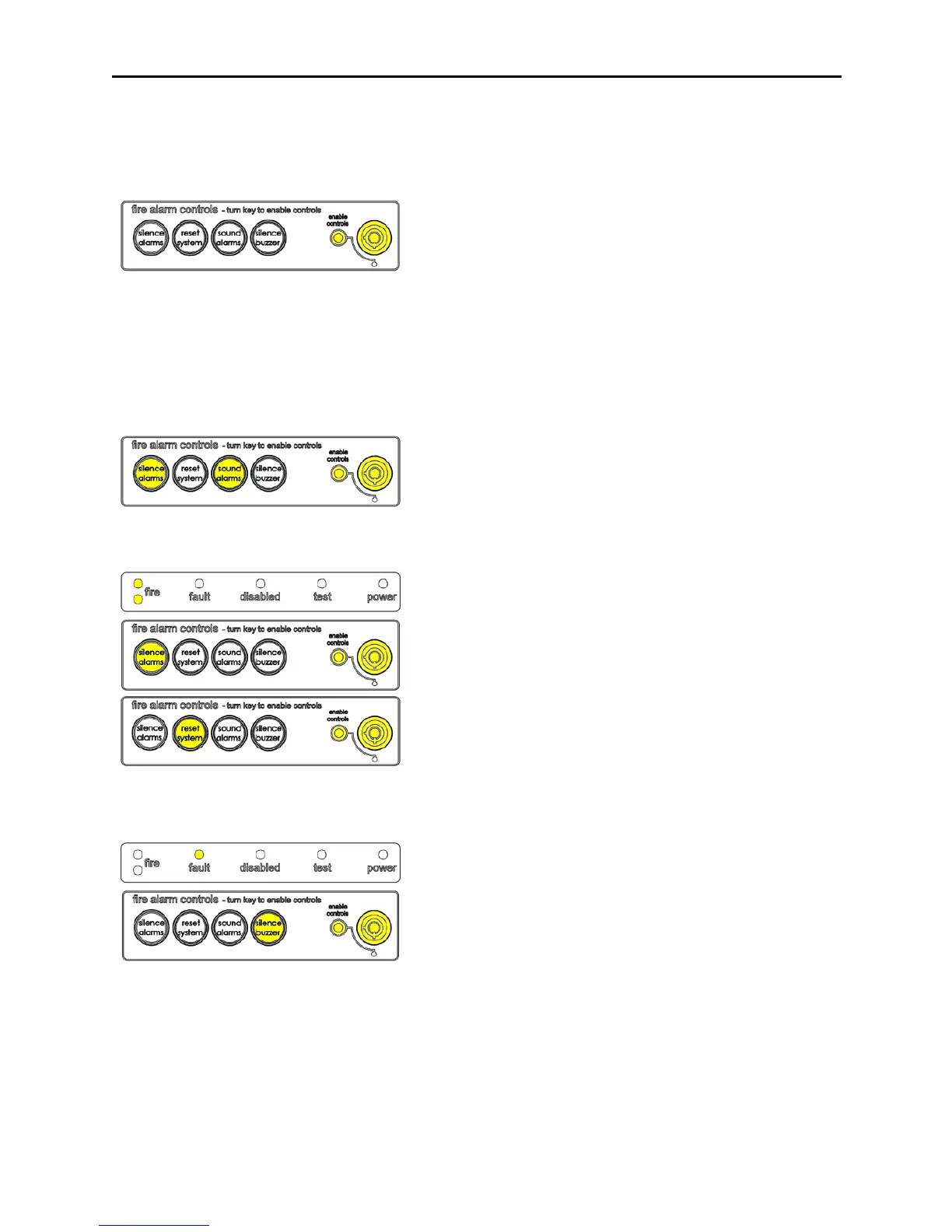
To Enable the Control Panel Keys
You may gain access to the fire alarm controls by inserting the key
turning ¼ turn. The ‘Controls Enabled’ LED should then be
illuminated.
To disable the control panel keys, turn the key switch off. When disabled, the ‘Controls Enabled’ LED should
then be extinguished.
To prevent unauthorised operation, the controls should be kept disabled and the key kept secure under
the control of the responsible person.
To Manually Operate the Fire Alarm Sounders
Enable the controls and then press ‘SOUND ALARMS’.
To silence the alarm sounders press ‘SILENCE ALARMS’.
Following a Fire Alarm Operation
The red ‘FIRE’ LED will illuminate. The fire alarms and the internal
buzzer will operate as programmed. Take appropriate action as
defined by the emergency plan for the premises.
To silence the alarm press ‘SILENCE ALARMS’, then establish the
cause of the alarm and enter the details in the log book.
Reset any Manual Call Points which may have been operated, or if
a detector has been operated be sure that the cause of the alarm
has been removed, before resetting the system by pressing
‘RESET SYSTEM’.
Following a Fault Condition
The fault LED will illuminate. The internal buzzer will sound. To
mute the internal buzzer press ‘SILENCE BUZZER’. Investigate
and rectify the appropriate fault (competent persons). Once the
fault has been rectified the fault indication will clear automatically.



 To Next Page