Clockwise Direction&Speed Direction&Speed
Radius zoom in
with the camera locking at the subject to shoot a video.
Drag a rectangle around a POI
Set flight speed and altitude, the flight control center will estimate flight time automatically
The drone automatically adjusts its place
Left stick Right stick
3. seconds count down to fly away to shoot a video once the drone completes adjustment
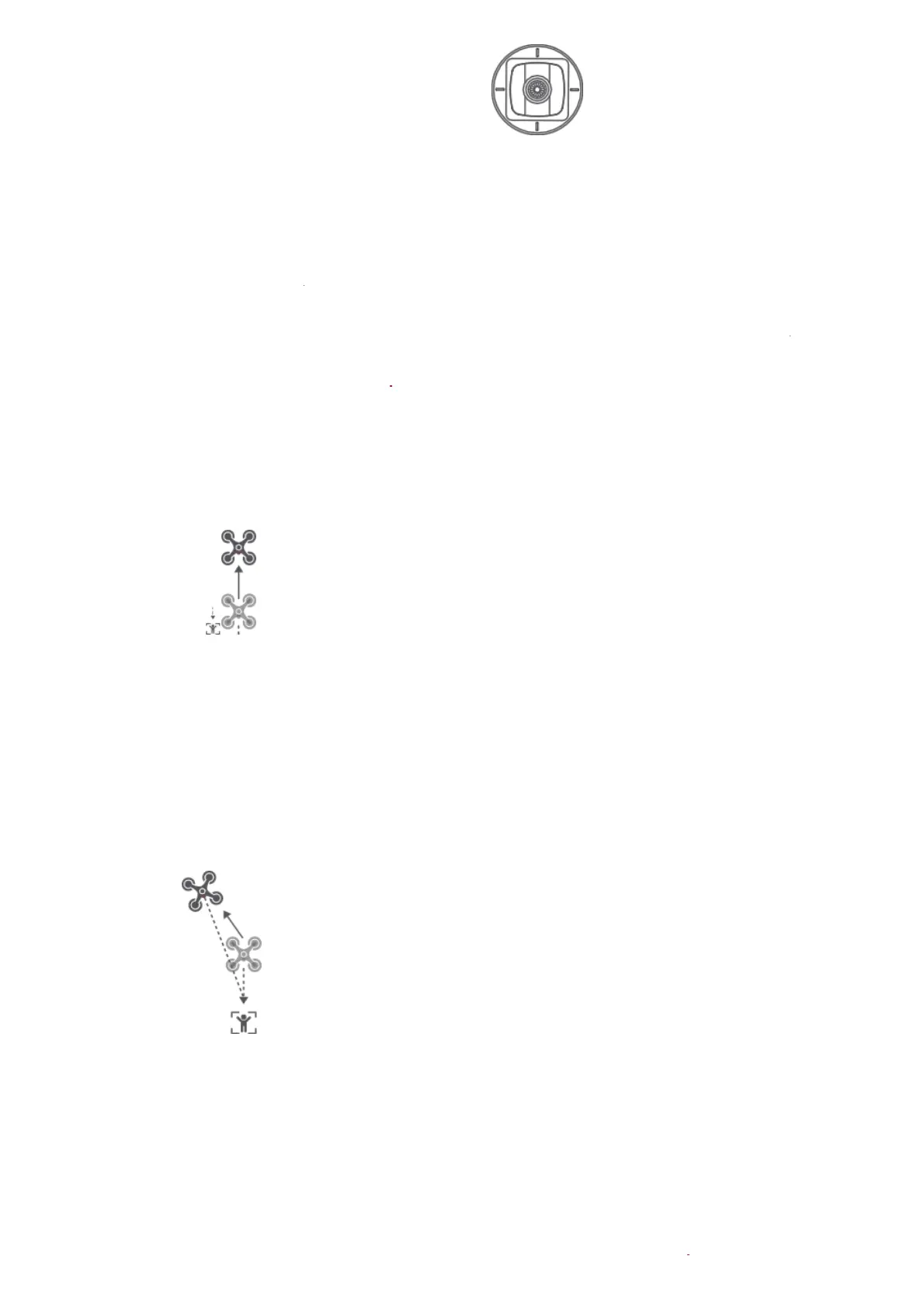
Rocket Invert
fly vertically upward
pitch: -90°
target
fly backwards and upwards
0°< pitch<90°
target
Spiral Mode
The user can select Spiral Mode in the App. Set the central point and radius, the drone will
spirally fly upward and shoot a video simultaneously, showing a sense of space.
Fly to a point to set as the central point Fly away the central point to set radius



 To Next Page