English - 29 -
Customer Helpline 0845 459 5282
Changing Image Size: Picture
Formats
Programmes can be watched in different picture •
formats, depending on the transmission received.
You can change the aspect ratio (image size) of •
the TV for viewing the picture in different zoom
modes.
Press “• SCREEN” button repeatedly to change
the image size. Available zoom modes are listed
below.
Auto
When AUTO is selected, the aspect ratio of the •
screen is adjusted by
the 8th pin of scart connector in scart mode•
the information provided by the HDMI source •
device in HDMI mode.
The format being displayed in AUTO mode is •
completely independent of WSS information which
could be included in the broadcast signal or the
signal from an external device.
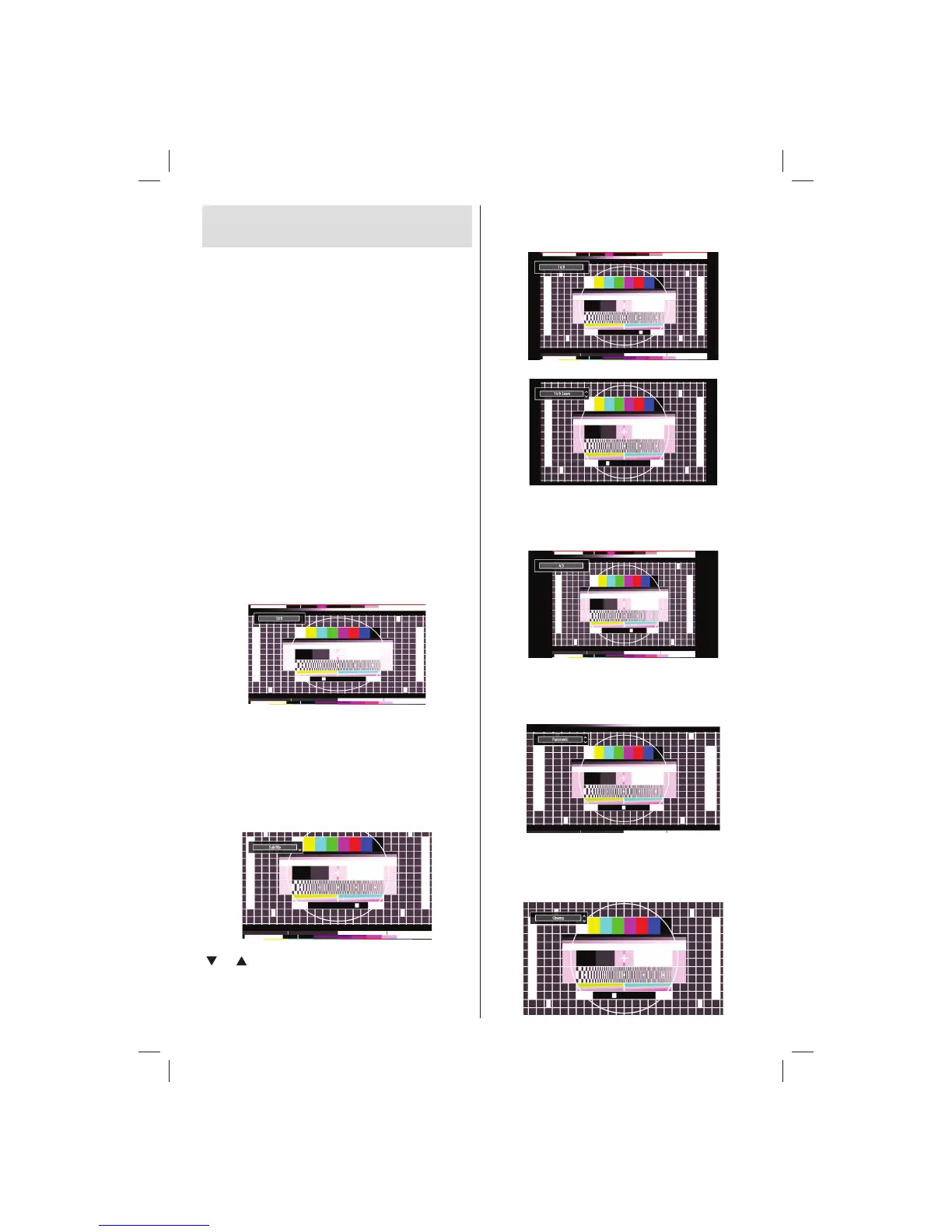
16:9
This uniformly stretches the left and right sides of a
normal picture (4:3 aspect ratio) to fi ll the wide TV
screen.
For 16:9 aspect ratio pictures that have been •
squeezed into a normal picture (4:3 aspect ratio),
use the 16:9 mode to restore the picture to its
original shape.
Subtitle
This zooms up the wide picture (16:9 aspect ratio)
with subtitles to the full screen.
Note: You can shift the screen up or down by pressing
“ ” / “ ” buttons while picture zoom is selected as
Panoromic, 14:9 Zoom, Cinema or Subtitle.
14:9
This zooms up the wide picture (14:9 aspect ratio) to
the upper and lower limits of the screen.
14:9 Zoom
This option zooms to the 14:9 picture.
4:3
Use to view a normal picture (4:3 aspect ratio) as this
is its original size.
Panoramic
This stretches the left and right sides of a normal
picture (4:3 aspect ratio) to fi ll the screen, without
making the picture appear unnatural.
The top and bottom of the picture are slightly cut off.
Cinema
This zooms up the wide picture (16:9 aspect ratio) to
the full screen.
01_[GB]_MB70_5112UK_IDTV_T_DLNA_MMH_IPLAYER_32965LED_GOLD11_10077102_50209143.indd 2901_[GB]_MB70_5112UK_IDTV_T_DLNA_MMH_IPLAYER_32965LED_GOLD11_10077102_50209143.indd 29 06.01.2012 10:57:2906.01.2012 10:57:29




 To Next Page