18
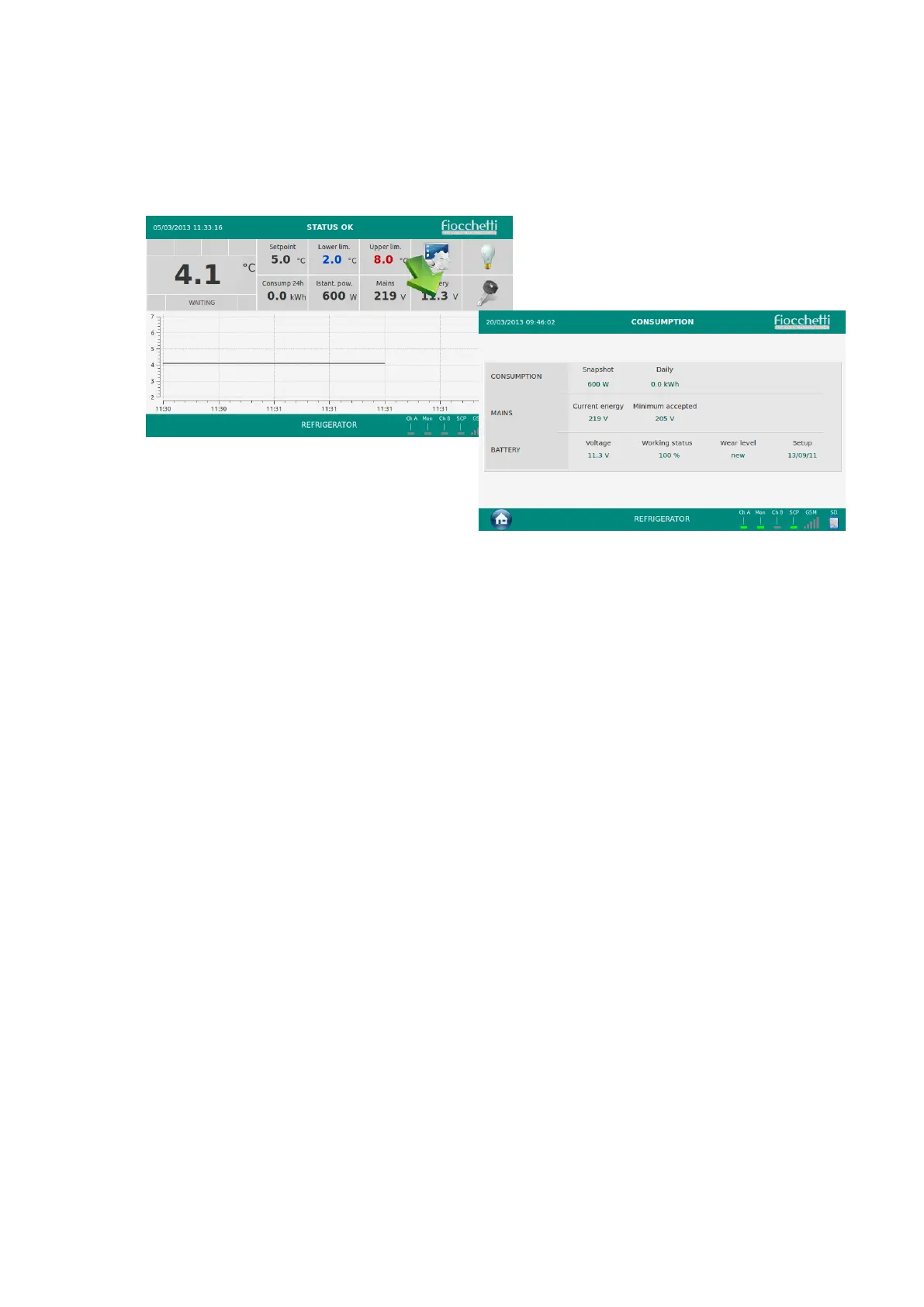
Touch in the Homepage the Lower and Upper Limit value in order to modify limits in the
dedicated page.
Enter the new value and press “OK”. In the dedicated page the user can also modify the
delay for the signalization of the alarm and of door opening.
5.2.5 CONSUMPTION PANEL
Touch the Battery value in the homepage in order to access the dedicated page.
In the CONSUMPTION the following information is displayed:
• Snapshot equipment consumption
• Daily equipment consumption (of the last 24h)
• Current energy mains
• Minimum accepted value for the signalization of “Low mains tension”
• Battery backup voltage
• Battery backup working status
• Battery backup wear level
• Battery backup setup date
Touch the Home icon to go back to Homepage.


 To Next Page