
 Need help?
Do you have a question about the FIOCCHETTI ECT-F TOUCH and is the answer not in the manual?
Compliance with CE directives and safety standards for laboratory appliances.
Equipment testing, warranty terms, defect notification, and repair procedures.
Manual purpose, scope, and roles of installer, user, and maintenance personnel.
Customer duties regarding electrical connection, installation, cleaning, and maintenance.
Procedure for requesting technical support and specifying equipment details.
Details on refrigeration system, construction, components, safety measures, and load capacity.
Essential precautions for operating the equipment safely and avoiding hazards.
Specifies approved applications, temperature ranges, and declares improper uses.
Prohibits use in certain environments and emphasizes proper ventilation for embedded units.
Features and measures adopted to ensure user safety and protect against mechanical risks.
Guidelines for transporting equipment vertically, handling precautions, and waiting period after laying flat.
Rules for appliance placement, ventilation, distance from heat sources, and leveling.
Instructions for qualified personnel on electrical connection, sizing, earthing, and cord replacement.
Pre-connection checks for transport damage, component stability, and display integrity.
Explanation of the display interface for single and double chamber equipment.
Overview of the 7" touch screen controller, its safety features, and data recording capabilities.
Procedure for powering on the equipment and initial setup of language, date, and hour.
Details on accessing equipment information by touching temperature values on the display.
Procedure for modifying setpoint, compressor differentials, and running setpoints.
How to adjust high and low temperature alarm limits and delays.
Information displayed on equipment consumption, mains, and battery status.
Explanation of the electronic lock for unauthorized door opening and manual unlocking procedures.
Overview of user panel icons for system control, alarms, openings, and setup.
Steps to turn off the equipment via the user panel.
Viewing and understanding types of alarms, dates, durations, and critical temperatures.
Reviewing door opening history, including dates, durations, and critical openings.
Managing energy saving via temperature adjustments and configuring electronic lock behavior.
Customizing functions like light brightness, screen saver, password, SMS settings, and accessibility.
Enabling user password protection for critical operations and managing user accounts.
Running diagnostic tests for alarms, probes, and device signaling.
Procedure for backing up temperature data monthly using a USB drive.
Guidelines for backing up data from the SD card and installing the capture software.
Information on SD card folders (Backup, Docs, Recovery) and using the Capture software.
Understanding visual and acoustic indicators of current alarms or faults.
Connecting external alarm systems via dry contact relay or RS-485.
Connecting the appliance to a local network via Ethernet for service menu access.
Details on connecting external alarm systems via dry contact relay or RS-485.
Viewing temperature graphs for the last 6 hours and daily time spans.
Managing defrost cycles and performing manual defrost under specific conditions.
Accessing technical PDF documents and video tutorials for features like drawer installation.
Location and procedure for replacing safety fuses to prevent electrical hazards.
Overview of the independent temperature monitoring instrument, its safety functions, and battery backup.
Warning against removing safety guards before disconnecting power for maintenance.
Instructions for cleaning the appliance interior and exterior, including approved products and frequency.
Procedure for monthly cleaning of heat exchanger fins to ensure optimal performance.
Managing condensate water from defrosting, including tray emptying for specific models.
Guidelines for replacing rechargeable batteries for alarm signaling and data recording.
Steps for accessing and removing the top frontal panel and electrical circuit for repairs.
Instructions for safe disposal of the appliance as electronic waste according to EU directive.
Details on identifying equipment specifications from data plates, including model and electrical data.
Visual representations and meanings of warning labels on the appliance.
List of consumables like batteries and SD cards for the equipment.
Table guiding users through common problems and their solutions, excluding technical service.
Identifies issues with the touch screen response, color, and system freezing, with solutions.
Understanding visual and acoustic indicators of current alarms or faults.
 General
| Category | Freezer |
|---|---|
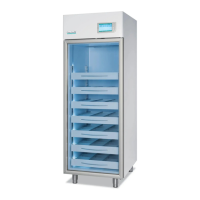
| Model | ECT-F TOUCH |
| Type | Upright Freezer |
| Energy Class | A+ |
| Noise Level | 42 dB |
| Defrost System | Manual |
| Door Open Alarm | Yes |
| Reversible Door | Yes |
| Color | White |

 To Next Page
