21
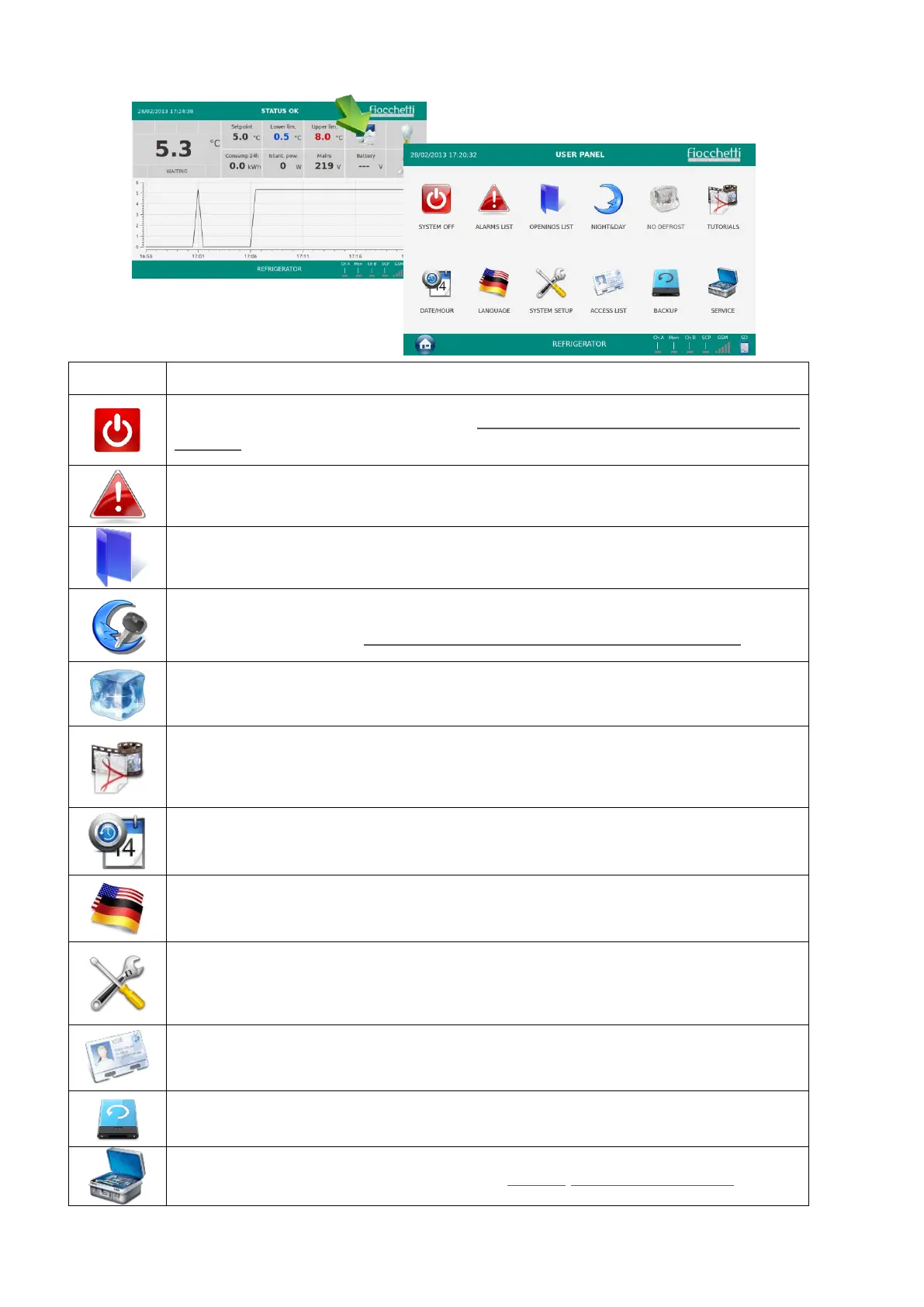
5.2.7 ECT-F TOUCH USER PANEL
I allow to turn the equipment off (Password protected if passwords are
enabled)
I allows to visualize the latest n.32 registered alarms.
It allows to visualize the latest n.32 door openings.
It allows the access to Night & Day function and to the key locking
management settings (Password protected if passwords are enabled)
It allows the access to Multimedia information (TUTORIAL)
It allows to change date and hour
It allows to set desired languages
It allows the access to the user setup management
This icon allows the visualization of all the registered users as well as the
related enabling
I allows the user to backup the temperature registered data.
It allows to access the SERVICE Menu (Always password protected)


 To Next Page