30
5.2.17 EXTERNAL CONTACTS CONNECTION (additional option)
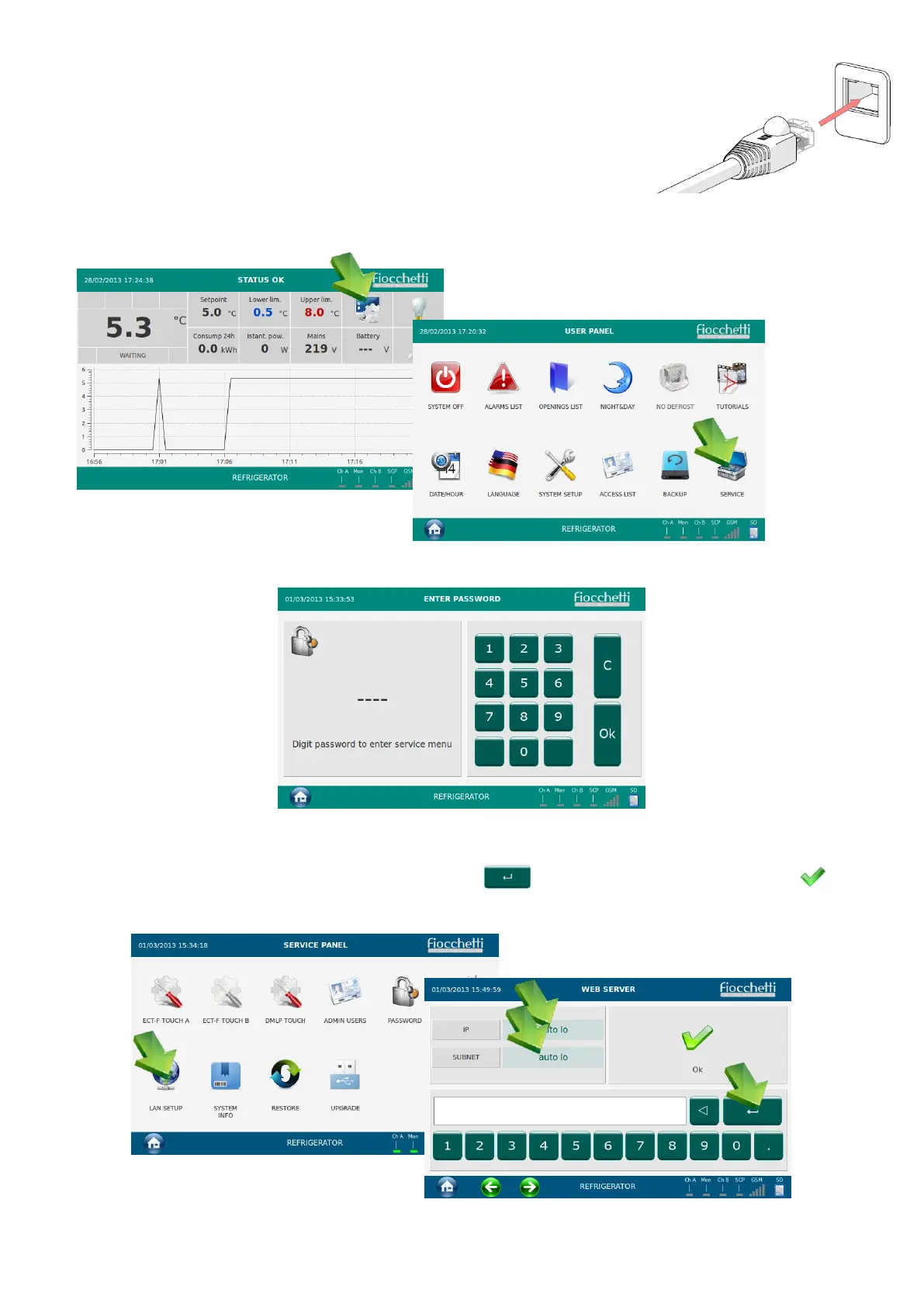
5.2.17.1 Local LAN connection
In case an ethernet port (RJ-45) is available in the back of the
device, place the local LAN Ethernet cable in the port.
Each appliance static IP address is preset at 192.168.2.127, and it
needs to be aligned to the installation place local net.
For this purpose, access service menu
Enter password 2810 and tap Ok
Figure 41
Tap on LAN Setup and adjust both IP address and SUBNET (even if it remains the same, re
insert it), confirming both entering by tapping on . Once this is done, tap on icon in
order to save and exit from menu.


 To Next Page