Programming Instructions
30
Document #50801 Rev.B 8/17/98 P/N 50801:B
CHAPTER 3
Programming Instructions
This chapter describes programming the MS-2410BC from the onboard keypad. Programming can be performed
only by a factory authorized representative. Control panel programming is possible at any time except when an alarm
or zone fault condition is present or during a fire drill.
All programming selections are stored in nonvolatile Electrically-Erasable Programmable Read-Only Memory
(EEPROM). This ensures that the control panel will remember all entries made in programming mode even if both
AC and battery power are removed.
The control panel comes with factory chosen options already programmed. Other options may be programmed if
desired. If all factory default settings are acceptable, programming is complete.
Successful entry into Program Mode from the keypad shuts off the fire protection and causes the Trouble LED and
AC Power LED to flash.
3.1 Switch Functions
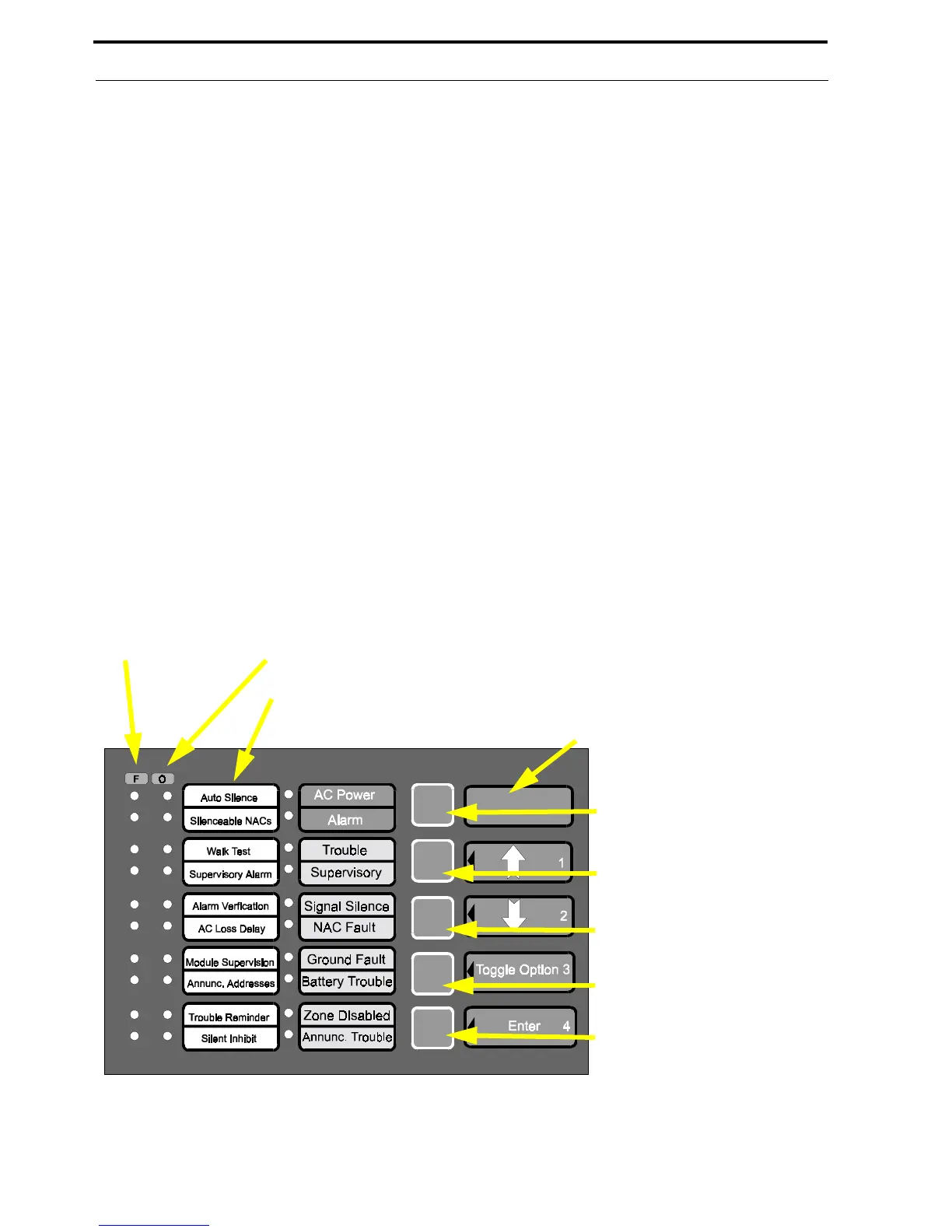
For ease of programming, labels have been provided which list the programming features/options available and the
key functions in Programming Mode. Insert the supplied labels in the proper locations. Refer to “Slide-in Labels” on
page 55. The function of each key in Program Mode is illustrated below:
FIGURE 3-1:
Programming Mode Keypad
Move LED cursor up
Move LED cursor down
Store programming options and
move cursor to next zone alarm
LED (program feature)
Feature
(Zone Alarm LEDs)
Option
(Zone Trouble LEDs)
Select programming option
(toggle choices)
No function
Insert Supplied Programming Feature Label A (English or French)
Insert Supplied Programming Key Functions Label C
(English or French)














 To Next Page