EasyManua.ls Logo

Firstech AQUABED - User Manual

Firstech AQUABED
17 pages
Print Icon
To Next Page IconTo Next Page
Loading...
AB550 User Guide
Bed Heating & Cooling System

Questions and Answers

Summary

AquaBed Welcome and Box Contents

Whats Included in the Box

Lists all components provided with your AquaBed system.

AquaBed Safety Procedures and Precautions

Essential Safety Notices

Critical instructions for safe installation and operation of the AquaBed.

Operational Cautionary Advice

Important warnings to prevent damage to the AquaBed Water Heater.

AquaBed Parts and Functions Overview

AquaBed Installation Guide

Installation Steps: Pad Placement & Connections (1-4)

Steps for placing the mattress pad and connecting the AquaBed unit.

Installation Steps: Filling & Powering On (5-7)

Instructions for filling the water heater and turning the unit on.

Installation Steps: System Operation Checks (8-11)

Details on initial system operation, water levels, and temperature setting.

Setting Up AquaBed Auto Mode

Setting the Current Time

Procedure to set the current time on the AquaBed control panel.

Setting Auto Mode Start Time

Configure the desired start time for the Auto Mode schedule.

Setting Auto Mode Temperature

Select the target temperature for the Auto Mode schedule.

Setting Auto Mode Stop Time

Define the end time for the Auto Mode heating/cooling cycle.

AquaBed Device Settings Configuration

Setting the Current Temperature

Adjust the current operating temperature of the AquaBed system.

Setting the Run Time

Configure the duration for which the AquaBed will operate.

Changing Temperature Units

Switch between Fahrenheit (°F) and Celsius (°C) display.

Switching Between Manual and Auto Modes

Toggle between manual operation and scheduled auto mode.

Checking Total Hours Used

View the total accumulated operating hours of the AquaBed unit.

Setting Up Child-Lock Mode

Activate or deactivate the child-lock feature to prevent accidental changes.

AquaBed Draining and Storage Instructions

AquaBed Troubleshooting Guide

AquaBed Warranty Information and Registration

Heater Warranty Details

Information on the warranty period and coverage for the AquaBed heater.

Product Registration for Warranty

Instructions for registering the product to ensure warranty eligibility.

Overview

The AquaBed Bed Heating & Cooling System (AB550) is a device designed to regulate the temperature of a mattress pad, offering both heating and cooling functionalities for personalized comfort. This system consists of an AquaBed Water Heater unit, a mattress pad, and a hand pump for maintenance.

Function Description:

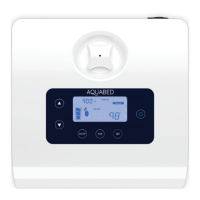
The AquaBed system works by circulating temperature-controlled water through a network of hoses within the mattress pad. Users can set a desired temperature range, and the water heater unit will adjust the water's temperature accordingly before pumping it into the mattress pad. The system supports both manual temperature control and an "Auto Mode" for scheduling heating and cooling times. The water heater unit features an LCD control panel that displays the current time, mode (Auto On/Off, Manual), water level, and target temperature. It also includes indicators for heating/cooling status and a button-lock feature for safety.

Important Technical Specifications:

  • Product Model: Aqua Bed Cool and Warm (AB-550)
  • Power Requirement: AC120V 50/60Hz
  • Heater Dimensions: 250 x 250 x 140mm
  • Wattage:
    • Cooling: 110W
    • Heating: 360W
  • Amperage:
    • Cooling: 1A
    • Heating: 3A
  • Temperature Range: 50°F to 158°F (10°C to 70°C)
  • Heater Type: Coil Heater (AC 120V 350W – 2.9A)
  • Peltier Type: DC 12V – 12A – 100W
  • Pump Type: BLDC PUMP (DC12V – 4W – 0.3A)
  • Water Type: Drinkable tap or bottled water only.
  • Placement: The AquaBed Water Heater should be placed on a flat surface within 2.3 feet (70cm) of the Mattress Pad.

Usage Features:

  • Installation:
    1. Lay the mattress pad flat for at least 10 minutes before connecting.
    2. Remove rubber caps from hose connectors on both the mattress pad and water heater.
    3. Connect the mattress pad to the water heater by inserting and twisting hose connectors clockwise to secure.
    4. Plug the water heater into a 120V wall outlet. The screen will display "OFF".
    5. Prepare drinkable water (bottled water preferred).
    6. Press the POWER button. The LCD will show "WATER" and "EMPTY".
    7. Release the cap and slowly pour water into the water storage until the water level indicator reads "full". An "E1" message indicates low water.
    8. The unit will automatically pump water into the mattress pad. Initial installation may cause slight noises/vibrations for up to 90 seconds as air pockets are removed.
  • Temperature Setting:
    1. Turn the AquaBed Water Heater ON.
    2. Press the SET button, or UP/DOWN buttons, to display the temperature.
    3. Use UP/DOWN buttons to select the desired temperature (50°F to 158°F / 10°C to 70°C), then press SET.
  • Auto Mode: Allows scheduling of heating/cooling times.
    1. Set Current Time: With the unit OFF, hold SET for 2 seconds. The top-left corner time will blink. Use UP/DOWN to select hour, minute, and AM/PM, pressing SET between each.
    2. Set Auto Mode Start Time: After setting the current time, schedule the start time using UP/DOWN for hour, minute, and AM/PM, pressing SET between each.
    3. Set Auto Mode Temperature: Select the desired temperature using UP/DOWN, then press SET.
    4. Set Auto Mode Stop Time: Select the end time (hour, minute, AM/PM) using UP/DOWN, pressing SET between each. Auto Mode can run for a maximum of 24 hours.
    5. Ensure the mode is switched back to AutoOn/AutoOff for scheduled settings to take effect. Manual mode overrides scheduled settings.
  • Run Time Setting:
    1. Turn the AquaBed Water Heater ON.
    2. Press the TIME button. The current runtime will appear.
    3. Use UP/DOWN buttons to select the desired runtime (1 to 24 hours, default 8 hours), then press SET.
  • Changing Temperature Units:
    1. Turn the AquaBed Water Heater OFF.
    2. Hold the MODE button for 2 seconds. "F" or "C" will appear.
    3. Toggle between Fahrenheit or Celsius using UP/DOWN buttons, then press SET.
  • Switching Between Manual and Auto Mode:
    1. Press the POWER button to turn the unit OFF.
    2. Press the MODE button to switch between Manual or Auto Mode. The selected mode will be displayed on the right side of the screen.
      • Manual/On: Allows current temperature changes while keeping the Auto-set schedule.
      • Manual/Off: Current and Auto scheduled heating is off.
      • Auto/On: Heating/cooling is on and following the set schedule.
      • Auto/Off: Heating/cooling is off but still following the set schedule.
  • Child-Lock Mode:
    • Lock: Hold UP and DOWN buttons simultaneously for 3 seconds. "LOCK" status appears, disabling all buttons.
    • Unlock: Hold UP and DOWN buttons simultaneously for 3 seconds. "LOCK" status disappears, enabling all buttons.
  • Check Total Hours Used: With the unit OFF, hold the TIME button for 2 seconds. The total time used will appear on the top left of the screen.

Maintenance Features:

  • Draining and Storage:
    1. Ensure water in the AquaBed Water Heater has reached room temperature.
    2. Unplug the power supply.
    3. Place a pitcher or large bowl under the unit. Disconnect the LOWER hose connector by twisting counter-clockwise and pulling away. Water will spill out.
    4. Disconnect the other hose connector similarly.
    5. Drain all remaining water from the unit.
    6. To drain the mattress pad, use the included hand-pump on one hose connector to push water out of the other.
    7. After draining, cover all hose connectors with original rubber caps.
    8. Allow both the mattress pad and the unit to dry completely before storing.
  • Troubleshooting (Error Codes):
    • Water Empty: Water shortage. Solution: Pour drinkable water into the water heater.
    • Error2: Temperature sensor error. Solution: Contact support.
    • Error3: Circulation pump error. Solution: Check connections and mattress pad tubing system. If not solved, contact support.
    • Error4: Temperature control error. Solution: Contact support.
    • Error5: Heater control error. Solution: Contact support.
    • Error6: Water sensor error. Solution: Contact support.
  • Warranty:
    • The AquaBed Water Heater unit is protected by a 2-year or 5,000-hour warranty covering defects and malfunctioning components.
    • The Aqua Mattress Pad is not returnable or covered by warranty after the first cycle.
    • Registration is required within 10 days of receiving the AquaBed at www.aquabedwarmer.com to be eligible for warranty.

Firstech AQUABED Specifications

General IconGeneral
BrandFirstech
ModelAQUABED
CategoryWater Heater
LanguageEnglish
