4-08
Sliding Door Control For Datalink:
(must be enabled to allow data to data sliding
door control)
This feature will provide an Unlock or Factory Alarm Disarm (FAD) output when triggering the AUX
control using iDatalink Modules (Sliding Doors)
FO1 - Off:
(default) This option does not provide an unlock or a FAD output when activating AUX
output control using the iDatalink modules.
FO2 - Unlock and FAD:
This option will provide unlock and a FAD output when activating AUX
output control using iDatalink modules.
FO3 - FAD only:
This option will only provide a FAD (factory alarm disarm) output when activating
AUX output control using iDatalink modules.
4-10 Trigger Start Input:
this feature will determine the input function of the positive red wire on CN3.
FO1 - Trigger Start Input:
This option will enable the (+) trigger start wire to be used as a trigger
for activating the remote start function using a (+) pulse input on the red wire CN3
FO2 - Closed Loop:
This option will enable the (+) trigger start wire to be used as a positive
Ignition Input Wire. This input should see +12V when the key is on and whenever it is running. This
wire does not send a +12V output from the control module.
FO3 - (+) Keysense Input:
this option will operate as a key sense INPUT to the CM. When used
with manual transmission, keysense input will keep the CM from completing reservation mode as
long as the input is present. In addition the keysense input will keep the system from passively
arming or EZGO proximity locking as long as the input is present.
FO4 - (+) Glow Plug Input:
This option will let you use this wire as a wait to start input. It requires
a (+) trigger from the vehicle’s glow plug wire.
4-11 Grey
UART Port Protocol:
This feature will determine the communication protocol of the gray
UART port.
FO1 - Drone:
(default) This option sets the grey UART port to communicate using the Drone data
protocol.
FO2 - Fortin: This option sets the grey UART port to communicate using the Fortin data
protocol. Note: there is no longer an “auto detect” feature with the Fortin protocol it must be
changed manually.
4-14
Low Battery:
This feature offers low battery options to help alert the user of a low battery in the
vehicle.
FO1 - Off:
(default) This option does not provide a low battery indication.
FO2 - On:
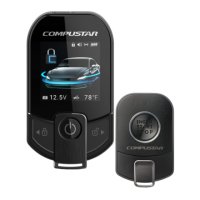
This option will provide an alert to any Firstech 2 Way LCD remote or Drone when the
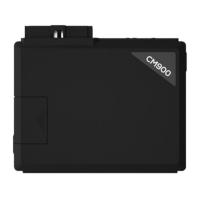
vehicle’s battery voltage (at the CM-900 power connector) drops to 11.7volts.
Note: the Firstech 2
way LCD remote must be within range of the vehicle to receive the low battery alert and this
option must be set in order to receive low battery alerts to Drone.
FO3 - On + Start: This option will provide an alert to any Firstech 2 Way LCD remote or Drone
when the vehicles battery voltage (at the CM-900 power connector) drops to 11.7 volts. In addition
to the alert the user can active the Timer mode (please refer to this manual for timer mode feature
description) to enable the low battery start function. Once the timer mode is active the CM-900 will
adhere to the timer mode feature options selected but also monitor the vehicle battery voltage
which will override the timer mode and start at 11.7 volts.
Special Option Groups 1 and 2


 To Next Page