Need help?
Do you have a question about the Firstech COMPUSTAR T13/R5 and is the answer not in the manual?
Explains warranty terms, registration process, and conditions for the remote control systems.
Guides users through programming new remotes for both key start and push-to-start vehicles.
Instructions for charging the 2WT13 and 2WR5 remotes via USB, including indicators and battery life.
Explains navigation and use of user features on the 2WT13 remote via button actions.
Outlines how to access and interact with user features on the 2WR5 remote.
Describes enabling/disabling Valet Mode to restrict remote start and alarm functions.
How to enable or disable the proximity unlock feature on the 2WT13 remote.
How to enable or disable the proximity unlock feature on the 2WR5 remote.
Explains the "Alarm full mode" for receiving alerts and notifications for triggered alarms.
Explains how to lock/arm and unlock/disarm the vehicle and system using the remote buttons.
Details on using buttons for remote start/stop, auxiliary outputs, and trunk release.
How to activate the panic feature and power the remote on.
Functions for waking the LCD, checking status, and entering user features.
Managing remote start runtime extension and powering down the remote.
Explains various LCD icons and their corresponding feature options for customization.
Details on features like LCD view selection and proximity unlock functionality.
Explains shock sensor activation/deactivation and 2nd car mode management.
Details on enabling/disabling drive lock and timer start user features.
Adjusting screen timeout, display brightness, and remote chime volume.
Activating passive arming and selecting alarm alert modes (Full/Half).
Activating Valet Mode via remote and configuring AUX outputs/icons.
Changing the displayed language for alerts, actions, and responses.
Option to change temperature display and information on Remote ID.
How to power down the remote if necessary.
Explains the meaning of various icons displayed on the remote's LCD screen.
Details the functions of the 2WR5 remote buttons based on hold time.
Outlines how to access and interact with user features on the 2WR5 remote.
Explains the meaning of various LED indicators on the 2WR5 remote.
Lists error codes indicated by parking light flashes when remote start fails.
Lists error codes indicated by parking light flashes when the vehicle shuts down after remote start.
Codes indicating issues during or after remote start reservation mode.
Explains LED indications for specific alarm trigger zones.
How siren chirps indicate specific alarm trigger zones upon disarming.
Details the limited lifetime warranty for the product and its components.
Information on how to register the product warranty online to ensure coverage.
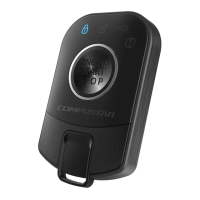
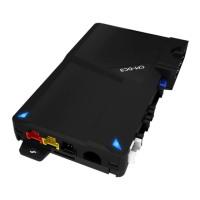
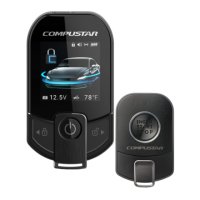
This document serves as the Master Guide for the COMPUSTAR T13/R5 remote control systems, developed by Firstech LLC. It covers the functionality, technical specifications, and usage instructions for both the 2-Way 3-Button Liquid Crystal Display Remote (2WT13) and its companion remote (2WR5), which are part of the ALARM IT, START IT, or MAX IT systems.
The COMPUSTAR T13/R5 systems are designed for vehicle security and remote start functionalities. They allow users to remotely lock/arm, unlock/disarm their vehicle, activate remote start/stop, and control auxiliary outputs. The 2WT13 remote features an LCD screen for visual feedback, displaying vehicle status, battery voltage, and temperature (if equipped with a sensor). Both remotes support a "Proximity Unlocking" feature, which automatically unlocks/disarms the vehicle as the user approaches. They also offer "Alarm full mode" for receiving alarm alerts and notifications when within range of the vehicle. The system includes a "Valet Mode" to disable remote start and alarm functions when the vehicle is being serviced or loaned. Additionally, the remotes can be programmed for "2nd Car Mode" to control two separate vehicles, provided they share the same antenna model (ANT-2WSF). "Drive Lock" functionality allows the vehicle doors to lock automatically when the ignition is on, doors are closed, and the foot brake is pressed, and unlock when the vehicle is shut off or the parking brake is set. "Timer Start" enables automatic vehicle starting based on a pre-set time sequence or temperature. "Turbo Timer" keeps the vehicle running for up to 3 minutes after the key is removed, engaging the parking brake for turbocharged vehicles.
 General
| Brand | Firstech |
|---|---|
| Model | COMPUSTAR T13/R5 |
| Category | Remote Starter |
| Language | English |

 To Next Page