Need help?
Do you have a question about the Firstech CM600-AS and is the answer not in the manual?
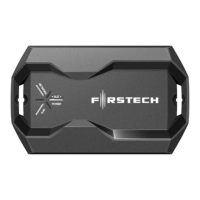
Lists all basic components included for a standard installation of the CM-600AS system.
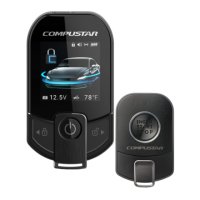
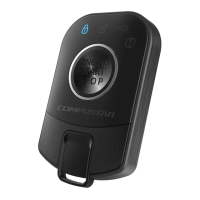
Details on the two included remotes being preprogrammed to the unit.
Explains the new procedure for placing the system into Valet mode.
Step-by-step guide for learning the vehicle's tachometer signal.
Highlights differences in option menus from other Firstech systems.
Information on using the FT-OP500-KIT programmer for option configuration.
Instructions on how to update the CM-600AS firmware.
Step-by-step instructions for programming remotes to the CM-600AS unit.
Guidelines for optimal placement and connection of the antenna and cable.
Explains the importance and function of the hood pin safety feature.
Details on mounting and adjusting the shock sensor for optimal performance.
Guidance on securely mounting the siren and adjusting its duration.
Instructions on how to enable and disable Valet mode for vehicle servicing.
Explanation of jumper settings for door trigger polarity and accessory/starter outputs.
Default setting for tachless sensing and its relation to Option 2-04.
How to adjust crank times for successful remote starting, including Smart Resting Mode.
Procedure for setting up tach sensing mode using Connector 2, Pin 12.
Instructions for configuring Advanced Tachless mode using the stator wire.
Details on using Assumed Timed Crank for vehicles with anti-grind features.
Detailed pinout description for the 8-pin ignition harness connector.
Details the functions of each pin in the 12-pin harness connector.
Explains the pinout for the 8-pin harness connector, including siren and ground outputs.
Pinout description for the 6-pin lock harness, covering unlock and trunk release.
Details the 4-pin RS232 port for 2-way data communication.
Pinout for the 4-pin antenna cable, covering RX, TX, and power.
Describes the 2-pin connector for the pre-wired LED.
Pinout for the 4-pin shock sensor port, including trigger inputs.
Describes options for door locking behavior before, during, and after remote starting.
Configuration of lock and unlock pulse durations for various system outputs.
Settings to adjust the duration of the remote start operation.
How to enable and use the passive arming feature of the system.
Settings for pulse triggers required to activate the module as a slave unit.
Options to dictate the time interval between cold start remote start attempts.
Details the default Tachless mode and other sensing options like Tach and Alternator.
Configuration options for siren duration, output type, and horn honk behavior.
Configures the GWA output for starter kill relay and overgrinding prevention.
Settings for controlling and defining the behavior of auxiliary inputs and outputs.
Adjusts the behavior of 1st and 2nd stage shock sensor inputs.
Step-by-step guide for using the FT-OP500-KIT to program all system options.
Method for programming individual options one at a time using the system remote.
Table listing parking light flash codes and their corresponding remote start errors.
Information on interpreting alarm LED flashes to diagnose trigger events.
Troubleshooting steps when the system does not respond after installation.
Information on using other CompuStar remotes with the CM-600AS system.
Troubleshooting OP500 programmer error code 'ER 01' during option programming.
Clarification on whether the CM-600 is compatible with manual transmission vehicles.
Guidance on setting and programming the system's auxiliary outputs.
Diagnosing issues where the vehicle starts and shuts down multiple times.
Troubleshooting when the system chirps siren 3 times and fails to arm.
Explanation of door lock polarity and options for inversion if needed.
 General
| Type | Remote Starter |
|---|---|
| Keyless Entry | Yes |
| Operating Voltage | 12V DC |
| Number of Auxiliary Outputs | 2 |
| Number of Data Ports | 1 |
| Remote Start | Yes |
| Battery Backup | No |
| Installation | Professional installation recommended |
| Range | Up to 3000 feet |
| Current Consumption in Sleep Mode | 10mA |
| Operating Temperature | -40°C to 85°C |
| Smartphone Control | Optional (Requires additional module) |
| Compatibility | Most vehicles |

 To Next Page