12
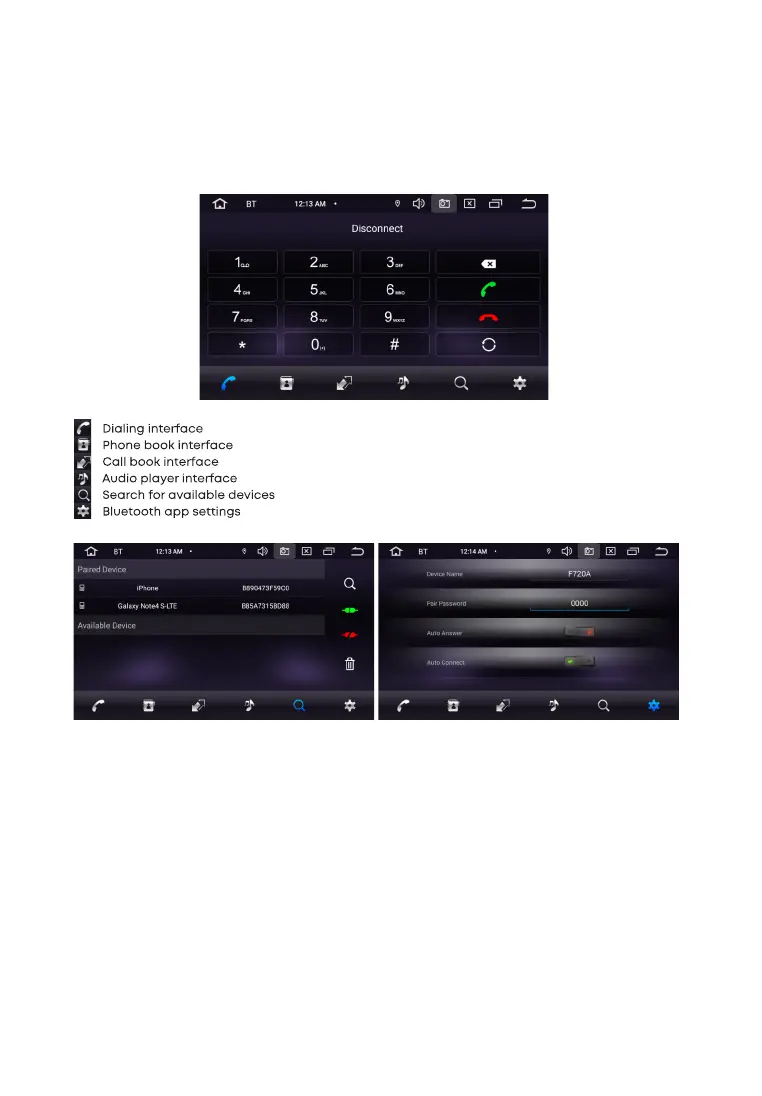
Pairing phone and head unit
Please make sure your phone supports this function before connecting. Turn on Bluetooth on your
phone, then search for devices by touching the Add device ”on the screen of the head unit. After
finding the device, it will appear on the list.
B L U E T O O T H ( P H O N E )
To go to the Phone application on the main menu, touch the “Phone” icon. Or press the button (2) on
the front panel. After completing the pairing, the BT icon on the screen
will change color from gray to white.


 To Next Page