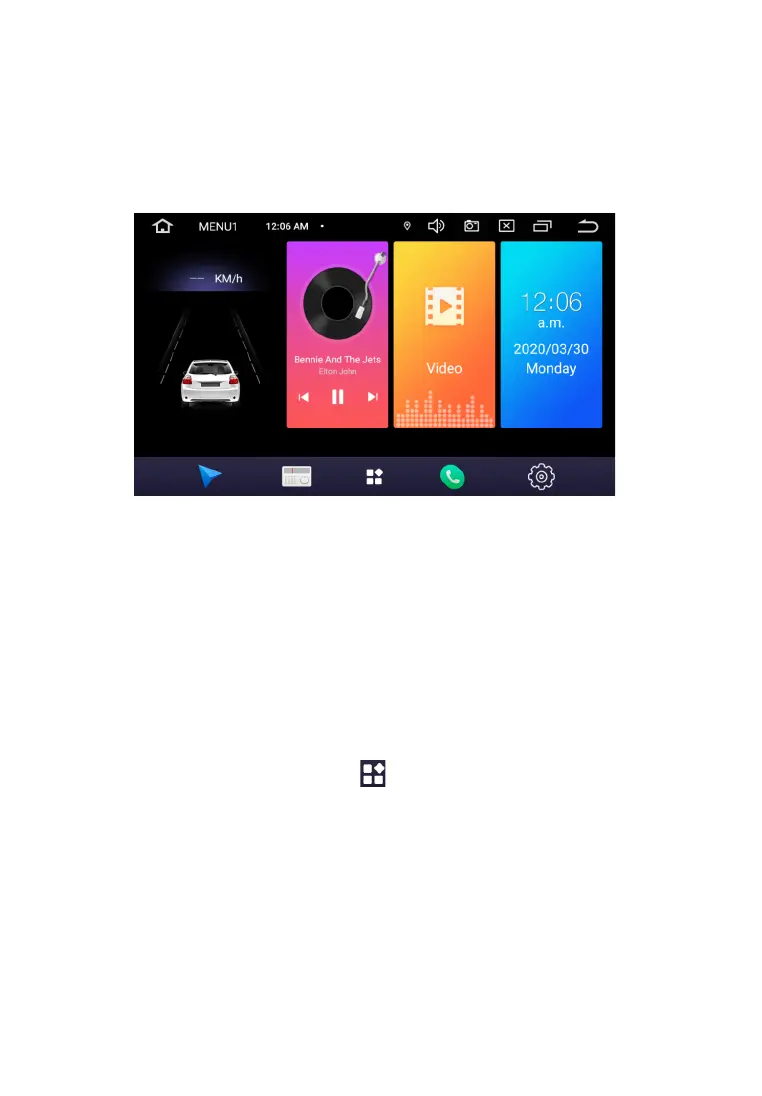
When you turn on the device, the main page is loaded by default. For selection the function or
application you are interested in, click the corresponding icon.
Main functions:
1. Navigation
2. Bluetooth
3. Radio
4. Music
5. Video
6. Settings
7. APPs
8. Time/date
9. File manager
To go to the application menu, touch the icon
To launch the required application, touch the corresponding icon.
M A I N M E N U
8


 To Next Page