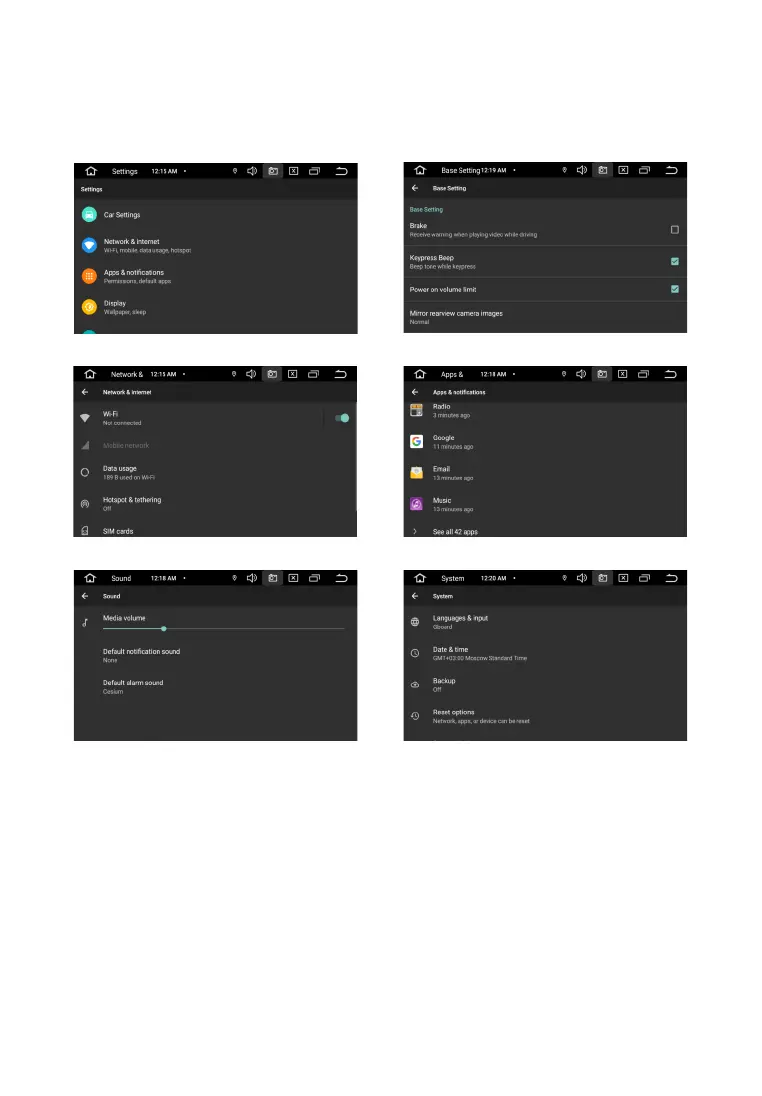
To enter the mode, touch the "Settings" icon.
S E T T I N G S
The settings available to the user allow you to adapt the device to individual preferences both in
terms of sound quality and communication, and in a wider range. More you can get detailed
information about the settings by reading the description to the publicly available Android system.
Internet connection
4G connection is made via built-in USB modem. Install in the hinged slotdevices SIM-card of a
cellular operator of the GSM format. Enter settings and selectSIM card. Settings> Network & Internet>
SIM Cards. Device data transfer enableddefault.
Note. The device does not support SIM cards of mobile operators workingin formats other than GSM.
14


 To Next Page