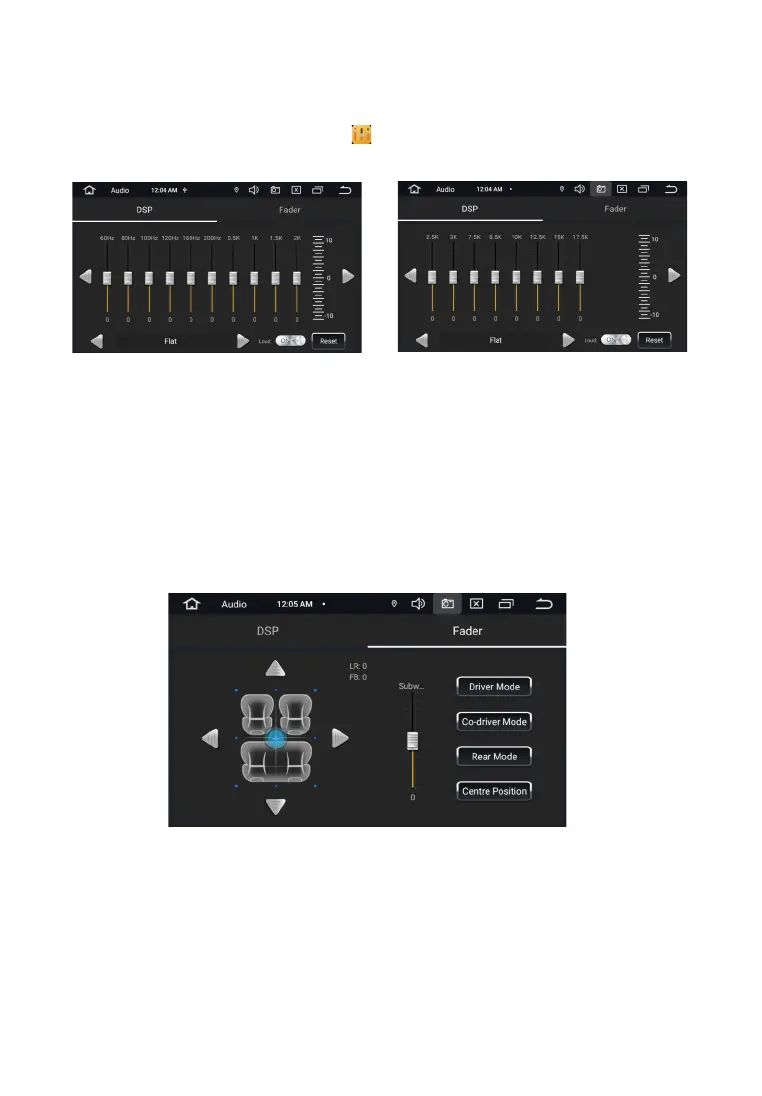
To enter the sound settings, use the EQ icon from the app menu. The settings interface offers
two screens with EQ settings.
S O U N D S E T T I N G S
DSP setup screen provides access to digital 18/12 band equalizerwith seven preset modes:
Smooth, Jazz, Classic, Rock, Pop, Standard, Custom(user-saved preset).
The Balance setting screen allows you to adjust the relative speaker volume forachieving the
desired sound. Adjustment is made by dragging the point along the schemecar interior. The
user is also given the opportunity to adjust the overallsound picture for the place selected in
the car.
The Sub control allows you to set the signal level at the output to the subwoofer.
20


 To Next Page