EasyManua.ls Logo

Five F700A - User Manual

Default Icon
29 pages
Print Icon
To Next Page IconTo Next Page
Loading...
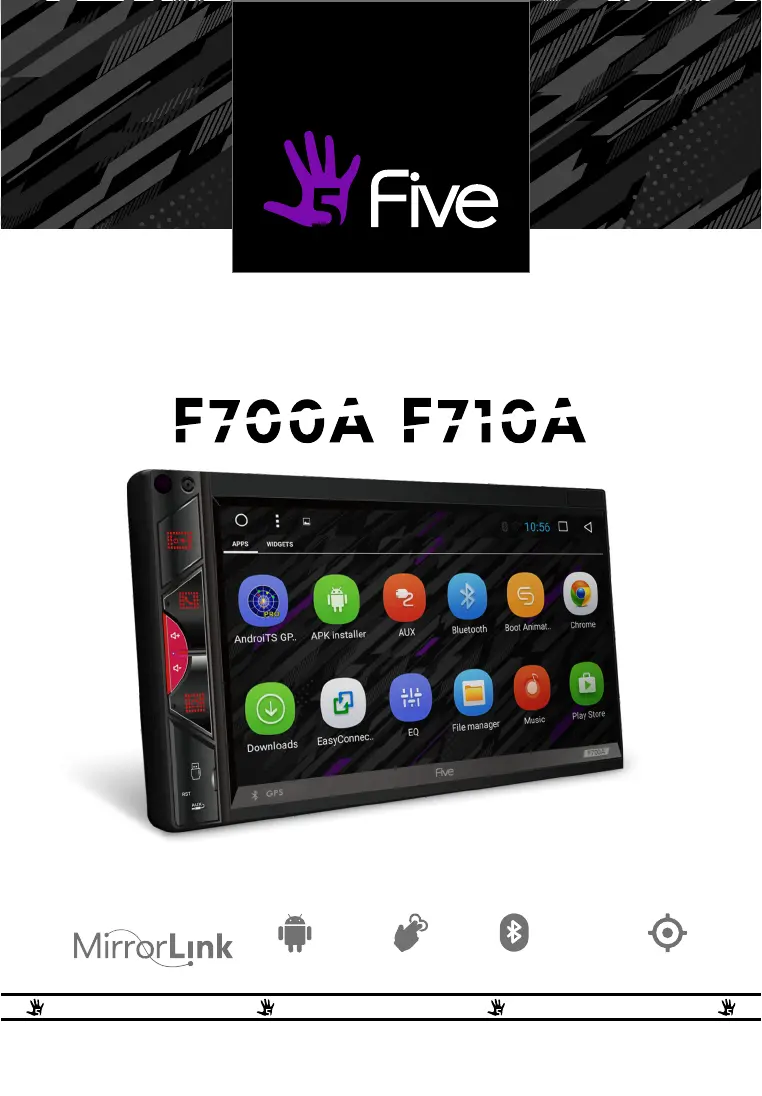
USER’S MANUAL
T R U S T T H E S O U N D T R U S T T H E S O U N D T R U S T T H E S O U N D
T R U S T T H E S O U N D
C A R M U L T I M E D I A - S Y S T E M U S B / A U X / B T 2 D I N R E C E I V E R
1GB
R A M
16GB
R O M
A N D R O I D 1 0 . 0 M U L T I - T O U C H
6.8"
D I S P L A Y
B T M U S I C G P S
50Wx4
M A X P O W E R

Questions and Answers

Summary

Precautions

Attention! Key Warnings and Handling

Key warnings and handling instructions for the device.

Important Safety Information

F700 A Front Panel Description

Control Buttons and Ports

Details the function of physical buttons, USB, AUX, and IR receiver.

Touch Interface

Describes the main touch screen for interaction.

F710 A Front Panel Description

Control Buttons and Ports

Details the function of physical buttons, USB, AUX, and IR receiver.

Touch Interface

Describes the main touch screen for interaction.

Main Menu Navigation

Main Functions Overview

Lists primary applications and features accessible from the main screen.

User Interface Elements

Top Panel (Status Bar)

Displays notifications, time, and device status indicators.

Quick Settings & Notifications Panel

Accessible panel for quick adjustments and alerts.

Radio Operation

Automatic Station Search

Scans and stores available radio stations automatically.

Manual Tuning

Allows precise tuning to radio frequencies.

Bluetooth Phone Functions

Pairing and Connection

Connects the head unit with a mobile phone via Bluetooth.

Dialing, Call Log, and Contacts

Manages phone calls, history, and saved contacts.

Bluetooth Music Playback

Device Settings and Configuration

System and App Settings

Configures core device parameters and manages applications.

Location and Network Settings

Adjusts location services and network connectivity.

Steering Wheel Control Customization

Button Mapping Guide

Assigns functions to steering wheel buttons for control.

Important Notes and Warnings

Provides critical information on compatibility and voltage.

Media Playback Features

Video Playback

Details on playing video files from various sources.

Audio Playback

Instructions for playing music files from internal memory or USB.

File and Input Management

AUX Input Usage

How to connect and play audio from external devices via the AUX port.

File Manager Operations

Manages files and folders on the device and connected storage.

Connectivity and App Management

Installing Third-Party Applications

Guide for installing external applications via APK files.

Easy Connection Mode

Connects and mirrors mobile device screens to the head unit.

Navigation System

Sound Settings and Equalization

Equalizer Adjustment

Customizes audio frequencies for preferred sound quality.

Balance and Tone Control

Adjusts speaker volume distribution and overall sound picture.

Web Browser and Sound Options

Web Browser Usage

Instructions for using the built-in Chrome web browser.

Sound Output Settings

Configures specific sound options like Navi volume.

Google Play Market Access

Wiring Diagram and Connections

Socket Pinouts and Precautions

Details connections for audio, antennas, USB ports and critical warnings.

Technical Specifications

Troubleshooting Common Issues

Power and Touchscreen Problems

Solutions for the unit failing to power up or unresponsive touch.

Camera and GPS Signal Issues

Troubleshooting for rear camera display and GPS reception problems.

Navigation and Route Finding Errors

Fixes for destination search and route calculation errors.

Simple Troubleshooting Steps

Power, Sound, and Picture Issues

Basic checks for power, audio, and display output problems.

System Freezes and Radio Reception

Steps for resolving unit hang-ups and improving radio signal.

Remote Control and Bluetooth Problems

Solutions for remote control and Bluetooth connectivity issues.

Five F700A Specifications

General IconGeneral
Screen Size7 inch
Touch ScreenYes
BluetoothYes
GPS NavigationYes
Operating SystemAndroid
RAM1GB
ROM16GB
RadioFM/AM
Maximum Output Power4 x 45W
Mirror LinkYes
Rear View Camera InputYes
Steering Wheel ControlYes
Resolution1024 x 600
USB PortYes
Wi-FiYes
Video FormatMP4, AVI, MKV
Audio FormatMP3, WMA, WAV, FLAC, APE
Image FormatJPEG, BMP, PNG

Related product manuals