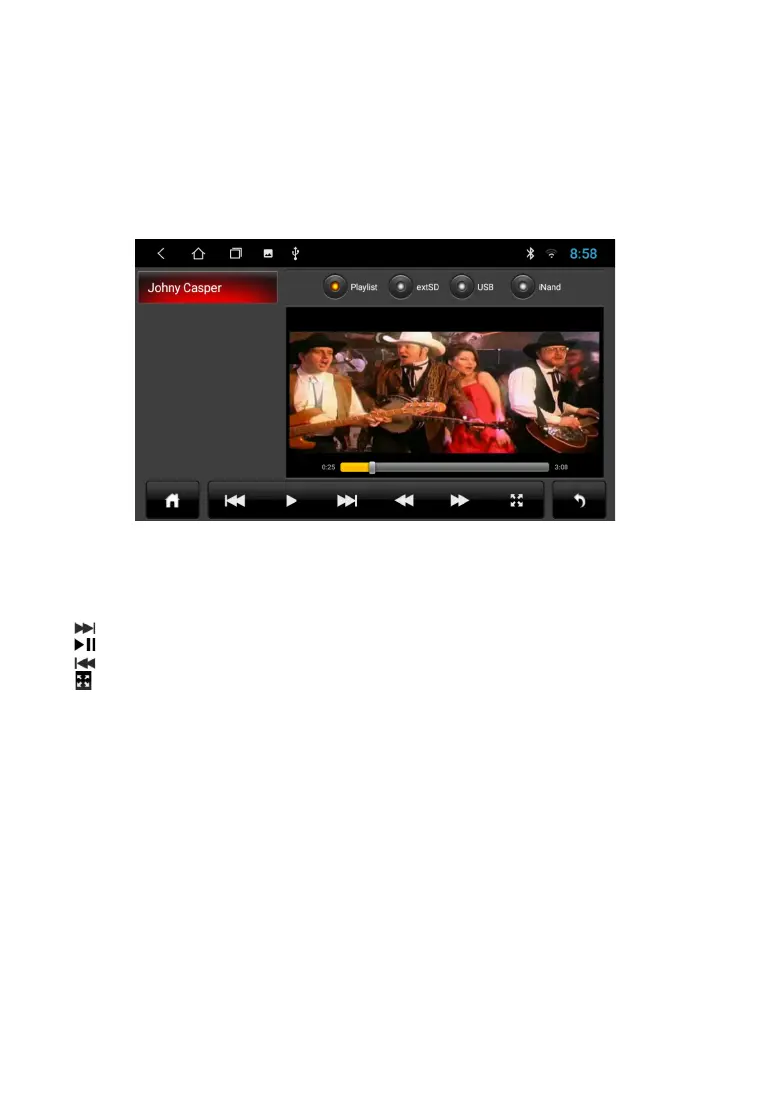
To view the video files, click on the icon of the “Video” application. Playback possible
video files both from the device memory and from external drives (USB).
The device supports playback of H.263 P3, MPEG-4, H.264 / AVC codecs, etc.
For more information on playable file formats, see technical characteristics of the device.
next video
play and pause
previous video
full screen view
V I D E O P L A Y I N G M E N U
After launching the application, playback of video content from the connected disc (USB or iNand).
The bottom pop-up menu allows you to select a video file to view. Go to the explorer of video files,
you can go to the list of connected media and select the desired file to view.
Note. The built-in video player supports most common (popular) formats, but the codecs used by
media producers are constantly are developing and the manufacturer cannot guarantee support
for all formats video files.
To listen to music, click on the "Music" icon on the main menu. Track playback possible both from the
device memory (iNand) and from external drives (USB). The device supports playback of most popular
formats MP3, M4A, WAV, AMR, WMA, OGG, AAC, FLAC, MID, etc. More information on playable file
formats, you can find in the technical specifications of the device.
A U D I O P L A Y I N G M E N U
16



 To Next Page