11
Stereo mode (ST)
We recommend using stereo mode if reception is good. When moving away from the city, the
reception starts to deteriorate, and noise appears. In some cases, switching to mono mode (by
touching the “ST” icon in the settings) can reduce interference and improve reception.
Note. Radio Data System RDS with TA and TP functions - OPTIONAL not supported by this receiver!
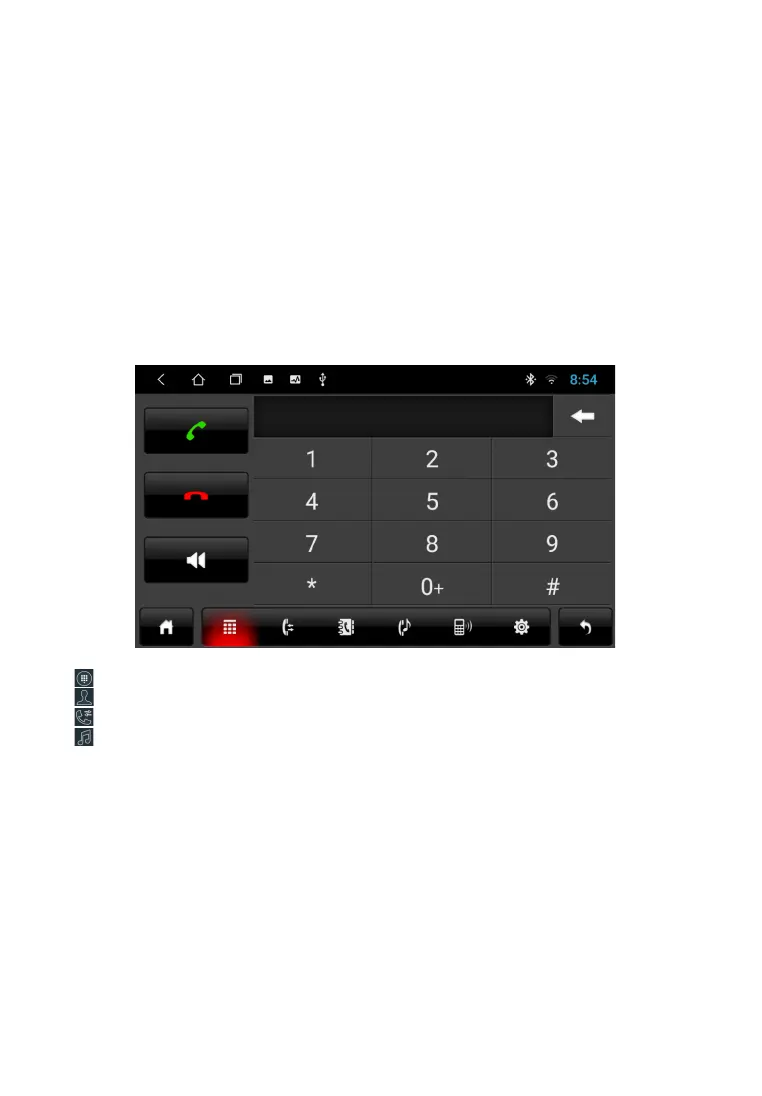
B L U E T O O T H ( P H O N E )
Dialing interface
Phone book interface
Call book interface
Audio player interface
To go to the Phone application on the main menu, touch the “Phone” icon. Or press the button (2) on
the front panel. After completing the pairing, the BT icon on the screen
will change color from gray to white.



 To Next Page