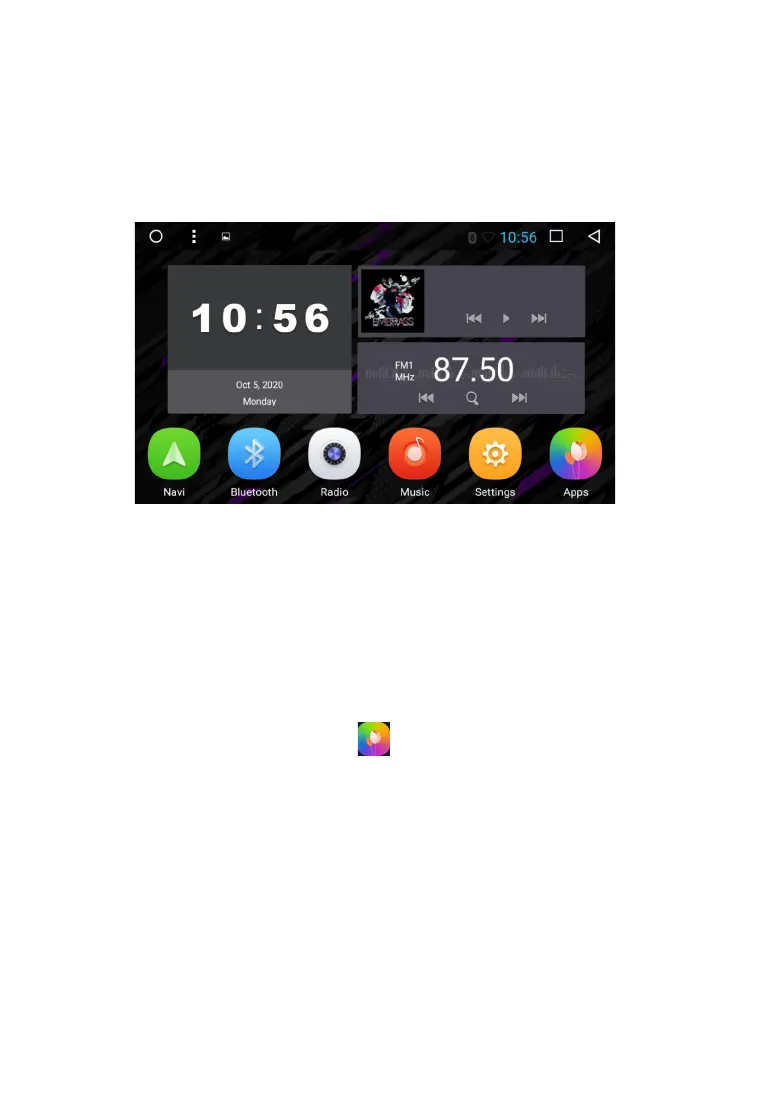
When you turn on the device, the main page is loaded by default. For selection the function or
application you are interested in, click the corresponding icon. To remove an icon or application,
touch and hold and drag it to the delete icon that appears.
Main functions:
1. Navigation
2. Bluetooth
3. Radio
4. Music
5. Settings
6. APPs
7. Time/date
To go to the application menu, touch the icon.
To launch the required application, touch the corresponding icon.
M A I N M E N U
8



 To Next Page