LIQUID-COUPLED HEAT EXCHANGER ECONET
®
Installation & Maintenance Manual
16
FläktGroup DC_9010GB 20180327_R0 Specifications are subject to alteration without notice
OPERATION VIA THE CONTROL PANEL
INDICATIONS ON THE DISPLAY
The display can indicate +++ or - - - if a parameter is out of
range.
LED INDICATORS
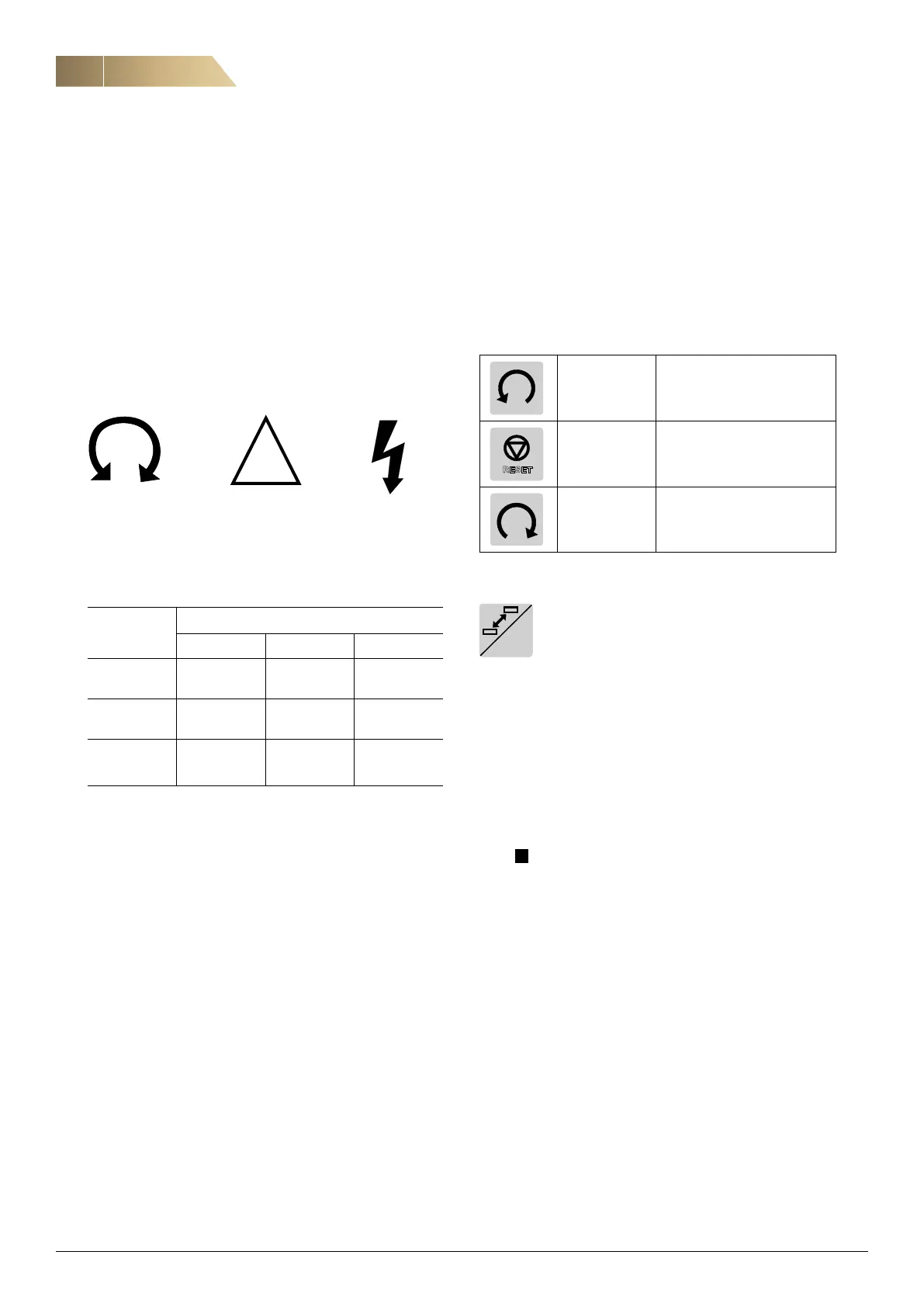
The symbols on the control panel have the following functions:
LED INDICATORS
Run Trip Power
Green Red Green
Symbol
Function
ON BLINKING OFF
POWER
(green)
Power on ……………… Power off
TRIP
(red)
Frequency
inverter tripped
Warning/Limit No trip
RUN
(green)
Motor
shaft
rotates
Motor speed
increase/
decrease
Motor
stopped
CONTROL KEYS
The control keys are used to give Run, Stop or Reset command
directly in the Local mode.
LANGUAGE AND LOC/REM KEY (TOGGLE KEY)
This key has two functions:
Changes language and switching between
Loc/Rem function.
Press one second to go directly to change the language.
Press and hold the key for more than five seconds to switch
between Local and Remote function. When editing values,
the key can be used to change the sign of the value.
LOCAL MODE
Local mode is used for temporary operation. The actual status
of the frequency inverter will not change, e.g. Run/Stop condi-
tions and the actual speed will remain exactly the same. When
the frequency inverter is set to Local operation, the display will
show L in area B in the display. In local mode Econet funticons
are deactivated. The Econet A-alarm handling is still active
where all A-alarms trip the frequency inverter.
The frequency inverter will be started and stopped using the
keys on the control panel. The reference signal can be controlled
using the + and - keys on the keyboard. This can be done on
frequency inverter page 310.
REMOTE MODE
When the frequency inverter is switched to REMOTE operation,
the frequency inverter will be controlled according to Econet
control methods.
RUN L: Not used
STOP/RESET:
Stops the motor or resets the
frequency inverter after a trip
RUN R: Gives a start with right rotation
RESET
LOC/
REM


 To Next Page