FUSION USER AND
MAINTENANCE
Version: 1.0
Page: 20 of 49
Hinterbergstrasse 15
CH-6330 Cham
FTD-078
3.3 Status Page
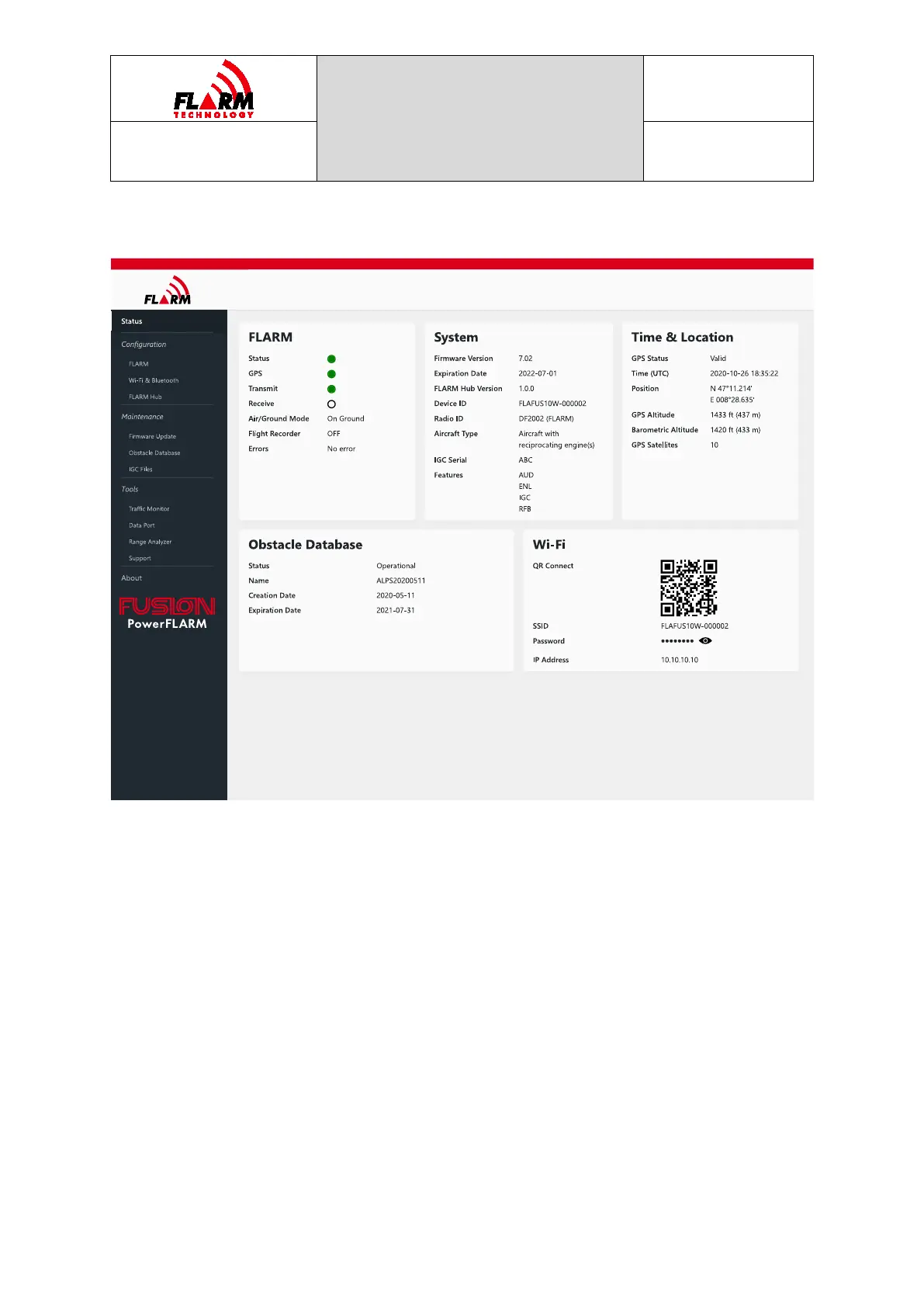
The Status Page is the first page shown when accessing FLARM Hub and can always
be accessed by clicking on “Status” (first item) in the navigation menu. The Status
Page shows information about FLARM. It also shows connection information to
connect additional mobile devices to FLARM Hub.
The different sections on the Status page are explained below.
3.3.1 FLARM
This section depicts the physical device LEDs and shows their corresponding status
(color). See Section 1.3.2 for details. An LED that is OFF is indicated by a white
LED with a black border. If using a mouse, hover over the Receive LED to see the
number of aircraft being received.
Air/Ground Mode
Indicates if FLARM considers the aircraft to be in flight or on the ground. This
depends on ground speed and the configured aircraft type. When on the ground:



 To Next Page