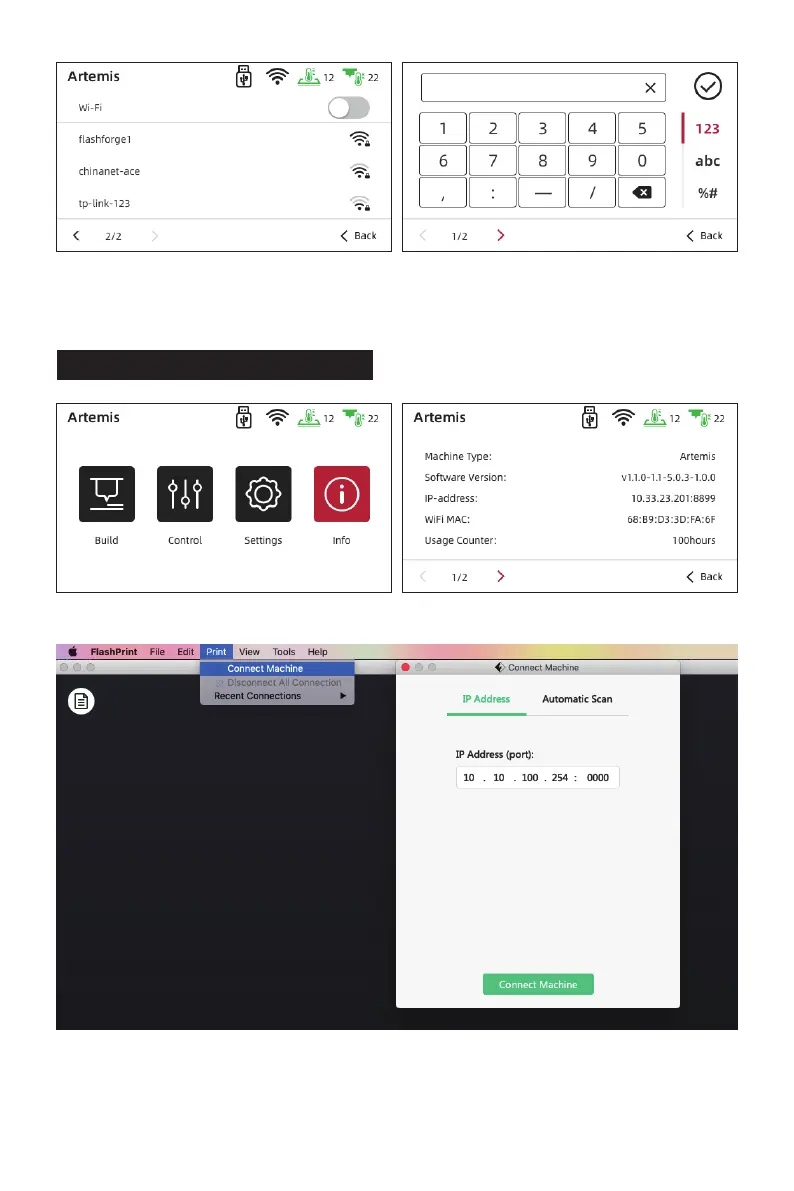
Tap [Settings] - [Wi-Fi], open the WIFI function. Choose the Internet and save the password.
1. After the Wi-Fi connected successfully, tap [Info] and check the IP Address.
2. Open the FlashPrint 5, click [Print] - [Connect Machine], input the IP address and
click the connect.
3. Click [Tools] - [Multi-Machine Control], you will see the statue of device.
3.4 Connect Printer by Wi-Fi
14















 To Next Page