3.5 Firmware Upgrade
1.
2.
3.
4.
Copy the firmware into the blank USB flash disk.
Plug in the USB flash disk into the USB port of printer and reboot the printer, waiting
for the upgrade process finished.
Plug out the USB flash disk after hearing three beeps, reboot printer again.
After the upgrade completed, please delete the firmware file in the USB flash disk to
avoid upgrading repeatedly next time.
Get the firmware files:
Connect with aftersales and send email to supports@flashforge-usa.com
Method 1:
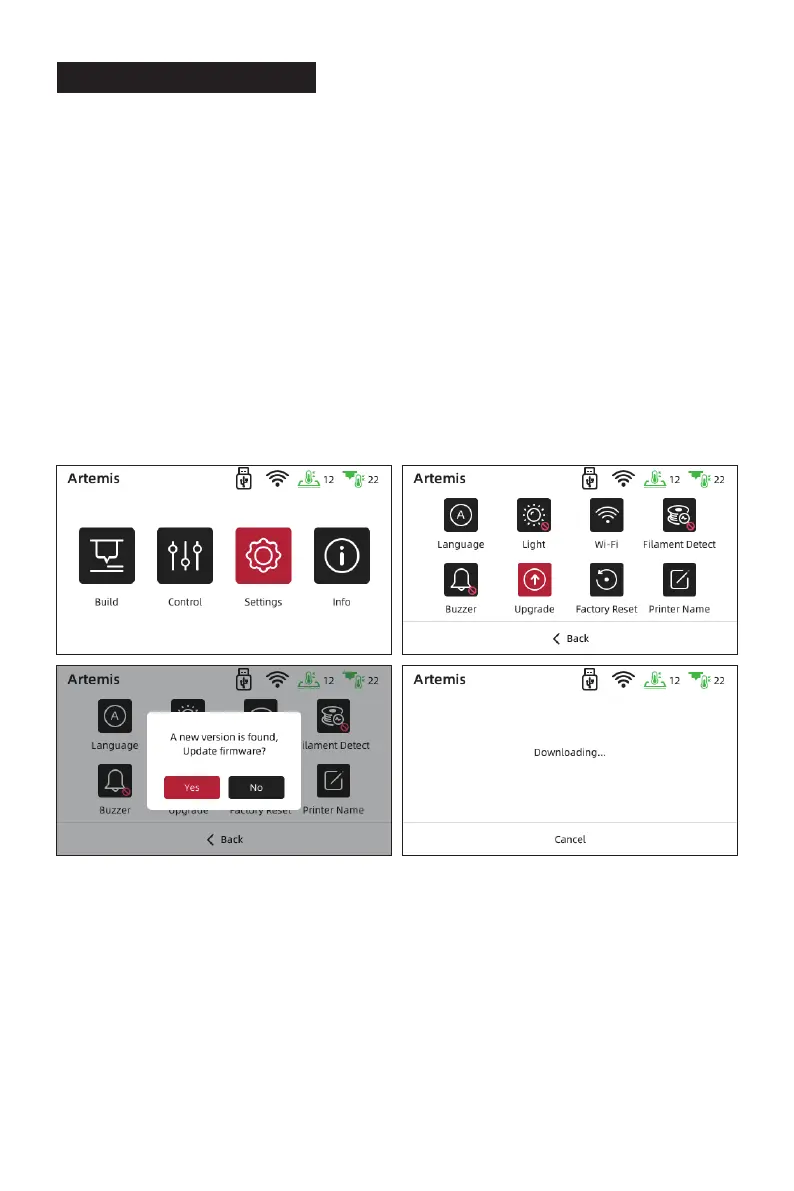
1. Connect the WIFI successfully (Refer to 3.3 Wi-Fi Connection);
2. Tap [Settings] - [Upgrade], check the latest firmware; if there is a new firmware need to
be upgraded, please tap [Yes] to upgrade.
Method 2:
15















 To Next Page