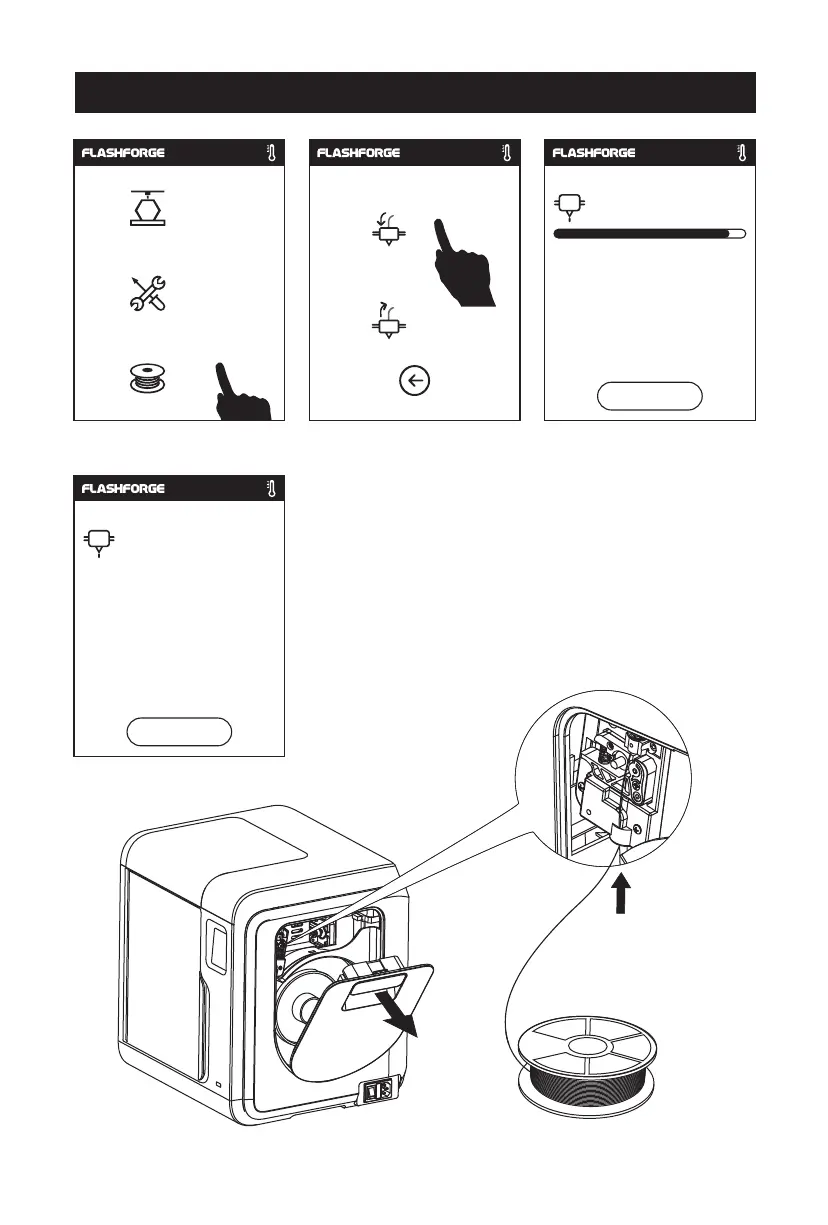
3. Open the filament cover, insert the filament into the
filament intake, push filament into the feeding wheel
until some resistance is sensed.
Note: Please make sure filament has been pushed into
the feeding wheel!
First Print
1. Tap [Filament], tap [Load], after load completed, tap [OK].
2.
As
shown on the left, loading starts when the
extruder
heated to target temperature.
Build
Tools
Filament
Load
Change
200
/235℃
Heating extruder...
Cancel
235
/235℃
Preheat completed,
Begin loading...
ok
06















 To Next Page