09
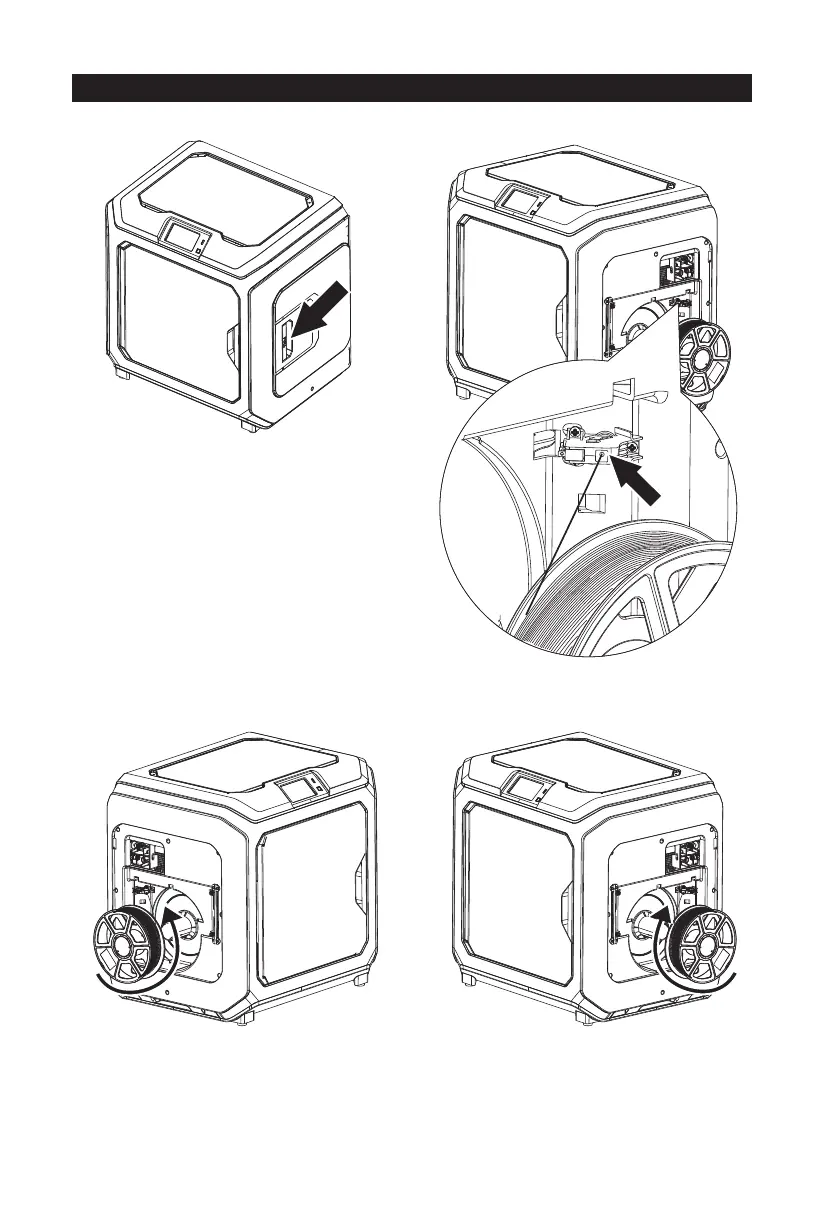
1. Open the filament cover.
2. Insert the filament into filament intake.
3. Notice: For filament convenient rotation, please install filament follow the direction shown
in the picture.
When installing filament on the left side, please unload filament anticlockwise;
when installing filament on the right side, please unload filament clockwise.
Install Filament
Filament
intake















 To Next Page