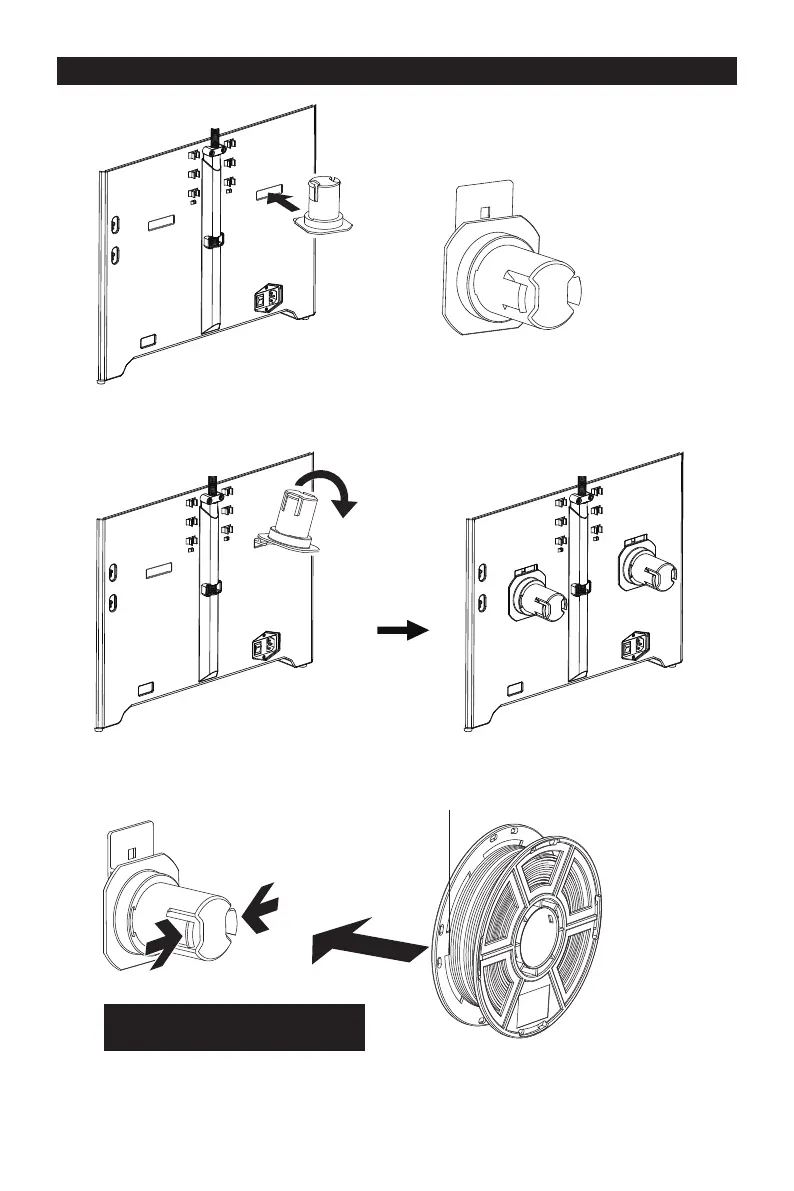
1.To install a spool holder, level it and insert the end into the corresponding opening.
2.Turn down the spool holder to make the holder bottom cleave to the printer back.
3.Take a roll of filament, then squeeze the spool holder top and mount the filament spool
to the holder.
Please refer to the next page for the
right method of filament mounting.
6













 To Next Page