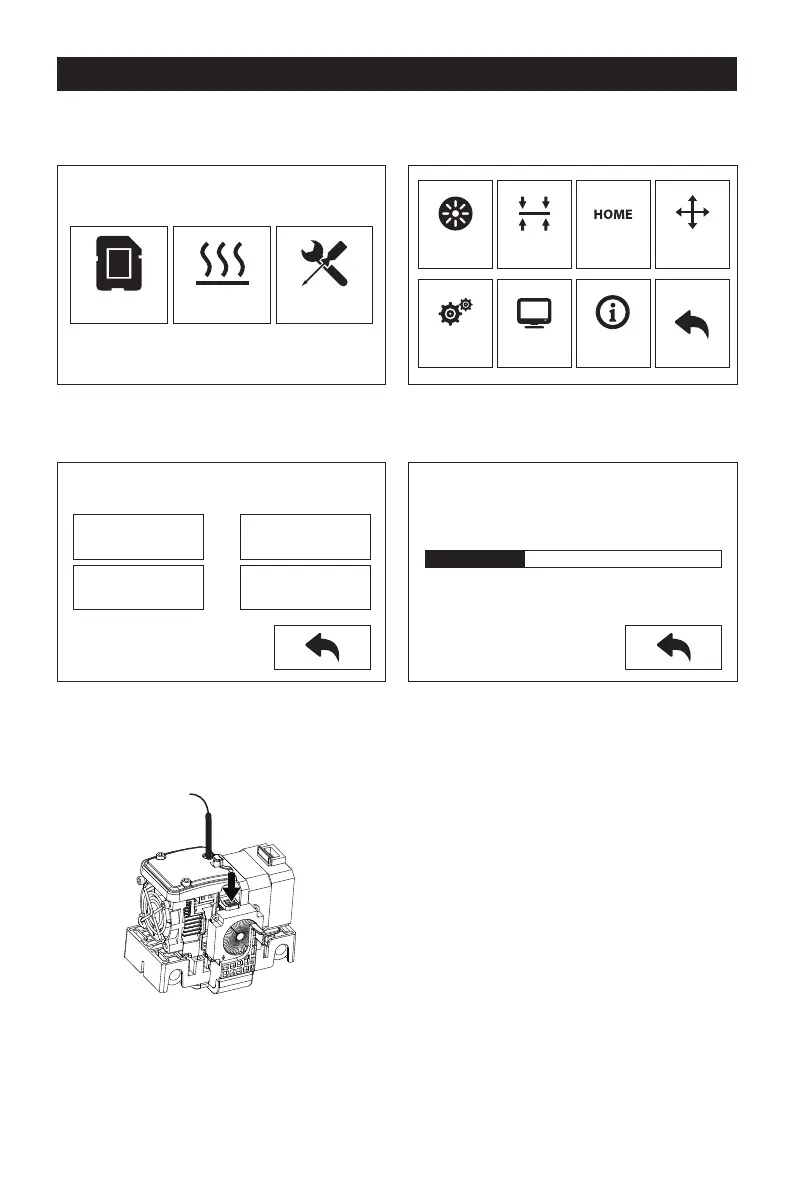
The First Setting
Loading and Unloading
1.
2.
Tap [Tools]-[Filament]
Tap [load], the extruder will start to heat up. After heating to the target temperature,
please manually insert the filament into the filament feeding wheel. When the filament
is ejected from the nozzle, it indicates that loading is completed.
3. Tap [unload], the extruder starts to heat up. After heating to the target temperature,
manually feed out a part of filament from the nozzle, then press down the spring
presser, quickly pull out the filament, and complete unloading.
Print
L Extruder
Load
Unload
Load
Unload
R Extruder
Heating...
L Extruder 75℃ / 220℃
Preheat Tools
Filament
Setting
Level
Status
Home
About
Manual
8













 To Next Page