12
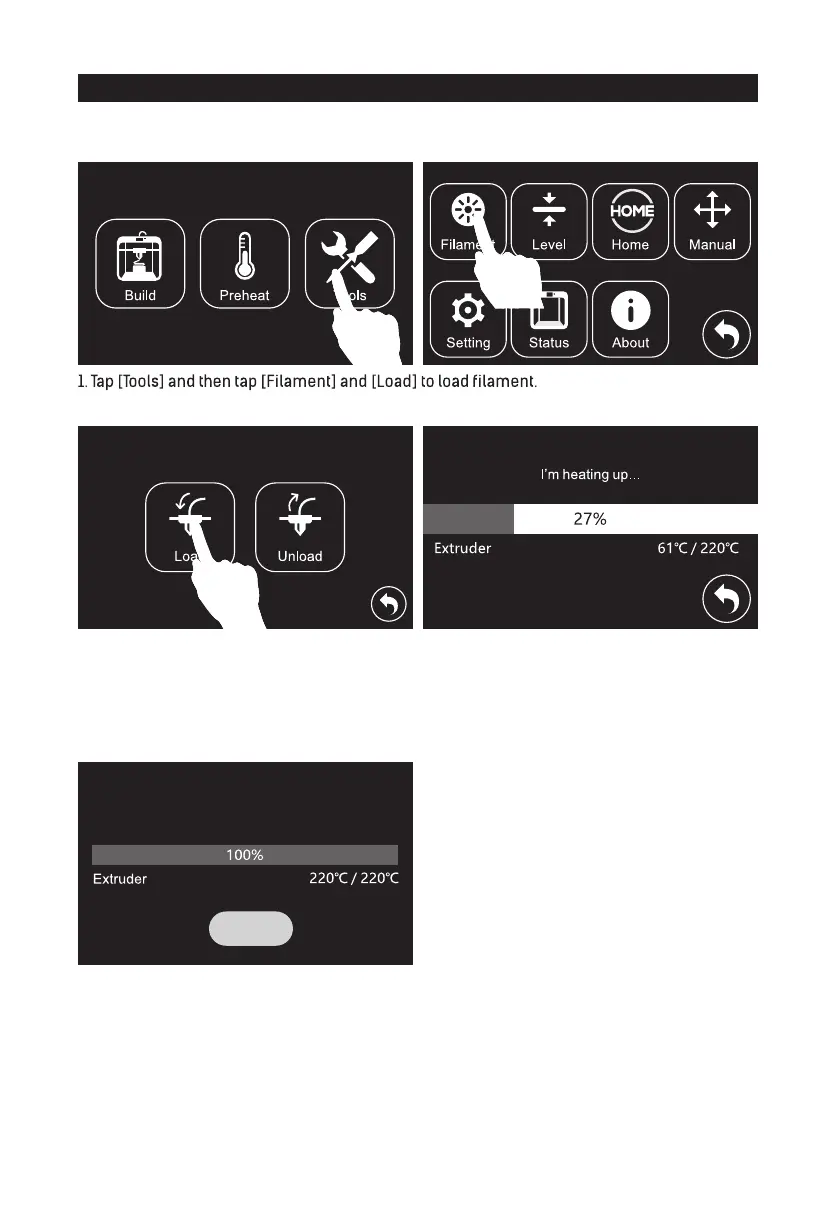
2. Tap [Load]. 3. Extruder starts to heat.
Attetion: If extruder can not unload in a long time, please check if you have inserted filament
into the bottom of extruder.
4. Once heated, filament will be drawn through the extruder. Continue extruding until the extruder
provides a steady flow of filament.
Loading started, push filament vertically
into extruder and press [Done] when you see
filament come out of the extruder
Loading Filament
Finish














 To Next Page