13
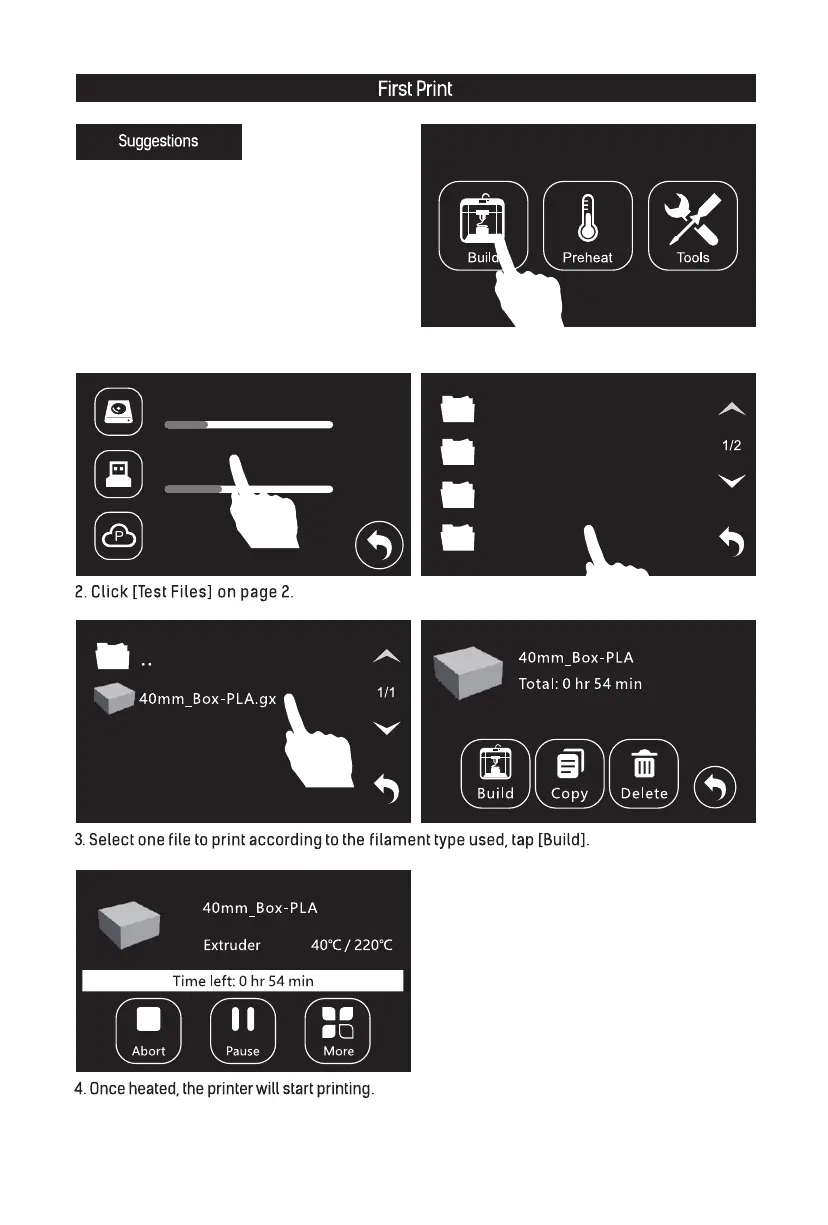
1. Insert USB stick into the USB stick input.
In print interface, tap [Build]-[USB stick].
1. Ensure that the build plate has been leveled before
printing.
2. Ensure that the filament has been loaded in an
appropriate approach.
3. Load the filament for a while to extrude all the
melted filament you printed last time out of the
extruder.
4. Please clean extruder before printing.
5. Do not leave the printer unattended during
operation.
Polar Cloud Print
Polar Cloud Disconnected
FlashPrint切片软件
Quick Start Guide快启
Test Files测试文件
Software Installation Packa..
Happy3D软件安装包
Internal Storage
USB Stick
P














 To Next Page