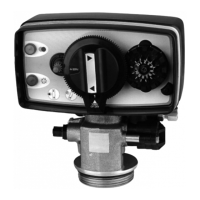
3200 ET & RM
27
3 - PROGRAM LEVEL #1
REGENERATION TIME
Not viewed in meter immediate regeneration mode.
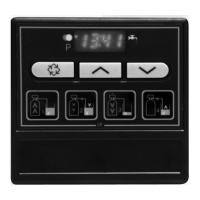
Press the button. The red led next to the symbol turns on as well as a non-flashing dot
between the hour set and minute set of numbers. Set the regeneration time with the and
set buttons.
Ex.: Regeneration at 2:00 A.M. [--2:00--]
REGENERATION CYCLE PROGRAMMING
The cycle 6 will not be viewed if the cycle 5 is cancelled [5 --- O F F ]. For RM, the cycle 1 will only be
viewed.
Press the button. The next displays are part of a series of option settings used to program the
regeneration cycles. Up to 6 cycles can be programmed. Only a led identifies the four first
display leds. Each display is used to set the duration time (in minute) of that cycle in the
regeneration.
The first display in the series is regeneration cycle 1, example: Backwash
Ex.: Cycle 1 (Backwash): 8 minutes [1 - - - 8.0]
Cycle 4 (Brine refill): 8.4 minutes (8 min and 24 s.) [4 - - - 8.4]
EXITING THE LEVEL 1 PROGRAMMING
When the cycle 5 display (or cycle 6 if cycle 5 is activated) is viewed, press once again the
button. The electronics returns in service.
1.4
1.5
TO
1.10
Installer note:
1. Reserve capacity calculation: in meter delayed regeneration mode, the electronic automatically
calculates its reserve capacity based on daily water usage.
2. System capacity and water hardness will not be viewed or set with the timeclock systems or with
the volume override set.
3. The regeneration time will not be viewed or set with the meter immediate regeneration mode.
4. Voltage range for reliable operation of the electronics:
24V +/- 10% Frequency: 50/60 Hz
E
N
G
L
I
S
H



 To Next Page