24
9.3 Changing the brush strips
The brush strips become worn over time. If they do
not sit tightly against the rotary
wheel-type heat
exchanger, it may be necessary to change them
(product code 102686). Alternatively, they can be
moved closer to the rotor, as the aluminium profile they
are mounted in has two grooves.
Unplug before starting!
Proceed as follows:
1. Undo the screw for the electric cover (see Fig. 28-1)
and take the cover off.
2. Disconnect the rotor's quick-release contact from
the circuit board by pressing the release down and
pulling the contact (see Fig. 28-2).
3. Undo the safety screw for the rotor module
(see Fig. 28-3).
4. Pull the rotor module straight out.
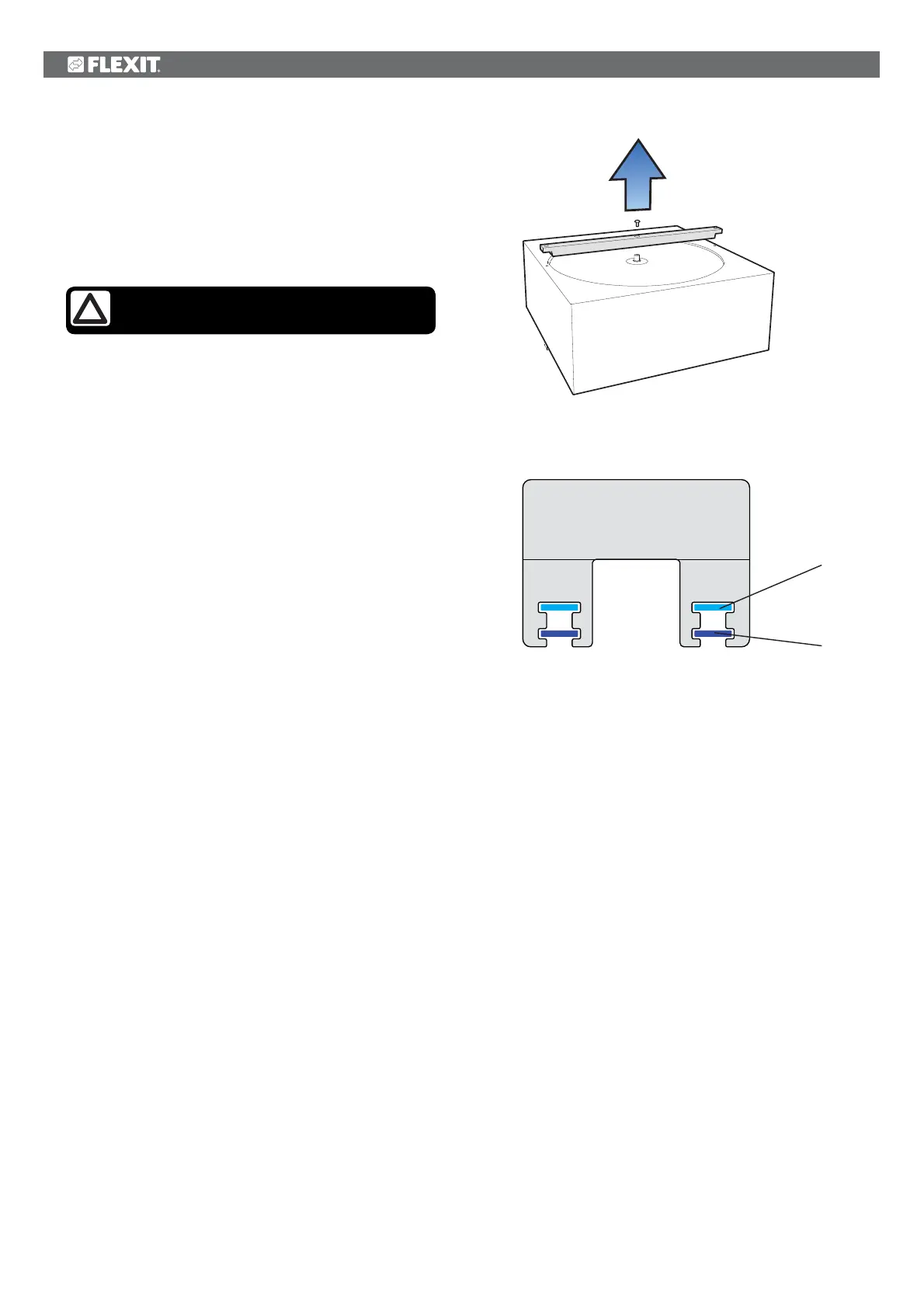
5. Remove the screw in the centre of the aluminium
profile and pull the profile out (see Fig. 29).
6. Pull the brush strips out of the groove. Move them
up from level 1 to level 2 (see Fig. 30), or replace
them with new ones if they are completely worn out.
Fig. 29
Fig. 30
level 2
level 1


 To Next Page