O P E R A T I N G F O R M S C H A P T E R 5
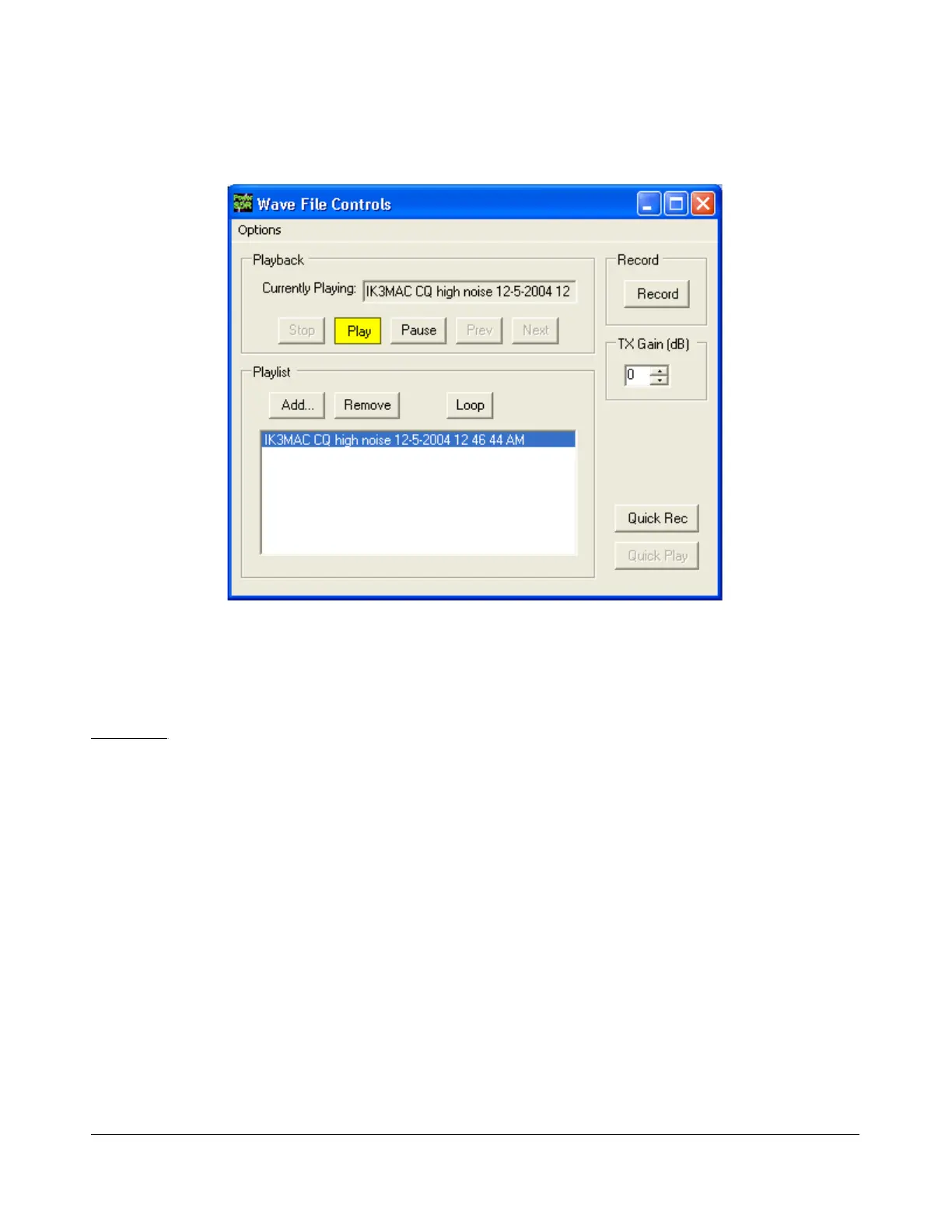
(33) Wave Form
Figure 135: Wave Form
The Wave form allows the user to Record and Playback either the post-processed audio of the current
station, or up to 192kHz bandwidth (as determined by the audio sample rate setting) of pre-processed
IF (I and Q) “audio” from the FLEX-5000.
Playback
Currently Playing: Displays the filename of the currently playing wave file.
Play: Click this button to start or stop playback of the current wave file. Note that clicking this
button twice while a file is playing will restart the file.
Pause: Pauses the wave file playback. Click once to pause and again to resume playback.
Prev (Previous): When there is more then one file in the playlist, clicking this button will
cause the previous file in the list to begin playing.
Next: When there is more than one file in the playlist, clicking this button will cause the next
file in the list to begin playing.
[The rest of this page has been left blank intentionally]
136 2003-2008 FlexRadio Systems



 To Next Page