O P E R A T I N G F O R M S C H A P T E R 5
(35) XVTRs Form
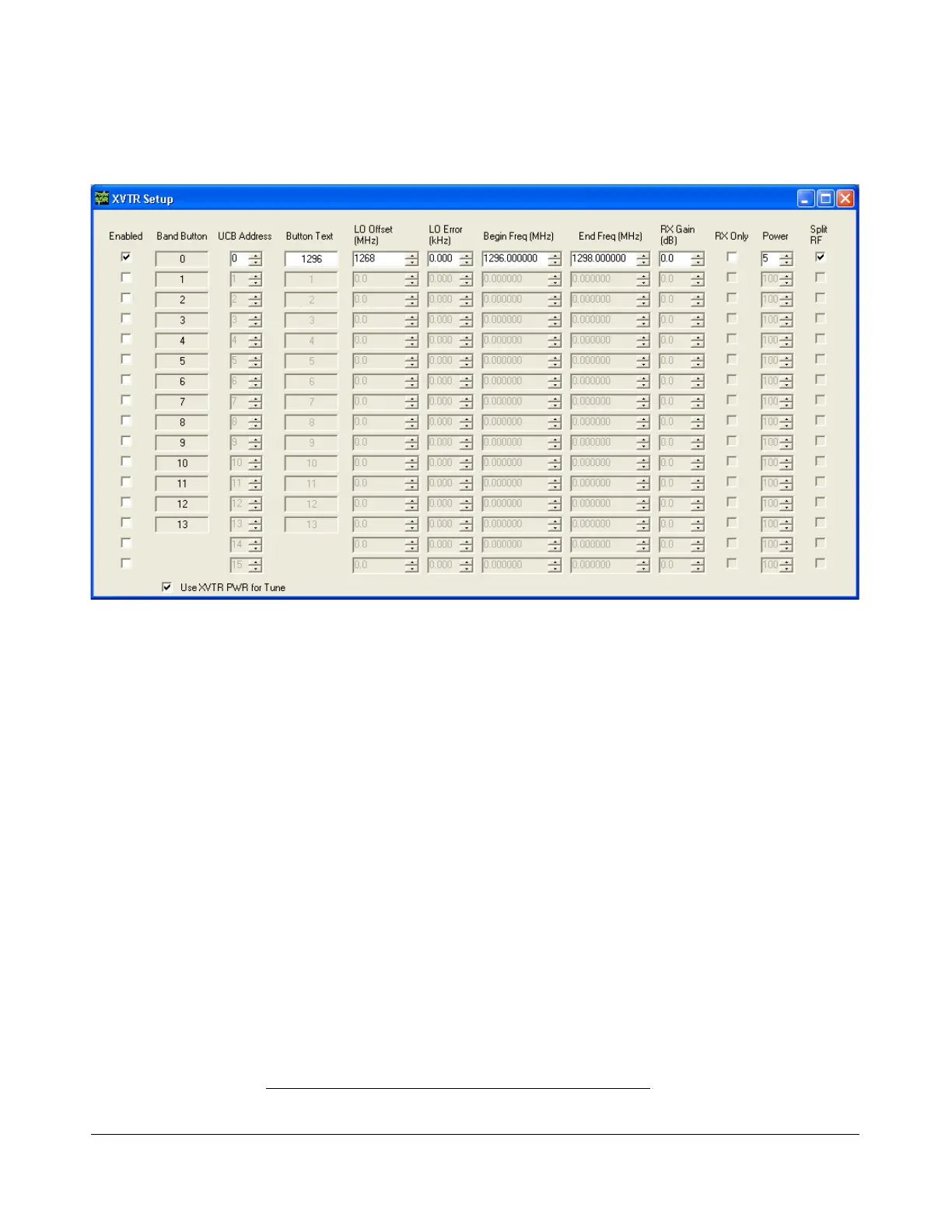
Figure 139: XVTR Setup Form
The XVTR (transverters) Setup Form allows the user to configure up to 16 external transverters for use
with the PowerSDR software.
Enabled: Enables that particular Band Button on the front console with the options selected.
Band Button: Band button to use for the particular transverter that is being configured.
UCB Address: Used to set the FlexWire to switch the correct external device (or a relay that
controls the external device).
Button Text: The text that will be shown on the Band Button.
LO Offset (MHz): The difference between the transverter low frequency and the IF frequency.
For example, on 2m, you might use 144-28MHz = 116.0.
LO Error (kHz): This setting allows the user to correct for any error in the transverter’s
oscillator.
Begin Frequency (MHz): The lower frequency bound for the transverter.
End Frequency (MHz): The upper frequency bound for the transverter.
RX Gain (dB): Amount of gain to apply to the incoming signals to compensate for gain within
the transverter. Please note that this does not yet work as intended.
141 2003-2008 FlexRadio Systems



 To Next Page