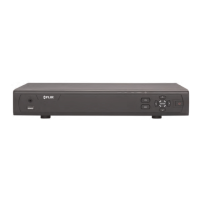
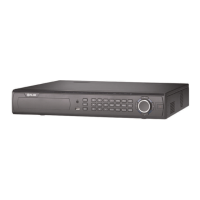
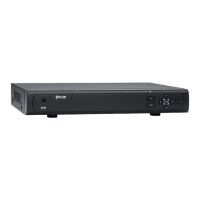
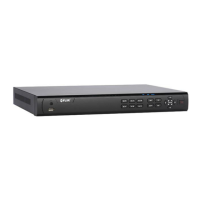
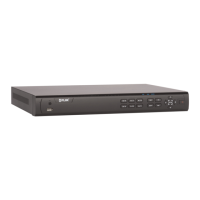
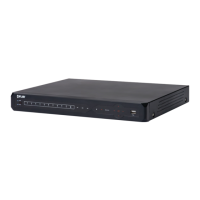
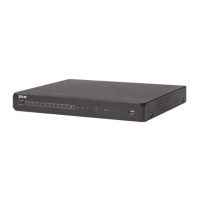
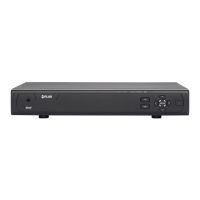
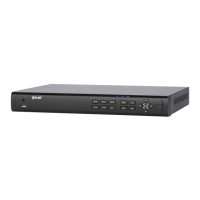
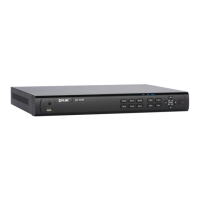
This document is an instruction manual for the Lorex LHV0000 Series Digital Video Recorders (DVRs), including 4-channel (LHV0004), 8-channel (LHV0008), and 16-channel (LHV0016) models. The DVRs are designed to provide a high-quality, reliable security solution for continuous 24/7 operation.
Function Description:
The Lorex LHV0000 Series DVRs are designed for video surveillance, allowing users to record, store, and view video footage from connected cameras. They support both local and remote monitoring via PC, Mac, smartphones, and tablets using FLIR Cloud™ or FLIR Secure™ apps. The system offers various recording modes, playback options, and backup capabilities.
Important Technical Specifications:
- Operating System: Linux (embedded)
- Pentaplex Functionality: Simultaneous view, record, playback, backup, and remote monitoring.
- Video Inputs: 4, 8, or 16 BNC inputs (1Vp-p, CVBS, 75ohms) depending on the model.
- Video Outputs: VGA and HDMI.
- Audio Inputs/Outputs: 1 Line in (RCA) and 1 line out (RCA).
- USB Ports: 1 at the back, 1 at the front for mouse, USB flash drives, and firmware upgrades.
- PTZ Control: RS-485 Pelco D & P Protocol (for analog PTZ cameras). Lorex 720p HD PTZ cameras can accept commands directly via the video cable.
- Live Display Speed:
- 4 ch: 120 NTSC, 100 PAL
- 8 ch: 240 NTSC, 200 PAL
- 16 ch: 480 NTSC, 400 PAL
- Video Output Resolution: 1920x1080 (HDMI), 1280x1024, 1024x768.
- Video Compression: H.264.
- Audio Compression: G.711.
- Recording Resolution (NTSC): 1280x720 (720p), 960x480 (960H), 704x480 (D1), 352x240 (CIF).
- Recording Resolution (PAL): 1280x720 (720p), 960x576 (960H), 704x576 (D1), 352x288 (CIF).
- Recording Resolution Setting: Per camera for different resolutions.
- Recording Quality Control: 5 levels.
- Storage: Up to 1 HDD (SATA) with a maximum capacity of 4TB.
- Backup Media: USB flash drive & HDD.
- Backup File Format: DAV or ASF file.
- Network Interface: 10/100-Base-TX, RJ-45.
- Network Speed Control: 48Kb ~ 8MB/sec.
- Power Consumption: Approx. 10 watts (No HDD Installed).
- Supply Voltage:
- 4 ch: 100VAC-240VAC, 12VDC, 1.5A, 50/60Hz
- 8/16 ch: 100VAC-240VAC, 12VDC, 2A, 50/60Hz
- Unit Dimensions (W x D x H): 10.2” x 8.7” x 1.6” (260mm x 220mm x 40mm).
- Unit Weight: 0.75kg / 1.7lbs.
- Operating Temperature: 14° ~ 131° F / -10° ~ 55° C.
- Humidity: 10 ~ 90% RH.
Usage Features:
- Basic Setup: Includes connecting BNC cameras, a USB mouse, an Ethernet cable to a router, and a monitor (HDMI or VGA). The DVR powers on automatically upon connecting the power adapter.
- Firmware Upgrade: The system prompts for firmware upgrades upon startup if available, ensuring the latest features and remote connectivity.
- Camera Image Verification: Users can verify camera video quality before permanent installation.
- Time Setting: Essential for accurate video time stamps, configurable via the Main Menu, with options for auto Daylight Savings Time updates and NTP server synchronization.
- Default System Password & Port Numbers: Default username "admin" and password "000000" are provided, with a strong recommendation to change them for security. Default ports for DDNS remote access are 80 (HTTP) and 35000 (Client).
- FLIR Cloud™ Connectivity: Exclusive cloud service for secure Internet connection without complex network configuration.
- Quick Access to System Information: A dedicated "Info" menu displays vital system details, including a QR code for mobile setup.
- Camera Installation Tips: Guidance on testing cameras, mounting locations, avoiding direct sunlight, cable routing, and visibility.
- Camera Extension Cables: Information on compatible cable types and maximum run distances for extending camera connections.
- Mouse Control: The primary control device, allowing navigation, menu access, full-screen viewing, split-screen modes, and digital zoom.
- On-Screen Display: Graphical interface for navigating menus, configuring settings, and viewing live camera feeds with indicators for continuous recording, motion detection, and system date/time.
- Quick Menu: Provides quick access to key functions like view selection, PTZ controls, camera settings, system info, sequence mode, beep disable, search, manual recording, and main menu.
- Camera Toolbar: Appears when hovering over a channel in live view, offering instant playback, digital zoom, real-time backup, snapshot, and mute/unmute options.
- Instant Playback: Allows playback of the last 5-60 minutes of video from a selected channel, even in split-screen mode.
- Digital Zoom: Available in live display for zooming in/out and panning within a channel.
- Real-time Backup: Enables saving live footage directly to a USB thumb drive or external hard drive.
- Virtual Keyboard: Used for text and numeric input in menus.
- Recording Types: Supports continuous and motion-activated recording.
- Main Stream and Sub Stream: Records high-quality video to the hard drive (Main Stream) and lower-resolution video for efficient streaming over the Internet (Sub Stream).
- Scheduled/Manual Recording: Configurable recording schedules or manual control to turn recording on/off.
- Hard Drive Overwrite: Default setting to overwrite oldest recordings when the hard drive is full, ensuring continuous recording.
- Search (Playback): Allows navigation and playback of recorded video files from the hard drive or a USB drive, with controls for speed, frame-by-frame, and clip backup.
- Backup: Facilitates backing up video files to external USB flash drives or hard drives, with options for file format (DAV or ASF).
- Viewing Backup Files: Instructions for playing back .dav and .asf files on PC (Lorex video player, VLC Media Player) and Mac (Smart Player, VLC Media Player).
- Managing Passwords and User Accounts: Default admin and default user accounts, with the ability to change passwords, add/modify/delete users, and assign permissions through account groups.
- Main Menu Navigation: Access to Search, Backup, Camera settings, Info, System settings, and Shutdown options.
- Camera Settings: Configure image settings, recording parameters (resolution, frame rate, bit rate type, bit rate), snapshot recording, and custom channel names.
- System Information (Info): Provides details on HDD, record info, firmware version, and alarm status.
- Network Settings: Configure DHCP or Static IP address, system ports (HTTP, TCP), DDNS settings, and email alerts.
- Event Configuration: Set up motion detection, video loss, and system warnings with customizable responses (on-screen message, email, PTZ activation, record channel, snapshot, buzzer).
- Storage Configuration: Manage recording schedules (continuous, motion detection) and hard drive types (read-write, read-only).
- General System Settings: Configure device model, language, video standard, HDD full action, pack duration, instant playback duration, auto logout, navigation bar, startup wizard, and mouse speed.
- Monitor Resolution (Display): Adjust monitor resolution (1920x1080, 1280x1024, 1280x720, 1024x768), menu transparency, time/channel display, and image enhancement.
- System Configuration Backup/Restore: Save and restore system settings to/from a USB flash drive.
- Factory Defaults: Reset system settings to factory defaults.
- Firmware Upgrade from USB: Manual firmware upgrade using a USB flash drive.
- Shutdown Options: Logout, shutdown, or restart the system.
- FLIR Cloud™ Client (PC/Mac): Software for connecting to multiple systems, live view with controls (streaming quality, manual recording, snapshot, mute/unmute, instant playback, digital zoom, split-screen, aspect ratio, full-screen, save view, tour, PTZ controls, device list), PTZ camera control (presets, tours, patterns, scan, pan), playback with controls (timeline, events, record, sync, speed, frame-by-frame, volume, video clip download), alarm management, log viewing, E-map creation, device management (add, delete, import, export, manual connect/disconnect), device configuration, alarm configuration (Alarm CFG), and general client settings.
- Smartphone/Tablet Apps (iPhone/iPad/Android): FLIR Cloud™ and FLIR Secure™ apps for remote viewing, connecting devices via QR code or Device ID, live view interface with controls (quick playback, PTZ controls, streaming quality, digital zoom, color settings, manual record, favorites, device list), PTZ camera control (presets), local file viewing (snapshots, videos), playback mode with controls (time bar, previous/next file, snapshot, manual record, time range, next frame), push notifications, event list, favorites, and E-map functionality.
- DDNS Setup (Advanced): Optional method for remote connectivity, requiring port forwarding, DDNS account creation, and enabling DDNS on the system.
Maintenance Features:
- Troubleshooting Guide: Provides solutions for common issues like no power, hard drive not detected, no picture on monitor/TV, system beeps, and email notification problems.
- Hard Drive Formatting: Essential for new hard drive installations or to erase all data on an existing hard drive.
- Hard Drive Warnings: Configurable alerts for "No Disk," "Disk Error," and "Disk Full" events, with options for on-screen messages, email alerts, and buzzer activation.
- Network Warnings: Configurable alerts for "Net Disconnection," "IP Conflict," and "MAC Conflict" events, with similar response options as hard drive warnings.
- System Safety: Emphasizes general precautions, proper installation, servicing by qualified personnel, and safe use practices to prevent fire, electric shock, and damage.
- Surge Protectors and UPS: Recommendation to connect the product to a surge protector and an uninterruptible power supply for protection against power surges and outages.
- Ventilation: Instructions to ensure proper ventilation to prevent overheating.
- Regular Firmware Updates: Encourages users to keep firmware and client software updated for optimal performance and security.

 Need help?

 To Next Page
 General