EasyManua.ls Logo

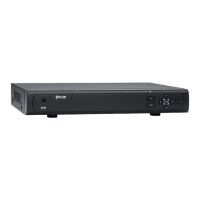
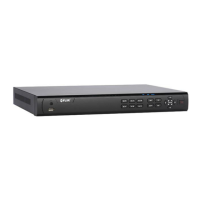
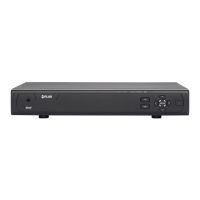
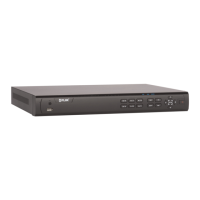
FLIR M5104 - User Manual

FLIR M5104
194 pages
Print Icon
To Next Page IconTo Next Page
Loading...
Instruction Manual
M5100 Series

Table of Contents

Questions and Answers

  • J
    Jennifer AyalaAug 8, 2025
    How to turn off beeping on FLIR M5104 DVR during motion detection?
    • G
      Garrett LaneAug 8, 2025
      If your FLIR DVR system beeps during motion detection, it means that motion detection is enabled and the alarm buzzer is activated. To stop the beeping, go to the Main Menu, click >Event>Motion>Motion Detect. Uncheck Buzzer for each channel and click Apply.
  • L
    Lisa GarciaAug 11, 2025
    What to do if there is no picture on monitor/TV after connecting FLIR DVR?
    • C
      croseAug 11, 2025
      If there is no picture on your monitor/TV after connecting it to the FLIR DVR system, try these steps: * Power off both the monitor/TV and the DVR system, then power on the monitor/TV first, followed by the system. * Ensure that you have selected the correct input channel on your monitor/TV to which the DVR is connected. * Check the video cable connection at both the DVR and the monitor/TV to make sure it is secure.
  • R
    ronald37Aug 16, 2025
    How to troubleshoot no picture on certain channels of FLIR M5104 DVR?
    • D
      Dr. Robert Wagner DVMAug 16, 2025
      If there is no picture on selected channels or the camera picture is not being displayed on your FLIR DVR, check the camera video cable and connections. Disconnect and reconnect the cable at both the DVR and the camera. You can also try moving the camera to another channel or using a different cable.
  • A
    Alejandra DiazAug 20, 2025
    Why is my FLIR M5104 DVR not turning on?
    • D
      dominguezchadAug 20, 2025
      If your FLIR DVR system isn't receiving power, first, check that the cable from the power adapter is securely connected to the back of the unit and plugged into the outlet. Also, ensure the power switch is in the ON position. If it's still not working, bypass any power bars or surge protectors and connect directly to the wall outlet. Finally, test the outlet with another device to confirm it's providing power.
  • L
    Linda RodriguezAug 25, 2025
    How to fix FLIR M5104 hard drive not detected?
    • R
      Rebecca BarryAug 26, 2025
      If your FLIR DVR's hard drive is not being detected, remove the housing and check that the hard drive cables are firmly connected. If there is no hard drive installed, open the housing and install a compatible hard drive. Remember to format the drive after installation.
  • J
    Jimmy SheppardAug 29, 2025
    What to do if FLIR M5104 mouse is not detected?
    • L
      Lisa TaylorAug 29, 2025
      If your FLIR DVR mouse is not detected by the system: * Ensure the mouse cable is firmly connected to one of the USB ports. * If that doesn't work, power off the system (disconnect the power cable), firmly connect a USB mouse to one of the USB ports, and then reconnect the power cable to the DC 12V port on the rear panel.
  • C
    Christina MartinezSep 2, 2025
    Why is my FLIR DVR hard drive full and not recording?
    • A
      Adam RodriguezSep 2, 2025
      If your FLIR DVR is no longer recording because the hard drive is full (0%), it's likely that the overwrite function is not enabled. To resolve this, go to Main Menu > Setting > General > General. Select Overwrite under HDD Full and click OK.

FLIR M5104 Specifications

General IconGeneral
Hard Drive Support1 SATA HDD
Maximum HDD CapacityUp to 6TB
Operating SystemEmbedded Linux
Video CompressionH.264
Power Supply12VDC
Video Input4 channels
Mobile App SupportYes
Network Interface10/100 Mbps Ethernet
Operating Temperature-10°C to 55°C (14°F to 131°F)

Related product manuals