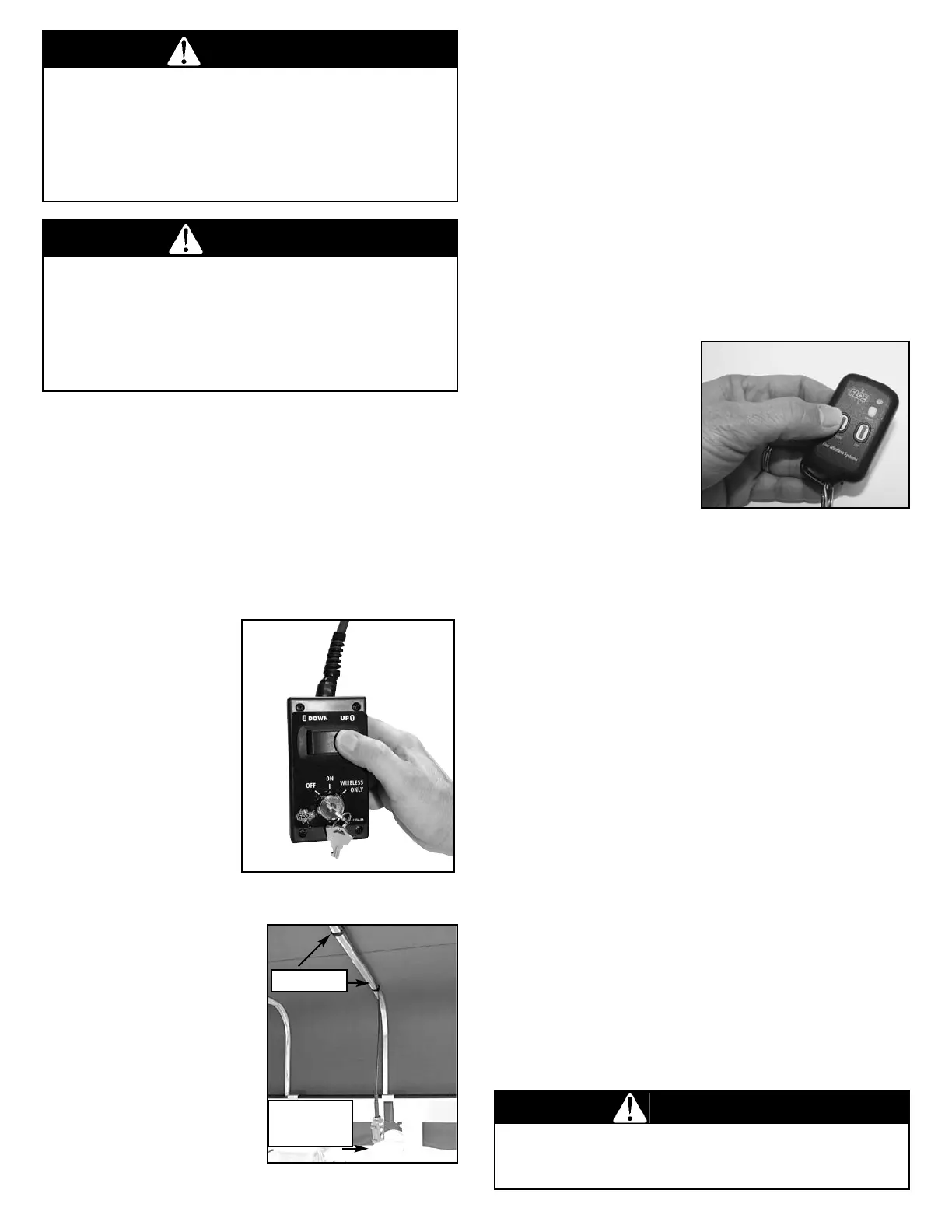
If the lift is equipped with a canopy system, the cord on
the remote should be attached with Velcro one-wrap to
the canopy upright tube and the canopy hoop.
Then run the cord forward from the frame’s midpoint, or
completely across the hoop, so that the pendant can be
located for easy access from either the boat or the dock.
(Fig. 17). Refer to the assembly instructions packaged
with the lift for details.
NOTE: If lift is not equipped with an optional canopy
system for routing the wires to the dock side and it does
not have the wireless remote option, the lift system
should be installed so that the electrical connection
panel is next to the dock.
CONNECTING AND
USING OPTIONAL
WIRELESS
REMOTE
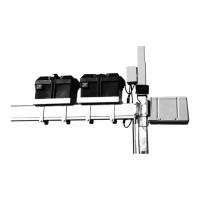
An optional wireless remote
control (Fig. 18) will allow
operation of the lift from a
distance. This remote
includes a receiver,
mounting post and two
wireless transmitters. The wireless remote plugs into the 7-
in. yellow plug on the ASC.
For more details, see the assembly instructions.
Should the remote fail to perform properly these brief steps
will help to diagnose the problem.
1. Lift moves without buttons pushed. Unplug the
wireless remote and remove the batteries from the
transmitter. Plug the radio remote receiver back in, and if the
lift still moves, it is possible that the wireless receiver unit is
faulty. If the lift does not move, replace the batteries in the
transmitter to determine if it was transmitting when it should
not have been. Leave the battery out of any transmitter
determined to be faulty and contact your dealer.
2. Lift will not move when the transmitter button is
pushed. Check to ensure that the batteries in all
transmitters are good. If a transmitter has been dropped in
the water, dry it out or replace it. If the problem persists, it
may be due to radio interference in your area. When there
are two remotes and both are transmitting at the same time,
one signal will cancel out the other, even if the second
transmitter is for another lift.
The transmitter uses a CR2032 3-volt battery.
Fig. 18 Optional
Wireless Transmitter
WARNING
It is important that you never raise or lower the lift using
the wireless remote until you are sure no one is on or
near the lift.
CONNECTING AND
USING THE WIRED REMOTE
VSD lifts come standard with a wired remote control. The
remote plugs into the electrical connection panel. The wired
remote plugs into the 10-in. blue plug on the ASC. To raise
the lift, simply press the “UP” button, to lower the lift press
the “DOWN” button. (Fig. 16). The lift will stop automatically
when it reaches the end of its up or down travel limit or when
the button is released.
The wired remote is
weather resistant but not
waterproof and should
not be exposed to the
elements. Installation
under a canopy system
is recommended. If the
remote is not covered by
a canopy, unplug and
store indoors when not
in use. Turn the wired
remote to the off position
while storing the lift to
ensure power is not
being drawn from the
battery durng the off
season. NOTE: If the
remote is accidentally
submerged in water, to
avoid corrosion on the
contacts, it should be
taken apart and blown
out until it is dry.
Fig. 17 Velcro One-Wrap
Fig. 16 Wired Remote
VELCRO
REMOTE
PENDANT
WARNING
The main cradle lift beams should never act as a wave-
break. Make sure that the cradle lift platform is always
either raised high enough so that the waves pass under
it, or lowered completely beneath the water. Waves
breaking against the cradle lift beam will cause
unnecessary wear on the lift’s frame.
WARNING
• Submerging of the electronic components including the
electric motor in water may cause lift failure that is not
covered by warranty. • When properly installed the wave
action will flow under the main lift beams and not break
against them. This will ensure that the integrity of the lift
frame and electrical system will not be compromised.
13



 To Next Page